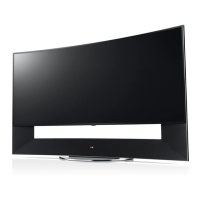
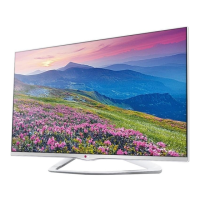
This document describes a comprehensive user manual for an LG television, likely a smart TV, providing detailed instructions for setup, operation, and maintenance. The manual is designed to guide users through every step, from unpacking and initial assembly to advanced features and troubleshooting.
Function Description
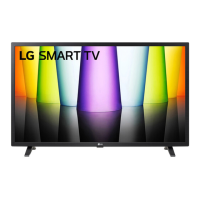
The device is an LG television, specifically models within the 32LQ57* series (e.g., 32LQ570BPSA, 32LQ573BPSA, 32LQ576BPSA). Its primary function is to display visual content from various sources, including broadcast television, streaming services, and external media devices. It is equipped with multiple input ports to support a wide range of connectivity options. The television is designed for home entertainment, offering a gateway to digital content, smart features, and a high-quality viewing experience. The inclusion of smart TV capabilities suggests internet connectivity, allowing access to apps, web browsing, and potentially voice control, though these specific features are not explicitly detailed in the provided snippets. The manual emphasizes ease of setup and user-friendly operation, catering to a broad audience.
Usage Features
The manual outlines a clear, step-by-step process for using the television, starting with the initial setup.
- Unpacking and Assembly: The "Quick Start Guide" begins with instructions for unpacking the TV and checking for all included accessories. It provides visual aids for attaching the stand, emphasizing the importance of placing the screen face down on a soft surface to prevent scratches during assembly. This ensures a safe and damage-free setup.
- Connectivity: The TV offers a variety of input and output options.
- Antenna/Cable In: Two "Antenna/Cable In" ports (1 and 2) are available for connecting to broadcast television signals.
- LAN Port: A LAN port allows for wired internet connectivity, essential for smart TV features, streaming, and software updates.
- Optical Digital Audio Out: This port enables high-quality digital audio output to external sound systems, with a note cautioning against looking directly into the laser beam and mentioning that audio with ACP (Audio Copy Protection) may block digital audio output.
- AV In: An "AV In" port (Video L/Mono Audio R) is provided for connecting older devices that use composite video and stereo audio cables.
- USB In: Multiple USB ports are available for connecting external storage devices (e.g., USB drives) to play media files or for other functionalities. A note advises connecting USB devices directly to the TV if a USB hub is not detected and suggests connecting an external power source if the USB device requires it.
- HDMI In: Several HDMI input ports are included, with one specifically designated as "eARC/ARC" (Enhanced Audio Return Channel/Audio Return Channel). This allows for high-quality audio transmission to compatible sound systems using a single HDMI cable, simplifying home theater setups. The manual highlights that when connected with a high-speed HDMI cable, an external audio device supporting ARC can output SPDIF audio without an additional audio cable and supports the SIMPLINK function (LG's HDMI-CEC feature).
- Remote Control: The manual illustrates the use of the remote control, showing how to insert batteries and navigate the TV's interface. The remote appears to have standard buttons for power, volume, channel selection, and smart TV functions.
- On-Screen Display (OSD): The manual includes images of the TV's on-screen interface, indicating how users can access menus, settings, and various functions. The LG logo is prominently displayed, suggesting a familiar user experience for those accustomed to LG products.
- Wall Mounting: Instructions and diagrams are provided for wall mounting the TV, including the VESA standard (200x200) and screw type (M6). This offers flexibility in placement options for users.
- Power Requirements: The TV operates on AC 100-240 V~50/60 Hz, making it compatible with various power standards globally.
- Safety and Reference: The manual explicitly states the importance of reading "Safety and Reference" information, underscoring LG's commitment to user safety.
- Analog Gender Adapter: A note mentions that an "Analog Gender adapter can be purchased separately at Customer Service," indicating support for specific legacy connections if needed.
Maintenance Features
While the manual primarily focuses on setup and usage, it implicitly includes elements related to maintenance and product longevity.
- Hazardous Substances Restriction: The "Restriction of Hazardous Substances" section is a crucial maintenance-related feature, though it pertains to the manufacturing process rather than user-level maintenance. It states that the product must comply with LG's substance regulation standards (Level A-I, A-II, SVHC according to LG(52)B-5011). This ensures the product is manufactured with environmentally responsible materials, contributing to its long-term safety and reduced environmental impact.
- Test Report Submission: It requires hazardous substances test reports to be submitted during part certification and first mass production, ensuring continuous compliance.
- Lead and Cadmium Restriction: Specifically, it mandates that lead (Pb) and cadmium (Cd) must not be used or contained in the ink, highlighting a commitment to user and environmental safety.
- Software Updates: Although not explicitly detailed, the LAN port and smart TV capabilities imply that the device supports software updates, which are essential for maintaining optimal performance, security, and access to new features over time.
- Troubleshooting (Implied): While no specific troubleshooting section is provided in the snippets, the comprehensive nature of a user manual typically includes such information to help users resolve common issues, thereby extending the device's functional life.
- Customer Service: The mention of purchasing an "Analog Gender adapter... at Customer Service" indicates that LG provides support for parts and accessories, which is a key aspect of product maintenance and repair.
- Copyright and Origin Notification: The copyright notice and origin notification (e.g., "Printed in Korea," "LGEIL: India") provide transparency about the product's origin and intellectual property, which can be relevant for warranty and service inquiries.
- Revision History: The "History" section (REV00 to REV07) documents changes made to the manual itself, ensuring that users always have access to the most current and accurate information, which indirectly supports proper device usage and maintenance.
In summary, this LG television manual is a comprehensive guide designed to ensure a smooth user experience from initial setup to ongoing operation. It emphasizes clear instructions, diverse connectivity options, and a commitment to product safety and environmental responsibility through its manufacturing standards.

 Need help?
 General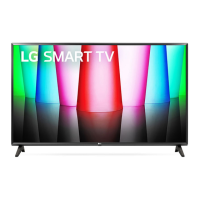

 To Next Page