EasyManua.ls Logo

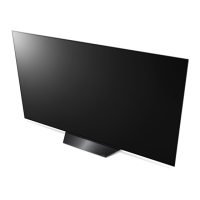
LG OLED 55B9 Series - User Manual

LG OLED 55B9 Series
34 pages
Print Icon
To Next Page IconTo Next Page
Loading...
www.lg.com
Copyright © 2019 LG Electronics Inc. Todos os direitos reservados.
Leia este manual com atenção antes de utilizar o
dispositivo e guarde-o para futura referência.
MANUAL DE INSTRUÇÕES
Segurança e Referência

Questions and Answers

  • L
    Lonnie WilsonJul 27, 2025
    What to do if X appears next to Gateway on LG OLED 55B9?
    • M
      Melissa ColonJul 28, 2025
      If an 'X' appears next to Gateway on your LG Smart TV, unplug the power cord of the AP (Router), wait 5 seconds, and then try connecting again. If that doesn't work, initialize (reset) the AP (Router). If problems persist, contact your internet service provider or the AP (Router) company.
  • M
    Michelle RamirezAug 11, 2025
    How to fix 'X' next to DNS on LG Smart TV?
    • J
      Jennifer NguyenAug 11, 2025
      If an 'X' appears next to DNS on your LG Smart TV, unplug the power cord of the AP (Router), wait 5 seconds, and then try connecting again. Check that the MAC address of the TV/AP (Router) is registered with your Internet service provider. Initialize (reset) the AP (Router). Also, check the AP (Router) manufacturer’s website to ensure your router has the latest firmware version installed.

Summary

SMART TV Quick Setup Guide

Network Settings

Guide to connecting the TV to a network, including wired and Wi-Fi options.

Troubleshooting Network Problems

SmartShare Connection to Smartphone

Updating the TV Firmware

Instructions for checking and installing TV software updates.

LG OLED 55B9 Series Specifications

General IconGeneral
BrandLG
ModelOLED 55B9 Series
CategorySmart TV
LanguageEnglish

Related product manuals