EasyManua.ls Logo

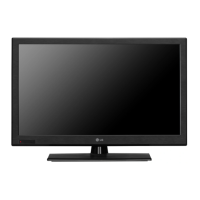
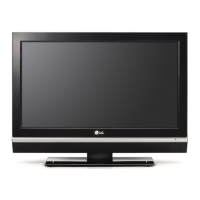
LG 32LT670H - User Manual

LG 32LT670H
68 pages
Print Icon
To Next Page IconTo Next Page
Loading...
Automated Installation Routine Wizard
pages 11 13
Custom Master TV Setup
pages 14 17
Cloning Information
pages 28 36
FTG Mode of Operation
pages 37 48
EXPERIENCED INSTALLER
Commercial Mode Setup Guide
Note: Selected features shown in this guide may not be available on all models.
Lodging Guest Interactive Pro:Centric
®
TVs
© Copyright 2013 LG Electronics U.S.A., Inc.
P/N: 206-4213 (Rev E)
26LT670H 32LT670H 37LT670H 42LT670H
55LS675H

Table of Contents

Other manuals for LG 32LT670H

Questions and Answers

  • D
    David FritzAug 13, 2025
    What to do if my LG 32LT670H has no picture?
    • Y
      yolandasanchezAug 13, 2025
      If your LG LCD TV shows no picture, start by ensuring the TV is turned ON. Check that the antenna or cable is correctly connected to the TV. Verify all connections to the TV are correct. If you are using an MPI device, ensure the MPI cable is connected. If you're watching an encrypted program, try switching to another channel. Finally, check the Installer Menu settings to ensure the tuning band is correctly adjusted.
  • A
    aaron65Aug 17, 2025
    What to do if my LG 32LT670H fails to power up?
    • D
      deannalynchAug 17, 2025
      If your LG LCD TV fails to power up, start by inspecting the P401 power connector. If the connector is okay, consider replacing the Power Board. Also, check the Q409 application circuit and the Q409 output Voltage (12V), replacing Q409 if necessary. Inspect the LVDS Cable and replace it, if needed. Finally, check the LCD Module Control board.
  • S
    Scott JohnsonAug 21, 2025
    Why is my LG 32LT670H LCD TV remote not working?
    • P
      Philip RodriguezAug 21, 2025
      If the remote for your LG LCD TV isn't working, first ensure the 'TV' mode is selected on the remote using the MODE key. Then, point the remote directly at the IR receiver on the TV, ensuring you're close enough and there are no obstructions in the path. Weak batteries can also cause this issue, so replace them, making sure the '+' and '-' polarities match the markings in the battery compartment. Too much light in the room can interfere with the signal, so dim the lights. If none of these steps work, you may need a compatible Installer Remote, so contact your LG dealer.
  • W
    Whitney WalshAug 25, 2025
    Why does my LG LCD TV have sound problems?
    • S
      srobinsonAug 26, 2025
      If your LG LCD TV has a normal picture but poor or no sound, first press the MUTE button or use the Volume Up key to increase the sound level. If that doesn't work, the issue might be with the broadcast itself, so try changing to a different channel.
  • L
    lisaharrisAug 28, 2025
    How to fix LG 32LT670H LCD TV when I can't enter channel number?
    • A
      adam29Aug 28, 2025
      If you cannot directly enter a channel number on your LG LCD TV, it might be because the TV is in Pass-through Mode and the Installer Menu item 028 CH. OVERIDE is set to 0 (disabled). To enable direct keypad entry, set CH. OVERIDE to 1. Alternatively, if the TV is in FTG Mode, the channel you're trying to enter might not be part of the FTG Channel Map. In this case, you may need to make changes to the FTG Channel Map using the FTG File Manager or the FTG Configuration Application.
  • C
    Chelsea RivasSep 1, 2025
    What to do if composite video is not working on my LG 32LT670H LCD TV?
    • W
      William KimSep 1, 2025
      If you're experiencing issues with composite video on your LG LCD TV, begin by inspecting the AC cable for any damage or open conductors. Then, check JK1700 and replace it if necessary. Check the input of Mstar(IC101). Measure waveform at C217 because it’s more easy to check. If problems persist, and after rechecking all paths, consider replacing the Mstar chip.
  • R
    rodriguezpatrickSep 5, 2025
    What to do if analog RF video is not working on my LG 32LT670H?
    • R
      Raymond GallegosSep 5, 2025
      If you are experiencing issues with analog RF video on your LG LCD TV, check TU3001 Pin7 and consider replacing the tuner. Also, check the tuner's 5V power at L3000 and inspect IC5000, replacing IC5000 if needed. Check the tuner's 3.3V power at L3001 and replace L3001 if necessary. Check the tuner's 1.8V power at IC3000, ensuring 2pin : 1.8V, and replace IC3000 if needed. Finally, check the Mstar LVDS output and replace IC101 if necessary.
  • J
    jonesrichardSep 8, 2025
    What to do if digital RF is not working on my LG LCD TV?
    • C
      Curtis RamirezSep 8, 2025
      If you're having trouble with the digital RF on your LG LCD TV, check the tuner's 5V power at L3000 and inspect IC5000, replacing IC5000 if necessary. Also, check the IIC Signal and replace TU3001 at pins #3 and #4. Check the DIF Signal and replace TU3001 at pins #10 and #11. Finally, check X201 and replace X201 and its application circuit.

Summary

IMPORTANT SAFETY INSTRUCTIONS

Commercial Mode Overview

Pass-through Mode

Allows TV configuration for Pro:Centric or FTG Mode, or Master TV Setup for cloning.

Automated Installation Routine Wizard

Guides TV setup for Pro:Centric or FTG Mode via USB memory device.

Custom Master TV Setup

Creates a customized Master TV Setup for cloning purposes using the Installer Remote.

Cloning Overview

Explains procedures for cloning a Master TV Setup to target TVs, listing methods and requirements.

FTG Mode of Operation Overview

Explains Pro:Idiom decryption and logical channel mapping in FTG Mode via CPU or EBL.

Pro:Centric Operation

Pro:Centric TV Interactive Menu Features

Describes interactive features like channel guide, weather, and custom billboards for guests.

Pro:Centric Setup

Details administration and management options for Pro:Centric server and TV settings.

Installer Menu

Accessing the Installer Menu

Provides step-by-step instructions to access the Installer Menu using the Installer Remote.

Detailed Descriptions of Installer Menu Items

Explains specific Installer Menu items, their functions, value ranges, and default values.

Channel Icons; Custom Text Labels

USB Cloning Procedures

Clone Programmer Cloning Procedures

FTG Mode via CPU

Creating an FTG Configuration File

Guides users on creating FTG Configuration (.tlx) files using the FTG File Manager software.

Teaching FTG Configuration to a TV

Describes how to 'Teach' an FTG Configuration file from a USB memory device to a TV.

FTG Mode via EBL

FTG File Manager Utilities Overview

FTG Channel Map Editor

Enables creation, view, editing, and printing of a Logical Channel Map.

Reference: Upgrading TV;PTC Software

Reference: Restoring Factory Defaults

Reference: LT670 H Rear and Side Jack Panels

Reference: LS675 H Rear and Side Jack Panels

Reference: Installer Remote Control Typical Key Functions

Troubleshooting

Troubleshooting Flow Chart

Provides a visual flowchart to diagnose and resolve common TV operational issues.

Clone Programmer Troubleshooting

Offers solutions for common problems encountered when using clone programmers.

LG 32LT670H Specifications

General IconGeneral
Display diagonal32 \
Display brightness- cd/m²
Display resolution1366 x 768 pixels
Native aspect ratio16:9
Native refresh rate60 Hz
Contrast ratio (dynamic)1000000:1
Supported graphics resolutions-
3DNo
Headphone connectivity3.5 mm
Number of AV connections3
Annual energy consumption83 kWh
Storage temperature (T-T)-20 - 60 °C
Video formats supportedH.264, MPEG2, MPEG4
Number of tuners1 tuner(s)
Supported TV bandsCATV, UHF, VHF
Analog signal format systemNTSC
Digital signal format systemATSC
RMS rated power20 W
Number of speakers2
USB 2.0 ports quantity1
Product colorBlack
Panel mounting interface200 x 100 mm
AC input voltage100 - 240 V
AC input frequency50 - 60 Hz
Power consumption (standby)1 W
Power consumption (typical)43 W
Sustainability certificatesENERGY STAR
Package depth144.78 mm
Package width967.74 mm
Package height584.2 mm
Package weight11793.4 g
Operating temperature (T-T)0 - 40 °C
Weight and Dimensions IconWeight and Dimensions
Depth (with stand)231.14 mm
Width (with stand)764.54 mm
Height (with stand)535.94 mm
Weight (with stand)9207.925 g

Related product manuals