EasyManua.ls Logo

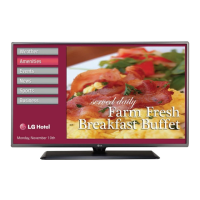
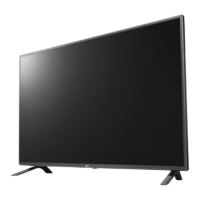
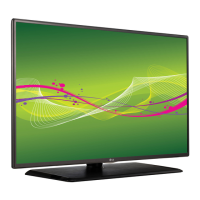
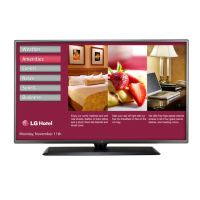
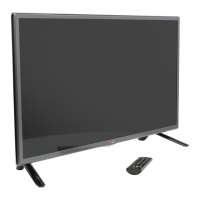
LG 32LY560M - User Manual

LG 32LY560M
24 pages
Print Icon
To Next Page IconTo Next Page
Loading...
OWNER’S MANUAL
LED TV*
* LG LED TVs are LCD TVs with LED backlighting.
Please read this manual carefully before operating your TV
and retain it for future reference.
P/NO : MFL68080367 (1409-REV03)
www.lgsolutions.com
22LY560M
28LY560M
32LY560M
42LY560M
*MFL68080367*

Other manuals for LG 32LY560M

Questions and Answers

  • J
    Jeffrey BeckAug 14, 2025
    Why does my LG TV remote not work?
    • M
      mark80Aug 14, 2025
      There could be several reasons why your LG TV remote isn't working. First, ensure the remote is in TV Mode. Point the remote directly at the TV's IR receiver, and make sure you are close enough to the TV. Remove any obstructions between the remote and the TV. Replace the batteries, ensuring they are inserted with the correct polarity (+ and -). Dim the lights in the room, or contact your LG dealer to ensure the remote is compatible with your TV. Also, if applicable, connect MPI cable to MPI device.
  • T
    troycantrellAug 17, 2025
    What to do if there is no picture on my LG TV?
    • A
      Ashlee StoutAug 17, 2025
      If there's no picture on your LG TV, first, make sure the TV is turned on and check for any power failure. Ensure the antenna or cable is properly connected to the TV. Check all connections to the TV to make sure they are correct. If you are using an MPI device, ensure the MPI cable is connected. If the program is encrypted, try switching to another channel. Also, check the tuning band in the Installer Menu settings.
  • A
    Austin MontoyaAug 21, 2025
    Why is there normal picture but no sound on my LG TV?
    • C
      Carlos JohnsonAug 21, 2025
      If you have a normal picture but no sound on your LG TV, first try a different channel in case it's a broadcast problem. Check if the audio is muted and increase the volume. Ensure that Installer Menu items 020 FEATURE LEVEL and 027 HOSPITAL MODE are set as required. Also, if applicable, select TV Speaker in the Audio Menu.
  • J
    Jessica DukeAug 25, 2025
    What to do if 'Inactive TV' message appears and then LG TV turns OFF?
    • C
      Christina MontgomeryAug 25, 2025
      If the 'Inactive TV' message appears and your LG TV turns off, it means the TV is set up to display this message if all channels are 'NORMAL-DELETED' from Channel Bank 4. To fix this, select another channel bank (1, 2, or 3) to return the TV to normal operation.
  • D
    Danny HarrisAug 28, 2025
    Why is there no channels present after setup on my LG TV?
    • T
      Tony PhillipsAug 28, 2025
      If there are no channels present after setup on your LG TV, it is because Auto Tuning (Channel Search) was not run. Refer to Express Script or Custom Master TV Setup procedure, as appropriate. Auto Tuning must be run in order for the channel lineup to be populated. Note for Express Script: You must select 'Execute Auto Search' in the Auto Search screen to run search. To reactivate the Express Script, perform an 'IN-STOP' to restore factory defaults on the TV.
  • G
    gmackAug 31, 2025
    What to do if my LG TV channel found during Auto Tuning does not tune in with Channel Up/Down?
    • A
      Ashley SchneiderAug 31, 2025
      If a channel found during Auto Tuning doesn't tune in with Channel Up/Down on your LG TV, it might be because the channel was deleted in the currently selected channel bank. If banks were set up, premium channels may only be available on another channel bank. Select the channel bank where the channel is set to NORMAL-ADDED. Or, direct enter channel number; then go to Channel Preview/ Banks Setup Menu and select 'NORMAL-ADDED.'
  • L
    lealyssaSep 3, 2025
    Why can't I change channel status in the menu of my LG TV?
    • T
      travisharperSep 3, 2025
      If you cannot change the channel status in the menu of your LG TV, it is because Channel Access was denied in Express Script and/or Installer Menu item 028 CH. OVERIDE is set to 0. To solve this, set CH. OVERIDE to 1 to allow access for channel status change.
  • S
    Steven StanleySep 7, 2025
    Why can't I direct enter channel number on my LG TV?
    • Z
      zlaraSep 7, 2025
      If you cannot directly enter a channel number on your LG TV, it could be because the TV is in Pass-through Mode and Installer Menu item 028 CH. OVERIDE is set to 0, or Channel Access was denied in Express Script. Set 028 CH. OVERIDE to 1 to allow access for direct keypad entry to all channels. Alternatively, if the TV is in FTG Mode, the channel entered might not be included in the FTG Channel Map. If necessary, make changes to the FTG Channel Map using the FTG File Manager.
  • G
    Gerald CraigSep 10, 2025
    Why Channel Preview/Banks Setup Menu does not appear on LG TV?
    • R
      Ralph BrownSep 10, 2025
      The Channel Preview/Banks Setup Menu will not be available until the TV setup is transferred to the PTC. Also, set Installer Menu item 028 CH. OVERIDE to 1 to allow access for channel status changes.

Summary

Important Safety Instructions

General Electrical Safety Precautions

Essential precautions for safe operation, covering electrical shock, fire, and physical damage risks.

Power Cord and Servicing Safety

Guidelines for power cord protection, servicing, and preventing liquid damage.

Grounding and Antenna Installation Safety

Information on electrical grounding and safe installation of outdoor antennas.

Assembling and Preparing Your TV

Unpacking and Component Verification

Instructions for unpacking the TV and verifying all included accessories are present.

Joystick Button Operation and Menu Navigation

Detailed guide on operating the joystick button for basic functions and menu navigation.

Wall Mounting Installation Guide

Comprehensive guide for safely mounting the TV on a wall, including VESA specifications and precautions.

Making Connections to Your TV

Connecting External Audio-Visual Devices

Guide to connecting external devices like PCs, gaming consoles, and audio systems.

Product Specifications

Troubleshooting Common Issues

Child Safety and Television Placement

LG 32LY560M Specifications

General IconGeneral
Screen Size32 inches
Display TypeLED
Resolution1366 x 768
Brightness200 cd/m²
Contrast Ratio1200:1
Viewing Angle178° / 178°
HDMI Ports2
USB Ports1
Refresh Rate60 Hz
Smart TVNo
Built-in Wi-FiNo
Audio Output20W (10W x 2)

Related product manuals