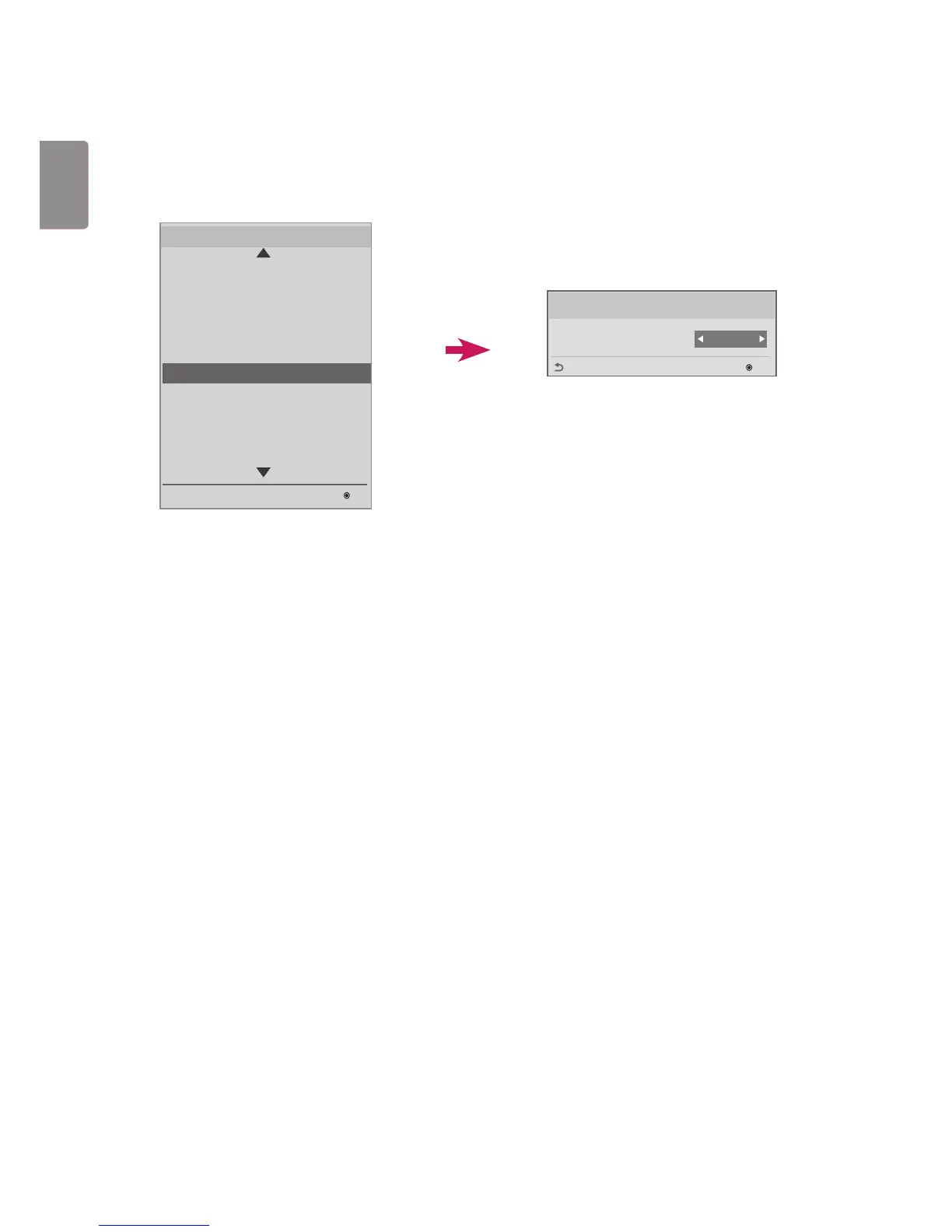
Lock Mode
This feature allows you to select an input that you want to restrict. The selected input is automatically restricted ac-
cording to your settings.
USB
Enables/disables USB input. The following will happen when USB input is disabled:
The pop-up window that appears when a USB disk is connected to your monitor is blocked.
You cannot enter 'My Media' in the menu.
You cannot enter 'USB Input' in the Input List.
'USB Auto Playback' is set to No, and input is not possible. (* However, you can download software updates
and Welcome Screens.)
Lock Mode
USB
Enable
OK
Previous
LG Digital Signage Setup
USB Cloning
Password Change
Set ID Setup
Configuration Setup
Lock Mode
External Speaker
Fail Over
ISM Method
Easy Brightness Control
S/W : xx.xx.xx.xx Micom : x.xx.x
OK
Installation Menu (V 3.0)
Lock Mode



 To Next Page