EasyManua.ls Logo

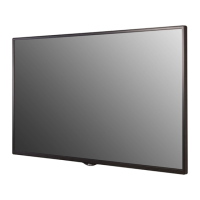
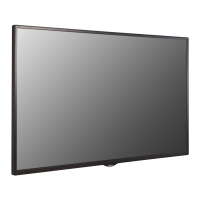
LG 32SM5E - User Manual

LG 32SM5E
135 pages
Print Icon
To Next Page IconTo Next Page
Loading...
www.lg.com
Copyright © 2018 LG Electronics Inc. All Rights Reserved.
OWNER’S MANUAL
LG Digital
Signage
(MONITOR SIGNAGE)
Please read this manual carefully before operating your set and retain it
for future reference.
43SH7E
49SH7E
55SH7E
32SM5E
43SM5E
49SM5E
55SM5E
32SM5KE
43SM5KE
49SM5KE
55SM5KE

Table of Contents

Other manuals for LG 32SM5E

Questions and Answers

  • M
    Mr. Tyler VasquezAug 25, 2025
    Why is the screen color abnormal on my LG Digital Signage?
    • J
      jacksongeorgeAug 25, 2025
      If the screen color on your LG Digital Signage is abnormal, set the number of colors to more than 24 bits (true color) by selecting [Control Panel] ? [Display] ? [Settings] ? [Color Table] in Windows. Also, check the connection status of the signal cable and re-insert the PC graphics card. Note that several pixels (red, green, blue, white, or black color) may appear on the screen due to the unique characteristics of the LCD panel, and this is not a malfunction.
  • R
    Renee HuynhAug 23, 2025
    How to fix no image on LG Digital Signage?
    • E
      Erica BryanAug 23, 2025
      If no image is displayed on your LG Digital Signage, first ensure the power cord is correctly plugged into the power outlet. Then, check the signal cable and access the input menu to verify the input signal. If the signal from the PC (Graphics card) is out of the vertical or horizontal frequency range of the product, adjust the frequency range by referring to the Specifications in this manual.

LG 32SM5E Specifications

General IconGeneral
Screen Size32 inches
Panel TechnologyIPS
Viewing Angle (H x V)178° x 178°
Response Time8 ms
Internal Memory8 GB
Operating SystemWebOS
Operating Temperature0°C to 40°C
Aspect Ratio16:9
Native Resolution1920 x 1080 (FHD)
Contrast Ratio1200:1
ConnectivityHDMI, USB, RS232C
OrientationLandscape, Portrait
Bezel Width11.9 mm (T/L/R), 18 mm (B)

Related product manuals