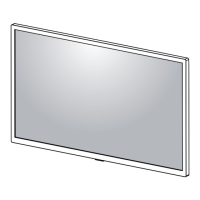
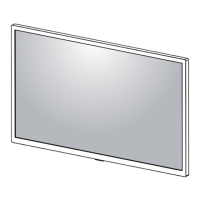
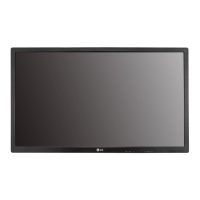
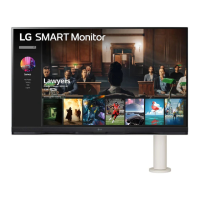
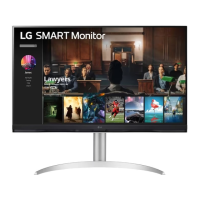
This document is an owner's manual for the LG Smart Monitor, covering models 27SR50F, 32SR50F, and 32SR53FS. It provides essential information for operating, maintaining, and troubleshooting the device.
Function Description
The LG Smart Monitor is a display device designed for various uses, including connection to PCs and external devices. It supports Plug and Play functionality, allowing a PC to recognize attached devices without manual configuration. The monitor can be used for entertainment, work, and other applications, offering features like HDMI connectivity for both DTV and PC modes. It also supports a Magic Remote Control for enhanced user interaction, provided the model's Wireless Module Specification supports Bluetooth.
Important Technical Specifications
Environment Condition:
- Operating Temperature: 0 °C to 40 °C (32 °F to 104 °F)
- Operating Humidity: Less than 80%
- Storage Temperature: -20 °C to 60 °C (-4 °F to 140 °F)
- Storage Humidity: Less than 85%
Wireless Module (LGSBWAC23) Specifications:
- Wireless LAN (IEEE 802.11a/b/g/n/ac):
- Frequency range: 2,400 to 2,483.5 MHz (Output Power: 20 dBm)
- Frequency range: 5,150 to 5,725 MHz (Output Power: 18.5 dBm)
- Frequency range: 5,725 to 5,850 MHz (Output Power: 8 dBm)
- Bluetooth:
- Frequency range: 2,400 to 2,483.5 MHz (Output Power: 9 dBm)
- Minimum distance of 20 cm (7.8 inches) between the device and the body for installation and operation.
- FCC ID: BEJLGSBWAC23 / IC: 2703H-LGSBWAC23
27SR50F Dimensions and Weight:
- Monitor Size (Width x Depth x Height):
- With Stand: 611.8 mm x 209.9 mm x 450.9 mm (24.0 inches x 8.2 inches x 17.7 inches)
- Without Stand: 611.8 mm x 45.1 mm x 370.9 mm (24.0 inches x 1.7 inches x 14.6 inches)
- Weight (Without Packaging):
- With Stand: 5.6 kg (12.3 lbs)
- Without Stand: 4.4 kg (9.7 lbs)
32SR50F/32SR53FS Dimensions and Weight:
- Monitor Size (Width x Depth x Height):
- With Stand: 731.8 mm x 209.9 mm x 521.2 mm (28.8 inches x 8.2 inches x 20.5 inches)
- Without Stand: 731.8 mm x 45 mm x 440.5 mm (28.8 inches x 1.7 inches x 17.3 inches)
- Weight (Without Packaging):
- With Stand: 6.6 kg (14.5 lbs)
- Without Stand: 5.4 kg (11.9 lbs)
Power Sources:
- Power Rating: 19V === 2.1 A (for 27SR50F) / 19V === 2.5 A (for 32SR50F/32SR53FS)
- Power Consumption:
- Operating Mode: 25 W (Typical) for 27SR50F, 30 W (Typical) for 32SR50F/32SR53FS (measured with LGE test standard, full white pattern, maximum resolution, outgoing condition). Actual consumption may vary.
- Standby Mode: ≤ 0.5 W (Based on HDMI port). Monitor enters sleep mode after a couple of minutes of non-use (Max. 5 minutes).
AC/DC Adapter:
- For 27SR50F:
- Models: ADS-45SQ-19-3 19040E, ADS-45FSQ-19 19040EPG-1, ADS-45FSQ-19 19040EPK-1, ADS-45FSQ-19 19040EPCU-1 (Manufacturer: SHENZHEN HONOR ELECTRONIC)
- Models: AD10530LF, AD2137520, AD2137620 (Manufacturer: PI Electronics (H.K.) Ltd.)
- Input: 100-240 V~50/60 Hz 1.2 A, 1.4 A
- Output: 19.0V === 2.1 A
- For 32SR50F/32SR53FS:
- Models: DA-48F19 (Manufacturer: Asian Power Devices Inc.)
- Models: ADS-48FSK-19 19048EPCU-1, ADS-48FSK-19 19048EPG-1, ADS-48FSK-19 19048EPK-1 (Manufacturer: SHENZHEN HONOR ELECTRONIC)
- Models: MS-Z2530R190-048M0-E, MS-Z2530R190-048M0-DE, MS-Z2530R190-048L0-US, MS-V2530R190-048L0-KR (Manufacturer: JAMA TECHNOLOGY (HONGKONG) COMPANY LIMITED)
- Input: 100-240 V~50/60 Hz 1.2 A, 1.4 A, 1.5 A
- Output: 19.0V === 2.53 A
HDMI Supported Modes:
The manual provides detailed tables for HDMI DTV and HDMI PC supported modes, including resolutions, horizontal frequencies (kHz), and vertical frequencies (Hz). For example:
- HDMI DTV: 1920 x 1080p supports 67.5 kHz horizontal frequency and 60 Hz vertical frequency.
- HDMI PC: 1920 x 1080 supports 67.5 kHz horizontal frequency and 60 Hz vertical frequency.
- Uses High Speed HDMI®/™ cable (shorter than 3 m (9.84 feet)) and certified cables with the HDMI logo.
Usage Features
Installation:
- Tabletop Installation: The monitor should be placed on a stable surface, with recommended clearances of 100 mm (3.9 inches) from the top, sides, and back for proper ventilation.
- Wall Mount Installation: Supports VESA standard 100 x 100 mm (3.9 x 3.9 inches) wall mount plates (M4 x L10 screws, 4 screws). The wall mount plate (LSW 149) is optional and sold separately. Ensure a minimum distance of 100 mm (3.9 inches) from the wall and between sides for ventilation.
- Adjusting the Angle: The screen angle can be adjusted from -5° to 15° for comfortable viewing.
- Kensington Lock: A connector for a Kensington security system is located at the bottom of the monitor for securing it to a table.
Connections:
- Supports various external devices via HDMI.
- HDMI Audio formats supported include Dolby Digital, Dolby Digital Plus (32/44.1/48 kHz), and PCM (32/44.1/48/96/192 kHz).
- USB Device Connection: Peripheral devices are sold separately. A keyboard or mouse can be connected to the USB port. Hard disk drives should be used with power supplied.
Starting Monitor (Parts and Buttons):
- Joystick Button: Located at the bottom of the monitor.
- Press: Power On, Quick Menu.
- Press and Hold: Power Off.
- Move (up/down/left/right): Volume Control, Menu Control.
- Quick Menu Functions:
- Power Off (Turns the power off).
- Input Source (Changes the input source).
- Main Menu (Accesses the main menu).
- Close (Closes the quick menu).
Using Remote Control (Magic Remote Control MR23GA):
- Power Button: Turns the Monitor on or off.
- Input Button: Selects the input mode.
- Volume Buttons: Adjusts the volume level.
- Mute Button: Mutes all sounds.
- Program Buttons: Scrolls through saved programs.
- Back Button: Returns to the previous level.
- Home Button: Displays the Home menu (current time, weather, app list, external input).
- Settings Button: Makes the main menu screen appear or disappear.
- Direction Buttons and OK Button: Allows movement, selection, and adjustment in menus.
- Color Buttons (Red, Green, Yellow, Blue): Allows viewing details of items or using 4 color buttons.
- Press Button: Press and Hold.
- Streaming Service Buttons: Connects to Video Streaming Service.
- Home Dashboard Button: Accesses the [Home Dashboard].
- User Guide Button: Accesses the [User Guide].
- FAV Button: Accesses favorite programs list.
- Battery Replacement: Uses 3 V, CR2025 button cell battery.
Maintenance Features
Precautions (General Safety):
- Read the manual thoroughly before operation and keep it for future reference.
- Download the full manual from the website for detailed information.
- Do not disassemble, repair, or modify the power cord or AC adapter.
- Use only the power cord supplied by LG Electronics, Inc. or an authorized manufacturer.
- Use a properly grounded plug and receptacle.
- Do not use damaged or loose plugs.
- Operate the display only from the specified power source (voltage).
- Avoid touching power cord and signal cable during thunder and lightning.
- Do not overload a single outlet with multiple extension cords or appliances.
- Do not touch the power plug with wet hands or if it's dusty.
- Unplug the power cable if not using the product for a long time.
- Insert the power plug firmly.
- Do not insert metal or conductive materials into product openings.
- The AC Plug is the disconnecting device and should be easily accessible.
- Keep the outlet, AC adapter, and power plug pins clean.
- Do not unplug the power cord while the product is in use.
- The unit remains connected to the AC power source even when turned off if plugged in.
Precautions in Installing the Product:
- Keep away from heat sources, open flames, and water.
- Keep packing anti-moisture material and vinyl packing out of reach of children.
- Do not place heavy objects on the product.
- Do not leave power or signal cables where people can trip over them.
- Install in a neat and dry place.
- Do not add non-designed accessories.
- Ensure product ventilation holes are not blocked (install more than 10cm from the wall).
- Do not cover the product with cloth or other materials while plugged in.
- Place the product on a flat and stable surface.
- Install where no Electromagnetic Interference occurs.
- Keep away from direct sunlight.
- Do not place on the floor where small children or others may trip.
- Do not install on a wall if exposed to oil or oil mist.
- Consider placement for glossy bezels to avoid disturbing reflections.
Precautions in Moving the Product:
- Turn off the product and remove all cables before moving.
- Place the monitor in its original box or packing material.
- Hold the bottom and side of the monitor frame firmly; do not hold the panel itself.
- Keep the screen facing away from you to prevent scratching.
- Avoid shock or excessive vibration during transport.
- Keep the monitor upright; do not turn it on its side or tilt it sideways.
- Avoid touching the monitor screen as much as possible to prevent damage.
- If using the monitor panel without the stand base, be careful as the joystick button may cause instability and fall.
Precautions in Using/Cleaning the Product:
- Do not attempt to disassemble, repair, or modify the product yourself.
- When cleaning, unplug the power cord and scrub gently with a soft cloth. Do not use wet cloths, spray water, or chemicals like benzene, paint thinners, or alcohol.
- Keep the product away from water.
- Avoid high temperatures and humidity.
- Do not put or store flammable substances near the product.
- Keep the product clean at all times.
- Maintain a comfortable and natural position when working.
- Take regular breaks.
- Do not press on the panel with hands or sharp objects.
- Maintain proper distance from the product.
- Set the appropriate resolution as per the User's Guide.
- Keep small accessories out of reach of children.
- Avoid displaying still images for long periods to prevent persistent image or stain; use a screen saver and power off when not in use. Persistent image caused by long-time usage is not covered by warranty.
- Do not use high-voltage products (e.g., electrical swatters) near the monitor.
- Spray water onto a soft cloth 2 to 4 times and wipe the front frame in one direction only for cleaning.

 Need help?

 To Next Page
 General