EasyManua.ls Logo

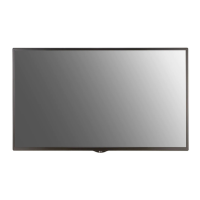
LG 32WFC - User Manual

LG 32WFC
25 pages
Print Icon
To Next Page IconTo Next Page
Loading...
www.lg.com
Please read this manual carefully before operating your set and retain it
for future reference.
32WFC
OWNER’S MANUAL
LG Digital
Signage
(MONITOR SIGNAGE)
CD P/No: SAC37113603 (1608-REV00)
WEB P/No: SAC37113601 (1608-REV00)
Printed in Korea

Questions and Answers

  • J
    Joshua TaylorAug 11, 2025
    Why do black spots appear on the screen of my LG 32WFC?
    • K
      Kristy PowersAug 11, 2025
      Several red, green, blue, white, or black pixels may appear on the screen due to the unique characteristics of the LCD panel. This does not indicate a malfunction.
  • R
    Rodney BrownAug 18, 2025
    What to do if after-image appears on LG 32WFC?
    • Y
      yallisonAug 18, 2025
      If you see an after-image on your LG Digital Signage product, it could be due to using a fixed image for an extended period, which can damage the pixels. Using the screen-saver function may help. Also, image sticking can occur when a dark image is displayed after a high-contrast image; this is normal for LCD screens.
  • R
    Rhonda RichardsAug 27, 2025
    How to fix unstable or mono-colored screen on LG 32WFC?
    • C
      Craig MurrayAug 27, 2025
      If the screen color on your LG Digital Signage is unstable or mono-colored, check the connection status of the LVDS cable and ensure it is correctly connected according to the LVDS Pin Map Guide.
  • R
    Roy DennisSep 2, 2025
    Why do black spots appear on the LG 32WFC screen?
    • L
      Larry HernandezSep 2, 2025
      Black spots may appear on the screen due to the unique characteristics of the LCD panel. Several pixels (red, green, blue, white, or black color) may appear. This is not a malfunction.

LG 32WFC Specifications

General IconGeneral
BrandLG
Model32WFC
CategoryDigital Signage
LanguageEnglish

Related product manuals