MY MEDIA
MY MEDIA
104
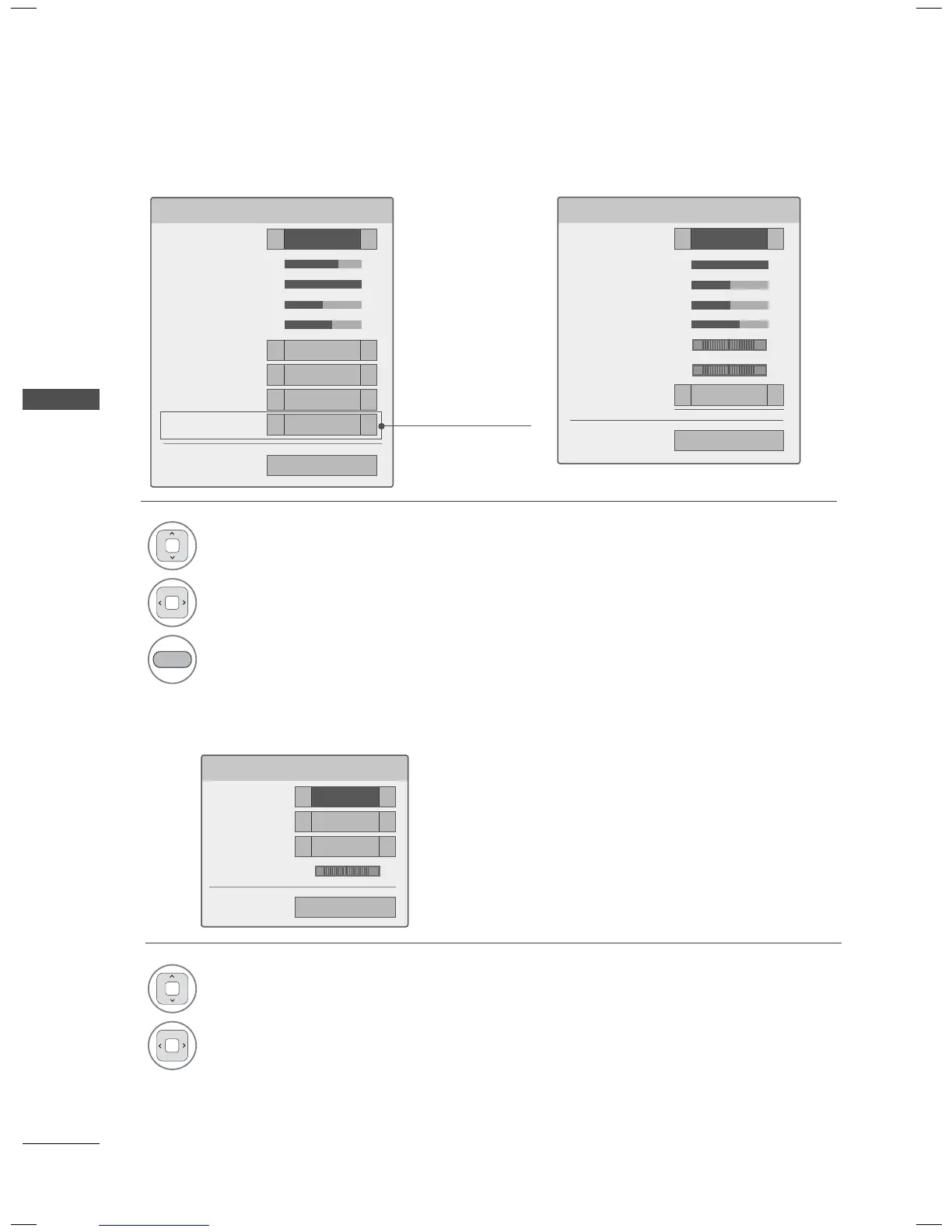
Set Video Menu Options
Set Audio Menu Options
Set Audio.
Sound Mode
◀
Standard
▶
Auto Volume
◀
Off
▶
Clear Voice II
◀
Off
▶
Balance 0
◀▶
ꕉ Previous
LR
1
Select Picture Mode or TruMotion.
2
Make appropriate adjustments.
BLUE
Initialize the adjusted picture value.
1
Select Sound Mode, Auto Volume, Clear
Voice II or Balance.
2
Make appropriate adjustments.
Set Video.
Picture Mode
◀
Standard
▶
• Backlight 70
◀▶
• Contrast 100
◀▶
• Brightness 50
◀▶
• Color 60
◀▶
• Dynamic Contrast
◀
Medium
▶
• Edge Enhancer
◀
High
▶
• Noise Reduction
◀
Medium
▶
TruMotion
◀
Low
▶
ꔅ Picture Reset ꕉ Previous
('TruMotion'
dependending on models)
Set Video.
Picture Mode
◀
Standard
▶
• Contrast 100
◀▶
• Brightness 50
◀▶
• Sharpness 50
◀▶
• Color 60
◀▶
• Tint 0
◀▶
• Color Temp. 0
◀▶
• Noise Reduction
◀
Low
▶
ꔅ Picture Reset ꕉ Previous
For Plasma TV
RG
WC
For LED LCD TV/LCD TV



 To Next Page