EasyManua.ls Logo

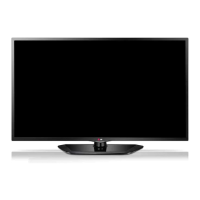
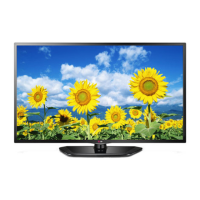
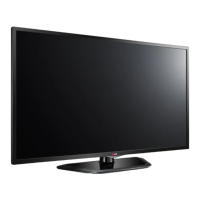
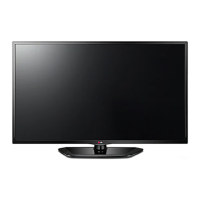
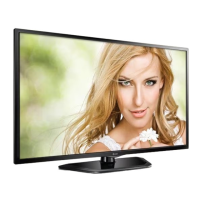
LG 39LN5100.APH - User Manual

LG 39LN5100.APH
48 pages
Print Icon
To Next Page IconTo Next Page
Loading...
OWNER’S MANUAL
LED TV
Please read this manual carefully before operating
your set and retain it for future reference.
LN510*
LN511*
LN512*
LN513*
LN515*
LN49**
P/NO : MFL67710802 (1301-REV00)
Printed in Korea
*LG LED TV applies LCD screen with LED backlights.
www.lg.com

Questions and Answers

  • R
    ryan88Aug 11, 2025
    Why does my LG LED TV turn off suddenly?
    • C
      Catherine BarrettAug 11, 2025
      If your LG LED TV turns off suddenly, there might be a few reasons. First, the power supply could be interrupted, so check the power control settings. Also, the Sleep Timer or Off Time feature in the TIME settings might be activated. Finally, the TV is designed to turn off automatically after 15 minutes of inactivity if there is no signal.
  • D
    Diana DavisAug 21, 2025
    Why does my LG 39LN5100.APH turn off by itself?
    • L
      Laura KentAug 21, 2025
      If your LG LED TV suddenly turns off, it could be due to a few reasons. First, the power supply might be interrupted, so check the power control settings. Second, the Auto sleep feature in the Time settings might be activated. Finally, if there is no signal while the TV is on, it will turn off automatically after 15 minutes of inactivity.
  • T
    Tom LambertAug 30, 2025
    How to fix LG 39LN5100.APH remote control not working?
    • D
      David ZamoraAug 30, 2025
      If you can't control your LG LED TV with the remote, start by checking the remote control sensor on the TV and try again. Make sure there are no obstacles blocking the path between the remote and the TV. Also, verify that the batteries in the remote are working and correctly installed.

Summary

Safety Instructions

Environmental and Placement Warnings

Warnings regarding TV placement in direct sunlight, high humidity, near heat sources, and water.

Electrical Safety Precautions

Precautions for handling power plugs, wet hands, and wall socket connections.

Child Safety and Battery Handling

Instructions for child safety, preventing access to small parts, and battery disposal.

Assembling and Preparing

Parts and Button Identification

Identification and description of the TV's external parts and remote control buttons.

Lifting and Moving the TV Safely

Guidelines to prevent damage and ensure safety when handling the TV.

Setting Up the TV and Attaching the Stand

Instructions for assembling and attaching the TV stand to the unit.

Wall Mounting Procedures

Detailed steps for attaching the TV to a wall using a mounting bracket.

Making Connections

Remote Control

Remote Control Button Functions

Detailed explanation of each button's function on the remote control.

Watching TV

Initial TV Setup and Language Selection

Guide for the first-time setup process, including language and basic settings.

Customizing TV Settings

Picture Settings and Modes

Adjusting picture settings such as aspect ratio, energy saving, and picture modes (Vivid, Cinema).

Audio Settings and Sound Modes

Adjusting sound settings like sound mode, treble, bass, and auto volume.

Maintenance and Troubleshooting

Common Troubleshooting Solutions

Addresses common issues like remote control problems, no image/sound, or sudden power off.

LG 39LN5100.APH Specifications

General IconGeneral
Screen Size39 inches
Display TypeLED
Resolution1366 x 768
Refresh Rate60 Hz
HDMI Ports2
USB Ports1
Smart TVNo
Built-in Wi-FiNo
Audio Output10W

Related product manuals