EasyManua.ls Logo

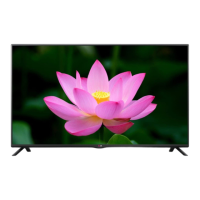
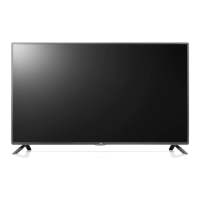
LG 42LB5500-ZA - User Manual

LG 42LB5500-ZA
132 pages
Print Icon
To Next Page IconTo Next Page
Loading...
www.lg.com
Please read this manual carefully before operating
your set and retain it for future reference.
OWNER’S MANUAL
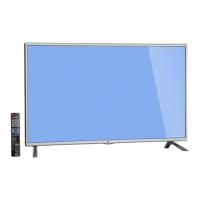
LED TV*
* LG LED TVs are LCD TVs with LED backlighting.
LB55**
LB56**
LB62**
P/NO : MFL68003814 (1502-REV01)
Printed in Korea
*MFL68003814*

Questions and Answers

  • H
    Heather ThomasAug 12, 2025
    Why does my LG TV turn off suddenly?
    • B
      Beverly OconnorAug 13, 2025
      If your LG TV turns off suddenly, it might be due to a few reasons. First, the power supply could be interrupted, so check the power control settings. Secondly, the Automatic Standby, Sleep Timer, or Off Time feature might be activated in the TIME settings. Finally, if the TV doesn't receive a signal while it's on, it will automatically turn off after 15 minutes of inactivity.
  • W
    William ParkerAug 16, 2025
    How to fix LG TV remote not working?
    • E
      ebartlettAug 16, 2025
      If you're unable to control your LG TV with the remote, there are a few things to try. First, make sure there isn't anything blocking the remote control sensor on the TV. Then, check for any obstacles between the remote and the TV. Lastly, ensure that the batteries in the remote are working and correctly installed.
  • S
    Sarah BennettAug 20, 2025
    What to do if LG TV says no signal when connected to PC?
    • H
      Henry SchwartzAug 20, 2025
      If you see ‘No signal’ or ‘Invalid Format’ when connecting your PC to your LG TV via HDMI, try the following steps. First, turn the TV off and then on again using the remote control. If that doesn't work, try reconnecting the HDMI cable. As a final step, restart your PC while the TV is turned on.
  • M
    markwrightAug 23, 2025
    Why is my LG 42LB5500-ZA remote not working?
    • S
      smithmichaelAug 25, 2025
      If you cannot control your LG LED TV with the remote, first check the remote control sensor on the TV and try again. Also, ensure there are no obstacles between the remote and the TV. Finally, check that the batteries are working and properly installed.
  • B
    benjamin35Aug 28, 2025
    Why is there no picture or sound on my LG TV?
    • B
      bishoplauraAug 28, 2025
      If your LG TV has no image and no sound, start by checking if the TV is turned on. Next, verify that the power cord is properly connected to a wall outlet. Lastly, test the wall outlet by plugging in other products to see if it's working correctly.
  • C
    Christina AlexanderAug 31, 2025
    What to do if my LG 42LB5500-ZA LED TV has no image and sound?
    • J
      jason00Aug 31, 2025
      If your LG LED TV shows no image and produces no sound, start by checking if the TV is turned on. Then, verify that the power cord is securely connected to a working wall outlet. You can test the outlet by connecting other products to see if it's functioning correctly.
  • C
    Christopher ThomasSep 4, 2025
    Why does my LG 42LB5500-ZA turn off suddenly?
    • J
      Jacob JohnsonSep 4, 2025
      If your LG LED TV turns off suddenly, check the power control settings to ensure the power supply isn't interrupted. Also, verify if the Automatic Standby, Sleep Timer, or Off Time feature is activated in the TIME settings. Note that the TV will automatically turn off after 15 minutes of inactivity if there is no signal.
  • J
    Jennifer ChanSep 7, 2025
    How to fix 'No signal' or 'Invalid Format' on LG LED TV when connecting to PC (HDMI)?
    • J
      Juan AllenSep 7, 2025
      If you see a ‘No signal’ or ‘Invalid Format’ message on your LG LED TV when connecting to a PC via HDMI, try the following: 1. Turn the TV off and then on again using the remote control. 2. Reconnect the HDMI cable. 3. Restart your PC while the TV is on.

Summary

SAFETY INSTRUCTIONS

General Safety Precautions

Essential safety measures for operating the TV and preventing hazards.

ASSEMBLING AND PREPARING

MAKING CONNECTIONS

Connecting External Devices

Overview of connecting various external devices like receivers, PCs, and gaming consoles.

REMOTE CONTROL

Remote Control Button Functions

Explanation of primary buttons on the remote for basic TV operations.

SETTINGS

Picture Settings and Adjustments

Adjusting picture quality using the Picture Wizard, modes, and advanced controls.

MAINTENANCE

TROUBLESHOOTING

SPECIFICATIONS

3 D Supported Mode

SERVİS İSTASYONLARI GÖSTERİR LİSTE

LG 42LB5500-ZA Specifications

General IconGeneral
Screen Size42 inches
Display TypeLED
Refresh Rate50Hz
HDMI Ports3
USB Ports1
Smart TVNo
Audio Output20W
Aspect Ratio16:9
Built-in Wi-FiNo
Energy RatingA
Resolution1920 x 1080

Related product manuals