EasyManua.ls Logo

LG 42LB5610-ZC - User Manual

LG 42LB5610-ZC
132 pages
Print Icon
To Next Page IconTo Next Page
Loading...
www.lg.com
Please read this manual carefully before operating
your set and retain it for future reference.
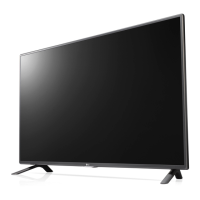
OWNER’S MANUAL
LED TV*
* LG LED TVs are LCD TVs with LED backlighting.
LB55**
LB56**
LB62**
P/NO : MFL68003814 (1502-REV01)
Printed in Korea
*MFL68003814*

Questions and Answers

  • M
    Megan GuerraAug 8, 2025
    Why is my LG 42LB5610-ZC remote not working?
    • B
      bryan94Aug 9, 2025
      If you cannot control your LG LED TV with the remote, first check the remote control sensor on the TV and try again. Also, ensure there are no obstacles between the remote and the TV. Finally, check that the batteries are working and properly installed.
  • E
    Eric EdwardsAug 16, 2025
    What to do if my LG LED TV has no image and sound?
    • R
      Ryan BartonAug 16, 2025
      If your LG LED TV shows no image and produces no sound, start by checking if the TV is turned on. Then, verify that the power cord is securely connected to a working wall outlet. You can test the outlet by connecting other products to see if it's functioning correctly.
  • D
    Dustin MitchellAug 23, 2025
    Why does my LG 42LB5610-ZC LED TV turn off suddenly?
    • K
      Kaitlin StephensAug 23, 2025
      If your LG LED TV turns off suddenly, check the power control settings to ensure the power supply isn't interrupted. Also, verify if the Automatic Standby, Sleep Timer, or Off Time feature is activated in the TIME settings. Note that the TV will automatically turn off after 15 minutes of inactivity if there is no signal.
  • E
    Evan LopezAug 31, 2025
    How to fix 'No signal' or 'Invalid Format' on LG LED TV when connecting to PC (HDMI)?
    • J
      Jessica Mccullough MDAug 31, 2025
      If you see a ‘No signal’ or ‘Invalid Format’ message on your LG LED TV when connecting to a PC via HDMI, try the following: 1. Turn the TV off and then on again using the remote control. 2. Reconnect the HDMI cable. 3. Restart your PC while the TV is on.

Summary

Software Notices and Safety Guidelines

General Safety Instructions

Precautions for safe operation and product use.

Product Safety Guidelines

Power Cord and Electrical Safety

Guidelines for safe handling of power plugs, cables, and outlets.

Child Safety, Batteries, and Packing

Precautions for children, battery disposal, and packing materials.

Weather and Gas Leak Safety

Precautions during thunderstorms and gas leaks.

Installation Environment and Stability

Advice on installation location and stable surfaces.

Battery Usage and Remote Sensor Guidelines

Guidelines for battery usage and remote control sensor.

Moving, Unpacking, and Servicing Advice

Guidelines for safely moving, unpacking, and servicing the TV.

Electrical Safety with Plugs and Liquids

Warnings about power outlets, chemicals, and liquids.

Power Cord Protection and Screen Handling

Protecting the cord and avoiding screen damage from pressure.

Viewing 3 D Imaging (Only 3 D models)

Health Warnings for 3 D Viewing

Warnings for users with photosensitive seizures or chronic illnesses.

Symptoms Requiring 3 D Viewing Discontinuation

Symptoms indicating a need to stop watching 3D content.

Viewing 3 D Imaging (continued)

3 D Glasses Usage Cautions

Precautions and tips for using 3D glasses.

TV Setup and Assembly

Attaching the Stand (Type A Models)

Instructions for attaching the stand to Type A models.

Attaching the Stand (Type C Models)

Instructions for attaching the stand to Type C models.

Unpacking and Accessory Check

Steps for unpacking the TV and checking accessories.

Attaching the Stand (Type B Models)

Instructions for attaching the stand to Type B models.

Parts and Buttons Identification

Using the Joystick Button

Adjusting the Menu

Lifting and Moving the TV

Caution on Screen Handling During Movement

Warnings about avoiding screen damage during handling.

Safe TV Moving and Transport Practices

Guidelines for safely lifting, moving, and transporting the TV.

Mounting on a Table

Securing TV to a Wall (Feature Availability)

Information about the wall mounting feature and its availability.

Wall Mounting Installation Steps

Step-by-step guide for installing the TV wall mount.

Mounting on a Wall

Wall Mount Bracket Installation Recommendations

Recommendations for installing a wall mount bracket.

Wall Mounting Bracket Specifications

Installation Cautions and Screw Tightening

Warnings regarding power disconnection and screw tightening.

Connecting External Devices

Connecting External Devices to TV

How to connect various external devices to the TV.

Antenna Connection

Satellite Dish and Euro Scart Connections

Other Connections

Remote Control Operation

Caution on Battery Mixing in Remote

Warning against mixing old and new batteries in the remote.

Remote Control Operation (LB55**;LB56**)

Remote Control Operation (continued)

Remote Control Operation (LB62**)

TV Settings and Configuration

Automatic Programme Setup

Steps for automatically tuning programmes and registration.

Advanced and Expert Picture Controls

How to access advanced picture settings and expert controls.

Additional Picture Options (Noise, Black Level)

Options for noise reduction, MPEG noise, black level, and real cinema.

Energy Saving Feature Options

Settings for Auto, Off, Minimum/Medium/Maximum, and Screen Off.

SIMPLINK Device Control and Power Sync

How SIMPLINK controls devices and power synchronization.

Safely Removing USB Storage Devices

Steps for safely removing USB devices.

Picture Adjustment with Wizard

Guide to adjusting picture quality using the Picture Wizard.

Colour and Contrast Adjustments

Adjusting dynamic contrast and colour for natural image appearance.

Motion Eye Care and Energy Saving

Features for managing motion and saving energy.

TV Speaker and External Speaker Setup

How to configure sound output for TV speakers or external speakers.

SIMPLINK Function Descriptions

Detailed explanation of SIMPLINK functions.

USB Storage Device Usage Warnings

Warnings and recommendations for using USB storage devices.

Selecting Picture Modes

Options for selecting picture modes like Vivid, Standard, Cinema.

Using TruMotion for Smoother Motion

How to use TruMotion for de-juddering and de-blurring.

Synchronizing Audio and Video (AV Sync)

Adjusting AV Sync to synchronize audio and video.

Gamma, Colour Gamut, and Edge Enhancer

Settings for gamma, colour gamut, and edge enhancement.

Using the SIMPLINK Feature

How to use SIMPLINK for controlling multimedia devices.

Colour Filter and Temperature Settings

Adjusting colour filters and temperature for desired screen tone.

TV Maintenance and Cleaning

Safe TV Cleaning Procedures

Instructions for safely cleaning the TV.

Caution on Screen Cleaning Methods

Warnings about gentle handling and avoiding harsh chemicals.

Troubleshooting Common TV Issues

Remote Control Malfunction Solutions

Solutions for issues with the TV remote control.

No Image or Sound Troubleshooting

Troubleshooting steps for no image or sound.

TV Sudden Power Off Solutions

Solutions for the TV turning off unexpectedly.

PC Connection Display Error Solutions

Troubleshooting steps for PC connection display errors.

3 D Supported Modes

Supported HDMI Modes

LG 42LB5610-ZC Specifications

General IconGeneral
BrandLG
Model42LB5610-ZC
CategoryLED TV
LanguageEnglish

Related product manuals