EasyManua.ls Logo

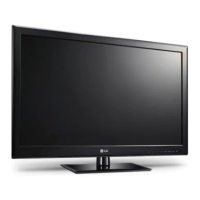
LG 42LM3400 - User Manual

LG 42LM3400
88 pages
Print Icon
To Next Page IconTo Next Page
Loading...
www.lg.com
Please read this manual carefully before operating your set
and retain it for future reference.
P/NO : MFL67468023 (1205-REV02)
OWNER’S MANUAL
LED LCD TV
/
LCD TV
LED LCD TV MODELS LCD TV MODELS
32LM3400
42LM3400
32LS3400
42LS3400
22LS3500
32LS3500
32CS460
42CS460
32CS560
42CS560

Table of Contents

Other manuals for LG 42LM3400

Questions and Answers

  • T
    Tracey ParkerJul 26, 2025
    What to do if my LG LCD TV has no image and sound?
    • G
      garrettsarahJul 26, 2025
      If your LG LCD TV isn't displaying an image and there's no sound, first ensure the TV is powered on. Next, verify that the power cord is securely connected to a working wall outlet. You can test the outlet by plugging in another device to see if it functions correctly.
  • M
    Matthew SloanJul 30, 2025
    Why is my LG 42LM3400 LCD TV remote not working?
    • A
      Amanda KaufmanJul 31, 2025
      If you cannot control your LG LCD TV with the remote, make sure there are no obstructions between the remote and the TV's sensor. Also, check that the batteries in the remote are correctly installed and still have power.
  • A
    Alyssa SmithAug 5, 2025
    How to fix an LG 42LM3400 LCD TV remote that is not working?
    • A
      Alexandra JonesAug 5, 2025
      If you're unable to control your LG LCD TV with the remote, start by checking the remote control sensor on the TV and try again. Make sure there are no obstructions between the remote and the TV. Also, ensure the batteries in the remote are working and correctly installed.
  • P
    Phillip MccallAug 10, 2025
    How to fix my LG LCD TV that turns off by itself?
    • M
      Mario JohnsonAug 10, 2025
      If your LG LCD TV is turning off suddenly, examine the power control settings to ensure the power supply isn't being interrupted. Also, check the 'Auto sleep' feature in the Time settings to see if it's enabled. Note that the TV will automatically turn off after 15 minutes of inactivity if there is no signal.
  • M
    Marcus Brown MDAug 15, 2025
    What to do if LG 42LM3400 LCD TV says 'No signal' when connected to PC?
    • J
      Jessica WhiteAug 15, 2025
      If your LG LCD TV displays 'No signal' or 'Invalid Format' when connected to a PC via RGB/HDMI DVI, try turning the TV off and then on again using the remote. If that doesn't work, try reconnecting the RGB/HDMI cable. As another option, restart your PC while the TV is powered on.
  • H
    Heidi ZamoraAug 19, 2025
    Why does my LG 42LM3400 turn off by itself?
    • R
      Roger BlackAug 19, 2025
      If your LG LCD TV is turning off unexpectedly, you should first check the power control settings to ensure the power supply isn't being interrupted. Also, verify that the Auto sleep feature is not enabled within the Time settings. Lastly, be aware that if the TV doesn't receive a signal for 15 minutes while it's on, it will automatically shut off.

Summary

IMPORTANT SAFETY INSTRUCTIONS

General Safety Precautions

Follow instructions, keep manual, heed warnings.

Electrical Hazard Warnings

Risk of shock, do not open, avoid water.

Heat, Ventilation, and Plug Safety

Avoid heat sources, block ventilation, use correct plug.

Power Cord and Handling Safety

Power Cord Protection

Prevent damage, unplug when unused.

General Handling and Servicing

Refer servicing to qualified personnel.

Packaging Material Safety

Keep plastic away from children.

Outlet and Circuit Safety

Avoid overloading outlets.

Environmental and Usage Precautions

Flammables, Liquids, and Air Conditioning

Keep away from flammables, avoid spills.

Grounding and Disconnection

Ensure proper grounding, mains plug is disconnect device.

Usage, Cleaning, and Moving Safety

Cleaning and Moving Guidelines

Use soft cloth, unplug before moving.

INSTALLATION PROCEDURE

Lifting and Moving the TV

Attaching the Stand

32 LS3500 Stand Installation

CS460, LM3400, LS3400 Series Stand Installation

CS560 Series Stand Installation

Detaching the Stand

Mounting on a Table

Wall Mounting and Security

Wall Mounting Specifications

MAKING CONNECTIONS

Connecting External Devices

Component Connection

Composite Connection

REMOTE CONTROL OPERATION

Battery Replacement

Instructions for replacing remote batteries.

Remote Control Button Guide

Overview of common buttons and functions.

Remote Control Navigation and Functions

Menu and Navigation Controls

Using SETTINGS, Q.MENU, navigation keys.

Volume, Channel, and Special Function Buttons

Controls for audio, channels, and features.

LM3400 Series Remote Controls

LM3400 Remote Button Guide

Specific buttons for LM3400 series, including 3D.

Advanced Remote Features

Menu Navigation and 3 D Options

Using Q.MENU/3D OPTION, navigation keys.

Control and Special Function Buttons

Using volume, SIMPLINK, energy saving, etc.

WATCHING TV

MAINTENANCE

TROUBLESHOOTING

Remote Control and Display Issues

Solutions for common control and display problems.

Power and Signal Issues

Solutions for sudden power off or no signal.

LG 42LM3400 Specifications

General IconGeneral
Display diagonal42 \
Native refresh rate50 Hz
LED backlighting type-
Supported video modes1080i, 1080p, 720p
Supported graphics resolutions1920 x 1080 (HD 1080)
Motion interpolation technologyMCI (Motion Clarity Index) 100
3DYes
3D typePassive
Product colorBlack
Panel mounting interface200 x 200 mm
Digital signal format systemDVB-C, DVB-S2, DVB-T, DVB-T2
Audio systemDolby MS10
RMS rated power10 W
Number of speakers2
DVI portNo
HDMI version1.4
HDMI ports quantity3
DVI-D ports quantity0
USB 2.0 ports quantityUSB 2.0 ports have a data transmission speed of 480 Mbps, and are backwards compatible with USB 1.1 ports. You can connect all kinds of peripheral devices to them.
Component video (YPbPr/YCbCr) in1
Smart modesCinema, Game, Sports, Standard
AC input voltage100 - 240 V
AC input frequency50 - 60 Hz
Power consumption (standby)0.3 W
Package weight17800 g
Weight and Dimensions IconWeight and Dimensions
Depth (with stand)261 mm
Height (with stand)695 mm
Weight (with stand)14700 g
Depth (without stand)76.5 mm
Width (without stand)1017 mm
Height (without stand)629 mm
Weight (without stand)13100 g

Related product manuals