EasyManua.ls Logo

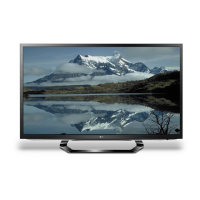
LG 42LM6210 - User Manual

LG 42LM6210
42 pages
Print Icon
To Next Page IconTo Next Page
Loading...
www.lg.com
Please read this manual carefully before operating your set
and retain it for future reference.
32LS5700
42LS5700
47LS5700
60LS5700
P/NO : MFL67372307 (1210-REV05)
32LM6200
42LM6200
47LM6200
55LM6200
65LM6200
42LM6210
47LM6210
55LM6210
65LM6210
OWNER’S MANUAL
LED LCD TV

Questions and Answers

  • P
    paulawarnerAug 16, 2025
    What to do if my LG LCD TV has no image and sound?
    • M
      Melissa HamiltonAug 16, 2025
      If your LG LCD TV isn't showing an image and there's no sound, first ensure the TV is actually powered on. Next, verify that the power cord is securely connected to both the TV and the wall outlet. Lastly, test the wall outlet by plugging in another device to confirm it's working correctly.
  • D
    David BrownAug 19, 2025
    Why does my LG TV turn off suddenly?
    • M
      Mark SandovalSep 12, 2025
      If your LG TV turns off unexpectedly, it could be due to a few reasons. First, ensure that the power supply isn't interrupted and check the power control settings. Also, the Auto sleep feature in the Time settings might be enabled. Finally, the TV is designed to turn off automatically after 15 minutes of inactivity if no signal is detected.
  • N
    Nathan HooverAug 22, 2025
    How to fix LG TV remote control not working?
    • M
      Michele MorganAug 22, 2025
      If you're unable to control your LG TV with the remote, try these steps: First, check the remote control sensor on the TV and try again. Ensure there are no obstructions between the remote and the TV. Finally, verify that the batteries in the remote are working and correctly installed, paying attention to the to , to orientation.
  • A
    Alicia WardAug 26, 2025
    Why does my LG LED TV turn off by itself?
    • E
      Elijah ThomasAug 26, 2025
      If your LG LED TV is turning off suddenly, there might be a few reasons: * Check the power control settings to ensure the power supply isn't being interrupted. * See if the Auto sleep feature is activated in the Time settings. * If the TV is on but not receiving a signal, it will automatically turn off after 15 minutes of inactivity.
  • E
    Erin HicksAug 28, 2025
    How to fix LG LED TV remote control not working?
    • G
      George WareAug 29, 2025
      If you can't control your LG LED TV with the remote, try these steps: * Check the remote control sensor on the TV and try again. * Make sure there are no obstacles blocking the path between the remote and the TV. * Check the batteries in the remote to ensure they are working and correctly installed.
  • S
    shannongarnerAug 31, 2025
    Why does my LG 42LM6210 turn off by itself?
    • C
      cherrycalvinAug 31, 2025
      If your LG LCD TV is turning off unexpectedly, you should first check the power control settings to ensure the power supply isn't being interrupted. Also, verify that the Auto sleep feature is not enabled within the Time settings. Lastly, be aware that if the TV doesn't receive a signal for 15 minutes while it's on, it will automatically shut off.
  • M
    michaelhenrySep 3, 2025
    How to fix an LG 42LM6210 remote that is not working?
    • B
      Billy GeorgeSep 3, 2025
      If you're unable to control your LG LCD TV with the remote, start by checking the remote control sensor on the TV and try again. Make sure there are no obstructions between the remote and the TV. Also, ensure the batteries in the remote are working and correctly installed.
  • M
    Manuel KirbySep 6, 2025
    What to do if my LG 42LM6210 turns off suddenly?
    • J
      Julie MartinezSep 6, 2025
      If your LG LCD TV turns off suddenly, check the power control settings to ensure the power supply isn't interrupted. Also, verify if the Sleep Timer feature is activated in the Time settings. Note that the TV will turn off automatically after 15 minutes of inactivity if there is no signal while the TV is on.
  • S
    Steven WilsonSep 9, 2025
    What to do if LG LCD TV remote control is not working?
    • A
      Alexandra MilesSep 9, 2025
      If you cannot control your LG LCD TV with the remote, first check the remote control sensor on the TV and try again. Ensure there are no obstacles between the remote and the TV. Finally, check if the batteries in the remote are working and properly installed.
  • D
    Dylan ThompsonSep 12, 2025
    What to do if my LG LED TV says 'No signal' when connecting to PC?
    • J
      Jessica CampbellSep 12, 2025
      If your LG LED TV displays 'No signal' or 'Invalid Format' when connected to a PC via RGB/HDMI DVI, try the following: 1. Turn the TV off and on again using the remote control. 2. Reconnect the RGB/HDMI cable. 3. Restart your PC while the TV is on.

LG 42LM6210 Specifications

General IconGeneral
BrandLG
Model42LM6210
CategoryLCD TV
LanguageEnglish

Related product manuals