EasyManua.ls Logo

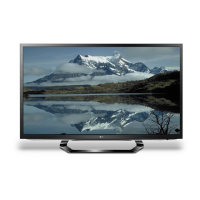
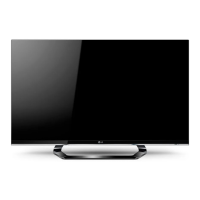
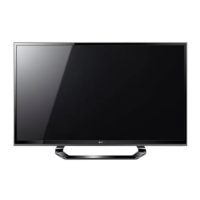
LG 42LM6200-UE - User Manual

LG 42LM6200-UE
129 pages
Print Icon
To Next Page IconTo Next Page
Loading...
Printed in KoreaP/NO : MFL67460414 (1202-REV00)
CHASSIS : LA22E
MODEL : 42LM6200 42LM6200-UE
CAUTION
BEFORE SERVICING THE CHASSIS,
READ THE SAFETY PRECAUTIONS IN THIS MANUAL.
LED LCD TV
SERVICE MANUAL
North/Latin America http://aic.lgservice.com
Europe/Africa http://eic.lgservice.com
Asia/Oceania http://biz.lgservice.com
Internal Use Only

Questions and Answers

  • C
    coleamyAug 9, 2025
    Why does my LG LED TV turn off by itself?
    • E
      erobertsAug 9, 2025
      If your LG LED TV is turning off suddenly, there might be a few reasons: * Check the power control settings to ensure the power supply isn't being interrupted. * See if the Auto sleep feature is activated in the Time settings. * If the TV is on but not receiving a signal, it will automatically turn off after 15 minutes of inactivity.
  • T
    Thomas WaltonAug 20, 2025
    How to fix LG LED TV remote control not working?
    • G
      gwilsonAug 20, 2025
      If you can't control your LG LED TV with the remote, try these steps: * Check the remote control sensor on the TV and try again. * Make sure there are no obstacles blocking the path between the remote and the TV. * Check the batteries in the remote to ensure they are working and correctly installed.
  • C
    colincomptonAug 29, 2025
    What to do if my LG LED TV says 'No signal' when connecting to PC?
    • J
      Jacqueline EdwardsAug 29, 2025
      If your LG LED TV displays 'No signal' or 'Invalid Format' when connected to a PC via RGB/HDMI DVI, try the following: 1. Turn the TV off and on again using the remote control. 2. Reconnect the RGB/HDMI cable. 3. Restart your PC while the TV is on.

LG 42LM6200-UE Specifications

General IconGeneral
Screen Size42 inches
Display TypeLCD
Resolution1920 x 1080
Refresh Rate120Hz
BacklightLED
Smart TVYes
HDMI Ports4
USB Ports3
Wi-FiYes
3D CapableYes
Audio Output20W
Energy Star CertifiedYes

Related product manuals