EasyManua.ls Logo

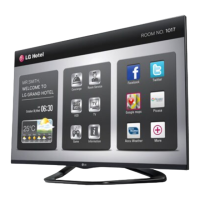
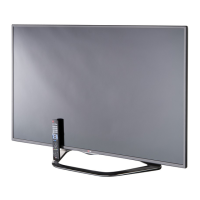
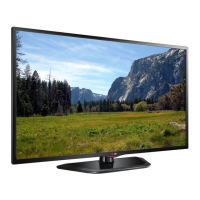
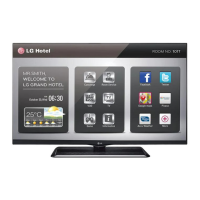
LG 42LP870H - User Manual

LG 42LP870H
90 pages
Print Icon
To Next Page IconTo Next Page
Loading...
EZ-Manager Wizard
pages 11 18
Custom Master TV Setup
pages 31 34
FTG Mode of Operation
pages 45 46
EXPERIENCED INSTALLER
Commercial Mode Setup Guide
Note: Selected features shown in this guide may not be available on all models.
Lodging Guest Interactive Pro:Centric
®
TVs
© Copyright 2013 LG Electronics U.S.A., Inc.
P/N: 206-4235 (Rev B)
42LP870H
47LP870H
55LP870H

Table of Contents

Other manuals for LG 42LP870H

Questions and Answers

Summary

Commercial Mode Overview

Pass-through Mode

Configures TVs for Pro:Centric/FTG or master setup for cloning purposes.

EZ-Manager Wizard

Automated/manual configuration for Pro:Centric operation using USB.

Custom Master TV Setup

Procedure to create a customized master setup for cloning purposes.

Commercial Mode Overview Continued

Installer Menu

Accessing and using the Installer Menu for commercial setup and configuration.

FTG Mode

Enables Pro:Idiom decryption and logical channel mapping.

Cloning

Process of capturing and transferring Master TV Setup to Target TVs.

Pro:Centric Operation Continued

EZ-Manager Wizard

EZ-Manager Wizard Continued

Configure Pro:Centric Settings

Setting up Pro:Centric server connection details.

Installer Menu

Custom Master TV Setup

Custom Master TV Setup Continued

Custom Master TV Setup Procedure

Step-by-step guide to create a master TV setup for cloning.

Cloning Overview

IMPORTANT CLONING INFORMATION

Key information and cautions for performing cloning procedures.

USB Cloning Procedures

Learning; Teaching a Master TV Setup using a USB Memory Device;.tlx File

Process for learning/teaching via USB with .tlx files.

USB Cloning Procedures Continued

Learning; Teaching a Master TV Setup using a USB Memory Device;.tll File

Process for learning/teaching via USB with .tll files.

Clone Programmer Cloning Procedures

Learning; Teaching a Master TV Setup using a TLL-1100 A Clone Programmer

Learning/teaching using the TLL-1100A clone programmer.

Clone Programmer Cloning Procedures Continued

Learning; Teaching a Master TV Setup using an LT2002 Clone Programmer

Learning/teaching using the LT2002 clone programmer.

Teach Master TV Setup to Target TV

Teaching setup using the LT2002 programmer.

FTG Mode of Operation Overview

FTG Mode via CPU or EBL

Overview of FTG modes via CPU or EBL, including features.

FTG Mode via CPU

Features and requirements for FTG Mode operation via CPU.

FTG Mode via EBL

Features and requirements for FTG Mode operation via EBL.

FTG Mode via CPU

Creating an FTG Configuration File using the FTG File Manager

Steps to create FTG configuration (.tlx) files using FTG File Manager.

FTG Mode via CPU Continued

Teaching FTG Configuration to a TV

Transferring FTG configuration from USB to TV using USB Download Menu.

Learning FTG Configuration from a TV

Saving FTG configuration from a TV to a USB memory device.

FTG Mode via CPU Continued

FTG File Manager Utilities Overview Continued

FTG Channel Map Configuration Utility

Utility for creating, viewing, editing, and printing logical channel maps.

FTG Channel Map Editor

Editor for logical channel data, labels, icons, and attributes.

FTG Installer Menu Configuration Utility

Utility to set TV Installer Menu items for FTG configuration.

IP Environment Setup

IP Environment Setup Continued

Pro:Centric Setup

Configuring Pro:Centric server connection settings.

Reference: Upgrading TV;PTC Software using a USB Memory Device

Upgrading TV;PTC Software

Procedure for updating TV/PTC software using USB Download Menu.

Reference: FTG Mode via EBL (Local Configuration)

Reference: Restoring Factory Defaults on the TV(s)

Reference: Using the TVs Zoning Features

Reference: Using the TVs Zoning Features Continued

Reference: Wi-Fi Screen Share Features Continued

Troubleshooting

Troubleshooting Continued

Clone Programmer Troubleshooting

Troubleshooting issues related to clone programmers.

FTG Operation Troubleshooting

Troubleshooting for EBL configured for FTG Mode operation.

Master and Target TVs

Troubleshooting cloning issues on Master and Target TVs.

LG 42LP870H Specifications

General IconGeneral
Display TechnologyLED
Screen Size42 inches
Resolution1920 x 1080
Aspect Ratio16:9
Smart TVYes
Operating SystemNetCast
HDMI Ports4
USB Ports2
Built-in Wi-FiYes
3D CapableYes

Related product manuals