EasyManua.ls Logo

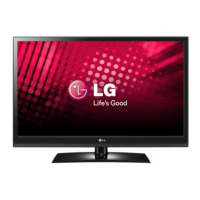
LG 42LV4500 - User Manual

LG 42LV4500
78 pages
Print Icon
To Next Page IconTo Next Page
Loading...
www.lg.com
OWNER’S MANUAL
LCD TV
Please read this manual carefully before operating the
set and retain it for future reference.
42LV4500

Other manuals for LG 42LV4500

Questions and Answers

  • B
    burkekevinSep 4, 2025
    Why is my LG 42LV4500 showing black and white or poor color?
    • A
      Alyssa WatkinsSep 4, 2025
      If your LG LCD TV displays an image in black and white, or the color quality is poor, try adjusting the color setting in the PICTURE menu. Ensure there is sufficient distance between the TV and other electronic products. Try switching to other channels; the issue may be with the broadcast.
  • D
    Deborah MorrisonSep 18, 2025
    Why does one of the speakers on my LG 42LV4500 LCD TV make noise?
    • E
      Elizabeth OlsonSep 18, 2025
      A change in ambient humidity or temperature can cause one of the speakers to produce noises or no sound. This is not a problem with your LG LCD TV.
  • C
    Cristian SaundersSep 16, 2025
    Why are there black spots on my LG LCD TV screen?
    • R
      Rebecca FordSep 16, 2025
      Several pixels in red, green, white, or black may appear on the screen that can attribute to the characteristics of the LCD panel. This is normal.
  • R
    Rebecca LeonSep 14, 2025
    Why are there afterimages on my LG LCD TV screen?
    • A
      Ashley BowersSep 14, 2025
      If afterimages (ghosts) appear when your LG LCD TV turns off, this may be due to pixels damaged from a fixed image displayed for a long time (image burn). Use a screen saver to prevent pixel damage.
  • S
    Sean FranklinSep 12, 2025
    Why does the image appear slowly on my LG LCD TV?
    • S
      Suzanne PetersonSep 12, 2025
      If the image appears slowly when your LG LCD TV turns on, note that the image is muted during the product startup process and this is normal. If the image does not appear in a few minutes, unplug the TV for 30 seconds and try again.
  • J
    Jackie BoydSep 12, 2025
    Why is the reception poor on some channels on my LG 42LV4500 LCD TV?
    • V
      vorrSep 12, 2025
      If the reception on some channels is poor on your LG LCD TV, try switching to other channels as there may be a problem with the broadcast. The station signal may be weak, so try aiming the antenna in the proper direction. Also, check for local interference from electrical appliances or power tools.
  • A
    Angela LuceroSep 9, 2025
    How to fix horizontal noises on LG 42LV4500 LCD TV?
    • B
      Bethany PaceSep 9, 2025
      If horizontal noises appear or characters blur on your LG LCD TV, adjust the Phase setting in the PICTURE menu.
  • G
    Gina McdonaldSep 7, 2025
    How to adjust display offset on LG 42LV4500?
    • R
      Rachel SmithSep 7, 2025
      If the display offset is wrong on your LG LCD TV, adjust the position setting in the PICTURE menu. Check if the video card resolution and frequency are supported by the TV. If the frequency is out of range, set it to the recommended resolution using the display settings on the external device.
  • S
    Stephanie RogersSep 5, 2025
    Why is my LG 42LV4500 LCD TV screen so dark?
    • M
      Mark ThomasSep 5, 2025
      If the power is on but the screen appears extremely dark on your LG LCD TV, adjust the brightness and contrast in the PICTURE menu.
  • R
    Rebecca NortonAug 20, 2025
    Why are there horizontal or vertical bars on my LG 42LV4500?
    • W
      williamschneiderAug 20, 2025
      If horizontal or vertical bars appear, or images blur on your LG LCD TV, check for local interferences from electrical appliances or power tools.

Summary

LICENSES

ASSEMBLING AND PREPARING

Unpacking and Contents

Check the product box for all supplied items and accessories.

TV Parts and Buttons Overview

Identify and understand the function of various buttons on the TV.

Safe TV Handling and Setup

Instructions for safely lifting, moving, and setting up the television.

Installation and Mounting Guidance

Guide for table mounting, swivel stand adjustment, and wall mounting.

Installation Safety and Security

Important safety tips for secure installation and using security systems.

Cable Management

Steps to neatly bundle cables after connections.

REMOTE CONTROL

Remote Control Functions

Explains the function of each button on the TV remote control.

WATCHING TV

Initial Setup and Antenna Connection

Connect antenna, turn on TV, select language and basic settings.

Basic TV Viewing and Tuning

Turn TV on/off, select antenna input, and tune programmes.

Programme Management

Auto/manual tuning, editing, skipping, and locking programmes.

Advanced Viewing Features

Use EPG, guide modes, aspect ratios, AV modes, and input selection.

TV Button Lock and Quick Menu

Lock TV buttons and access the quick menu for settings.

Customer Support and Updates

Access support features, test picture/sound, and perform software updates.

ENTERTAINMENT

USB Media Playback

Connect USB devices to play movies, photos, and music.

Media File Options

Adjust video playback settings and photo viewing options.

DivX VOD Registration

Register or deregister the TV for DivX Video-on-Demand services.

CUSTOMIZING TV SETTINGS

Accessing and Navigating Settings

Guide on how to access and navigate the main TV settings menus.

Picture Settings

Adjust image size, picture modes, energy saving, and advanced image options.

Audio Settings

Adjust volume, voice clarity, sound modes, and speaker output.

Time and Lock Settings

Set clock, timers, parental controls, and programme locks.

General Option Settings

Adjust language, country, and other general display options.

MAKING CONNECTIONS

External Equipment Setup

Diagram and instructions for connecting various external devices to the TV.

SIMPLINK Connectivity

Connect and control HDMI-CEC devices for integrated playback.

TELETEXT

Teletext Operation and Navigation

Switch Teletext on/off, select pages, groups, and use Fasttext.

Special Teletext Functions

Access features like Index, Time, Hold, Reveal, and Update.

Digital Teletext

Access improved digital teletext services with enhanced graphics.

MAINTENANCE

Cleaning the TV

Instructions for safely cleaning the TV screen, frame, cabinet, and stand.

Preventing Image Burn-in

Advice on how to avoid permanent screen image disfigurement.

TROUBLESHOOTING

General and Audio Issues

Solutions for common problems with remote control, display, sound, and power.

Video Issues

Solutions for problems with image quality, colour, and reception.

SPECIFICATIONS

Product Specifications

Details on dimensions, weight, power, and environmental conditions.

APPENDIX

Software Licenses and Information

Lists GPL, LGPL, MPL libraries and related legal notices.

LG 42LV4500 Specifications

General IconGeneral
Response time2.6 ms
Display diagonal42 \
Display brightness- cd/m²
Native refresh rate60 Hz
LED backlighting type-
Contrast ratio (dynamic)5000000:1
Display diagonal (metric)107 cm
Screen format adjustments16:9
Supported graphics resolutions1920 x 1080 (HD 1080)
Motion interpolation technologyMCI (Motion Clarity Index) 400
3DNo
Annual energy consumption128 kWh
Product colorBlack
LED indicatorsStand-by, Y
Audio systemInfinite Surround
RMS rated power2 W
Number of speakers2
HDMI version1.4
HDMI ports quantity3
DVI-D ports quantity0
USB 2.0 ports quantity1
Consumer Electronics Control (CEC)Anynet+
Audio formats supportedAAC, MP3
Image formats supportedJPG
Video formats supportedH.264, MPEG1, MPEG2, MPEG4
Smart modesCinema, Game, Standard
Power consumption (standby)0.2 W
Power consumption (typical)88 W
Weight and Dimensions IconWeight and Dimensions
Depth (with stand)256 mm
Height (with stand)688 mm
Weight (with stand)15200 g
Depth (without stand)29.9 mm
Width (without stand)1005 mm
Height (without stand)621 mm
Weight (without stand)13000 g

Related product manuals