EasyManua.ls Logo

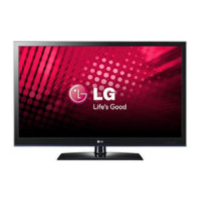
LG 42LV3500 - Service Manual

LG 42LV3500
99 pages
Print Icon
To Next Page IconTo Next Page
Loading...
LED LCD TV
SERVICE MANUAL
CAUTION
BEFORE SERVICING THE CHASSIS,
READ THE SAFETY PRECAUTIONS IN THIS MANUAL.
CHASSIS : LD01U
MODEL : 42LV3500/3550/3551
MODEL : 42LV355A/355C/355N/355U
MODEL : 42LV3500-ZA 42LV3551-ZD
MODEL : 42LV3550/355A/355C/355N/355U-ZB
North/Latin America http://aic.lgservice.com
Europe/Africa http://eic.lgservice.com
Asia/Oceania http://biz.lgservice.com
Internal Use Only
Printed in KoreaP/NO : MFL62863058 (1103-REV00)

Table of Contents

Other manuals for LG 42LV3500

Questions and Answers

  • S
    Sarah MeyerSep 1, 2025
    What to do if my LG 42LV3500 LCD TV displays “This file is invalid”?
    • J
      James OsborneSep 1, 2025
      If your LG LCD TV shows a message saying “This file is invalid” or the audio works but the video doesn't, check if the file plays correctly on a PC to ensure it's not damaged. Also, verify that the resolution, video codec, and frame rate are supported by the TV.
  • J
    jennifer29Aug 25, 2025
    How to fix LG LED TV remote control not working?
    • K
      Kristen CruzAug 25, 2025
      If you cannot control your LG LED TV with the remote, try these steps: First, check the remote control sensor on the TV. Ensure there are no obstacles blocking the path between the remote and the TV. Verify that the batteries in the remote are working and correctly installed. Lastly, confirm that the appropriate input mode (TV or VCR) is selected on the remote.
  • R
    robertmckinneySep 23, 2025
    Why doesn't the file appear on the Movie List of my LG LCD TV?
    • T
      Teresa HollandSep 23, 2025
      Check whether the extension is supported.
  • J
    James MercadoSep 6, 2025
    Why are there black spots on my LG LED TV screen?
    • S
      Sarah CortezSep 6, 2025
      If black spots appear on the screen of your LG LED TV, this can be attributed to the characteristics of the LCD panel, where several pixels in red, green, white, or black may appear. This is normal.
  • A
    arroyonicoleSep 12, 2025
    What if the file does not appear on the Movie List of LG 42LV3500?
    • B
      Brett PorterSep 12, 2025
      If a file does not appear on the Movie List of your LG LCD TV, check whether the file extension is supported.
  • K
    Karen WalkerSep 3, 2025
    What causes horizontal bars on my LG LED TV screen?
    • R
      Robert DavisSep 4, 2025
      If horizontal or vertical bars appear on your LG LED TV, or if images blur, check for local interferences from electrical appliances or power tools.
  • D
    Daniel DaughertyAug 29, 2025
    Why does my LG 42LV3500 image appear slowly?
    • S
      Samantha TorresAug 29, 2025
      It's normal for the image to be muted briefly when you turn on your LG LCD TV. If the image doesn't appear after a few minutes, try unplugging the TV for 30 seconds and then plugging it back in.
  • C
    Cheyenne BaxterSep 14, 2025
    What to do if my LG 42LV3500 LCD TV says no signal?
    • J
      Jack Jimenez Jr.Sep 14, 2025
      If your LG LCD TV displays a 'No Signal' message, ensure the signal cable is properly connected between the TV and any external devices. Also, verify that you've selected the correct input source by pressing the INPUT button on your remote.
  • D
    denisetuckerSep 9, 2025
    How to fix black and white image on LG 42LV3500?
    • R
      rosaleskyleSep 9, 2025
      If the image on your LG LCD TV is displaying in black and white or the color quality is poor, try the following: * Adjust the color settings in the menu. * Ensure there's sufficient distance between the TV and other electronic devices. * Try switching to other channels to rule out a broadcast problem.
  • K
    Kelly GreenAug 27, 2025
    Why does my LG LED TV keep turning off by itself?
    • S
      Stephanie ClineAug 27, 2025
      If your LG LED TV is turning off suddenly, check the power control settings to ensure the power supply isn't interrupted. Also, verify if the Auto sleep feature is activated in the Time settings. If there is no signal while the TV is on, the TV will turn off automatically after 15 minutes of inactivity.

Summary

Safety and Servicing Precautions

General Safety and Servicing Guidelines

Covers essential safety notices, handling precautions, and soldering best practices.

Leakage Current Testing and ESD Protection

Details procedures for leakage current checks and protecting sensitive components from static discharge.

Specifications and Model Information

TV Specifications and Interface Details

Outlines TV specifications, input requirements, and interface details.

Product Roadmap and Model Variants

Lists 2011 TV models, their variants, and the product roadmap.

Adjustment and Calibration Procedures

Software Updates and Initial Setup

Guides on updating software, initializing memory, and basic function checks.

Adjustment Instructions and EDID Management

Explains assembly line processes like EDID writing and manual data downloads.

White Balance and Voltage Calibration

Procedures for white balance calibration and voltage checks.

System Diagrams, PCB Layouts, and Interconnections

Block Diagram and Exploded View

Provides system block diagrams and chassis exploded views for understanding TV architecture.

Main PCB Layout Identification

Identifies key components on the main PCB for LV2500 models.

Interconnection Diagram Overview

Illustrates internal cable connections for LV series models.

Sub PCB Interconnection Overview

Shows connections for sub PCBs in LV/LK450 and LK430/LK530 series.

Troubleshooting and Repair Processes

Video Error Troubleshooting Flowcharts

Step-by-step guides for diagnosing video issues like no image or color errors.

Power Error Troubleshooting Flowcharts

Guides for resolving power problems, including no power and intermittent power states.

Audio Error Troubleshooting Flowcharts

Diagnostic flowcharts for audio issues such as no sound or distorted audio.

Function, Noise, and Exterior Defect Troubleshooting

Covers troubleshooting for remote controls, external devices, noise, and physical damage.

Detailed Technical Manual Checks

Specific technical steps for checks like backlight, voltage, tuner, and version.

Appendix: Component Exchange Guidance

Visual guides for identifying and exchanging faulty T-Con boards, PSUs, LED drivers, and modules.

LG 42LV3500 Specifications

General IconGeneral
Response time3.5 ms
Display diagonal42 \
Display brightness- cd/m²
Native aspect ratio16:9
Native refresh rate50 Hz
LED backlighting typeEdge-LED
Supported video modes720p, 1080i, 1080p
Contrast ratio (dynamic)2000000:1
Screen format adjustments4:3, 16:9, Zoom
Supported graphics resolutions1920 x 1080 (HD 1080)
Motion interpolation technologyMCI (Motion Clarity Index) 100
Tuner typeAnalog & digital
Number of tuners1 tuner(s)
Auto channel searchYes
Analog signal format systemNTSC
Digital signal format systemATSC
Internet TVNo
Smart modesCinema, Game, Sports, Standard, Vivid
Headphone connectivity3.5 mm
Audio systemInfinite Surround
Audio decodersDolby Digital
RMS rated power20 W
Number of speakers2
HDMI version1.3
HDMI ports quantity3
USB 2.0 ports quantity1
S-Video inputs quantity0
Consumer Electronics Control (CEC)Anynet+
Product colorBlack
Panel mounting interface200 x 200 mm
Number of OSD languages4
On Screen Display (OSD) languagesENG, ESP, FRE, KOR
Cables includedAC
AC input voltage100 - 240 V
AC input frequency60 Hz
Power consumption (max)120 W
Power consumption (standby)0.1 W
Power consumption (typical)87 W
Sustainability certificatesENERGY STAR
Weight and Dimensions IconWeight and Dimensions
Depth (with stand)256 mm
Height (with stand)684 mm
Weight (with stand)15500 g
Depth (without stand)30.4 mm
Width (without stand)998 mm
Height (without stand)615 mm
Weight (without stand)13300 g

Related product manuals