- 12 -
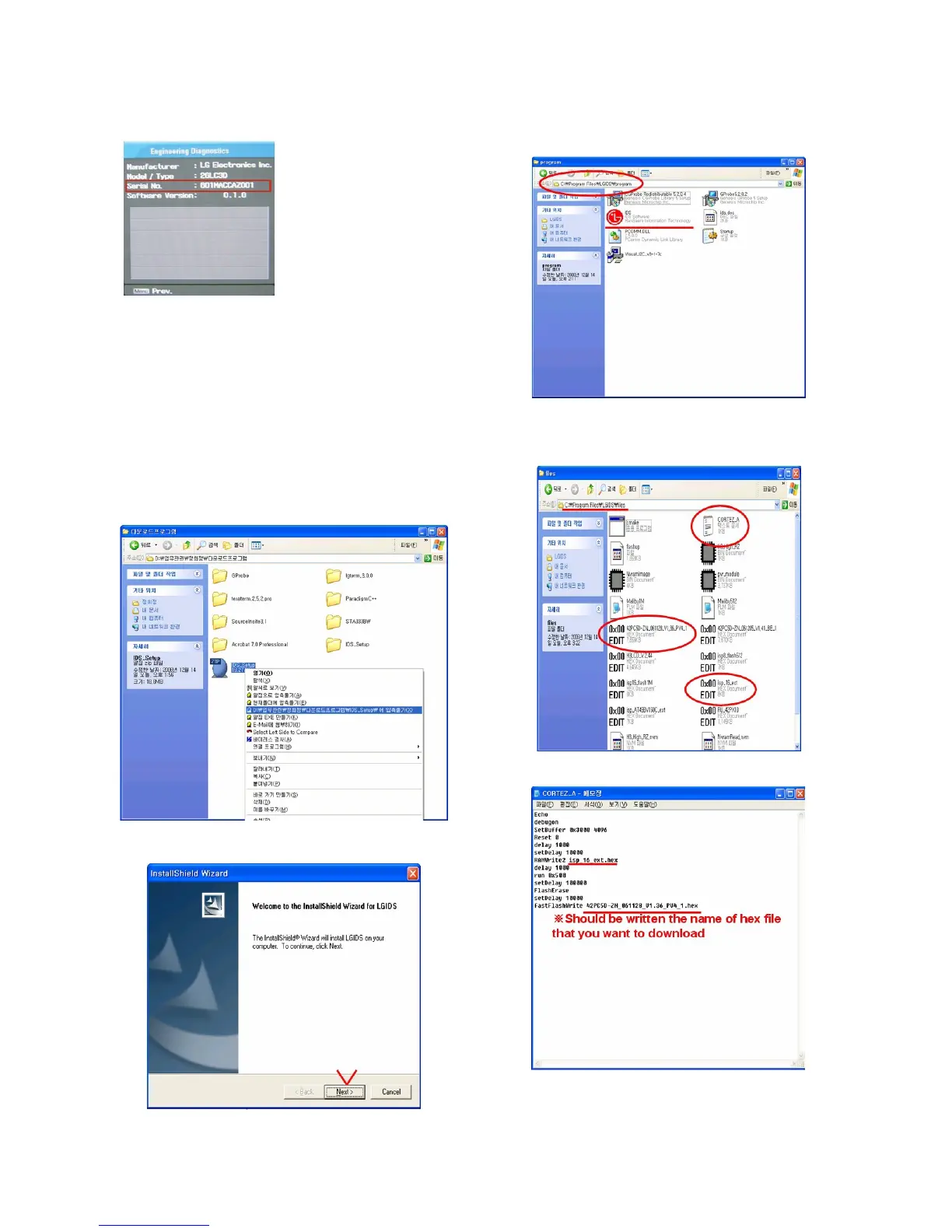
(2) Check the Serial Number.
16. Input the Shipping Option Data
1) Push the IN-START key in a Adjust Remocon.
2) Input the Option Number that was specified in the BOM, into
the Shipping area.
3) The work is finished, Push
V Key.
17. CORTEZ Download
17-1. CORTEZ Download By LGIDS
(1) Installation of the LGIDS
1) Extract to folder IDS_Setup.ZIP.
2) Install LGIDS-1
1. After Click the ‘NEXT’ icon, Installation is finished.
3) Install LGIDS-2
1. You can find the ICON on C:\Program Files\LGIDS.
(2) Download hex file
1) Prepare a Batch File(*.txt), RAM File(*.hex) on
C:\Program Files\LGIDS\files.
* In the TEXT FILE
2) Connect RS232 cable and turn on the power.
(Use the general RS-232C Serial Cable)



 To Next Page