33
Plasma Fall 2008 42PG20
• DC Voltages developed on the SMPS
• Adjustments VA and VS.
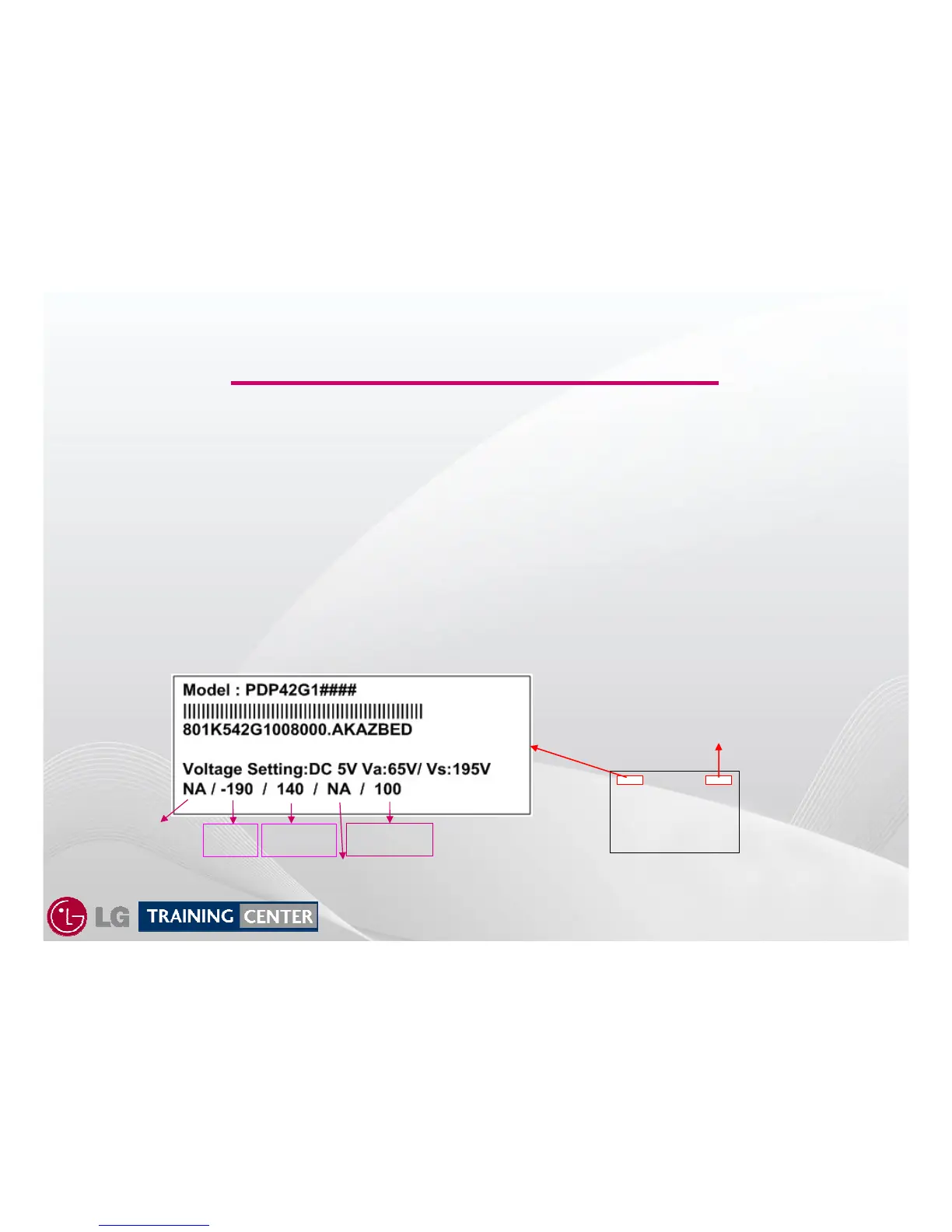
• Always refer to the Voltage Sticker located on the back of the panel, in the upper Left
Hand side for the correct voltage levels for the VA, VS, -VY, Vscan, and Z Bias as
these voltages will vary from Panel to Panel even in the same size category.
• Set-Up and Ve are just for Label location identification and are not used with this
panel.
-VY
Vscan
Z_BIAS
42PG20
SWITCH MODE POWER SUPPLY Troubleshooting
SWITCH MODE POWER SUPPLY Troubleshooting
This Section of the Presentation will cover troubleshooting the Switch Mode Power Supply for the
Single Scan Plasma. Upon completion of the section the technician will have a better
understanding of the operation of the Power Supply Circuit and will be able to locate voltage
and test points needed for troubleshooting and alignments.
Panel
“Rear View”
Manufacturer
Bar Code
Set-Up
Ve



 To Next Page