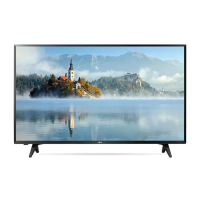
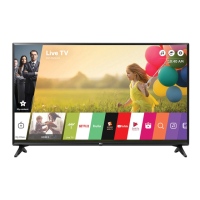
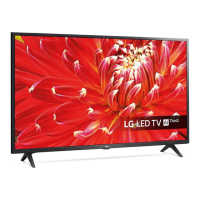
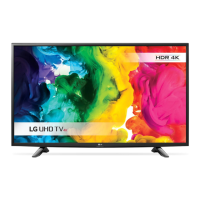
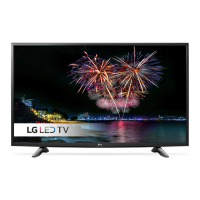
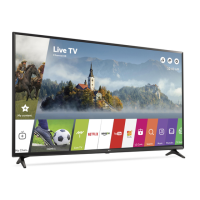
This document is an owner's manual for an LG LED TV, providing comprehensive information on its safety, setup, usage, and maintenance.
Function Description
The LG LED TV utilizes an LCD screen with LED backlights, offering a range of functionalities for entertainment and connectivity. It supports various broadcasting specifications, including Digital TV (DVB-T/T2/C/S/S2) and Analogue TV (PAL, SECAM, NTSC-M), allowing users to access a wide array of channels. The TV can store up to 3000 programs for DVB-T/T2 & Analogue TV and 6000 for DVB-S/S2.
For external device connectivity, the TV features multiple HDMI IN ports, with some supporting eARC/ARC for enhanced audio return capabilities. It also includes USB IN ports for connecting USB devices, such as memory sticks or external hard drives, for media playback. A CI module slot is available for viewing encrypted (pay) services in digital TV mode.
The TV can be operated using a single button for basic functions like power on/off, volume adjustment, input source selection, and menu navigation. For more advanced control, the Magic Remote Control is provided, which supports voice recognition, quick access to apps, and various media control buttons. The Magic Remote needs to be paired with the TV and allows for intuitive interaction with the on-screen display.
Special features include HDMI Deep Colour support for clearer pictures with compatible devices, and the ability to access the [Home Dashboard] and [User Guide] directly from the remote. For users in Australia and New Zealand, Freeview Plus is available, offering access to Freeview networks, a 7+ day EPG, Catch Up TV, recommendations, and the ability to set reminders and favorites, utilizing HbbTV technology that combines broadcast and broadband.
Important Technical Specifications
Television System:
- Digital TV: DVB-T/T2, DVB-T/T2/C/S/S2 (depending on model and region).
- Analogue TV: PAL B/B, PAL B/G, PAL D/K, PAL-I, SECAM B/G, SECAM D/K, NTSC-M.
Programme Coverage: VHF, UHF, C-Band, Ku-Band.
Maximum Number of Storable Programmes:
- DVB-T/T2 & Analogue TV: 3000
- DVB-S/S2: 6000
External Antenna Impedance: 75 Ω.
CI Module Dimensions: 100.0 mm (W) x 55.0 mm (H) x 5.0 mm (D).
Supported HDMI Audio Formats: True HD (48 kHz), Dolby Digital / Dolby Digital Plus (32 kHz / 44.1 kHz / 48 kHz), PCM (32 kHz / 44.1 kHz / 48 kHz / 96 kHz / 192 kHz).
HDMI Deep Colour Support (for specific models):
- On: Support 4K @ 50/60 Hz (4:4:4, 4:2:2, 4:2:0); for <3,4 port Only> 4K @ 100/120 Hz (4:4:4, 4:2:2, 4:2:0).
- Off: Support 4K @ 50/60 Hz (4:2:0).
Recommended HDMI Cable Type: Ultra High Speed HDMI®/™ cable (3 m or less).
Wireless Module (LGSBWAC95/LGSBWAC03) Specifications:
- Wireless LAN (IEEE 802.11a/b/g/n/ac):
- Frequency range: 2,400 to 2,483.5 MHz (Output Power Max: 19 dBm / 18.5 dBm)
- Frequency range: 5,150 to 5,725 MHz (Output Power Max: 18 dBm / 19.5 dBm)
- Frequency range: 5,725 to 5,850 MHz (Output Power Max: 13.5 dBm / 11.5 dBm)
- Bluetooth:
- Frequency range: 2,400 to 2,483.5 MHz (Output Power Max: 9 dBm)
Environment Condition:
- Operating Temperature: 0 °C to 40 °C
- Operating Humidity: Less than 80%
- Storage Temperature: -20 °C to 60 °C
- Storage Humidity: Less than 85%
Usage Features
Installation:
- Table Mounting: Requires a minimum 10 cm space from the wall for proper ventilation. Screws must be inserted correctly and securely to prevent overturning.
- Wall Mounting: Optional wall mount brackets are available. It is recommended to use LG's wall mount bracket and have installation performed by a qualified professional. Before wall mounting, the stand must be removed. VESA standard mounting interfaces are supported.
- Securing to Wall: Eye-bolts or TV brackets can be used with a sturdy rope to secure the TV to the wall, preventing it from falling.
Connectivity:
- Antenna/Cable: Connects to a wall antenna socket with a 75 Ω RF cable. A signal splitter can be used for multiple TVs. A signal amplifier may be needed for poor image quality.
- Satellite Dish: Connects to a satellite socket with a 75 Ω satellite RF cable.
- External Devices: Supports Blu-ray players, HD receivers, DVD players, VCRs, audio systems, USB storage devices, PCs, and gaming devices. For optimal connection, HDMI cables and USB devices should have bezels less than 10 mm thick and 18 mm width.
Operation:
- Basic Control: A single button on the TV allows for power, volume, input, and menu control.
- Magic Remote Control: Provides advanced control with a pointer, scroll wheel (OK button), voice recognition, and dedicated buttons for various functions like [GUIDE], [QUICK ACCESS], [Home], [Input], [Q. Settings], and streaming services. Batteries (1.5 V AA) are required and should be inserted with correct polarity. The remote must be paired with the TV.
Safety Precautions:
- Avoid placing the TV in direct sunlight, high humidity, near heat sources, or in excessively dusty places.
- Ensure proper ventilation and do not block ventilation openings.
- Protect the power cord from physical damage.
- Unplug the power cord during lightning storms or prolonged periods of disuse.
- Do not let children climb or cling to the TV.
- If any damage or malfunction occurs (e.g., water ingress, smoke, unusual odors), unplug the product immediately and contact customer service.
Maintenance Features
Cleaning:
- Unplug the power cord before cleaning.
- Wipe gently with a soft/dry cloth.
- Do not spray water or other liquids directly on the TV.
- Avoid using chemicals such as glass cleaner, air freshener, insecticide, lubricants, wax, abrasive, thinner, benzene, or alcohol, as these can damage the product or panel.
- When cleaning, be careful not to allow liquid or foreign objects to enter the gaps between the panel and guide panel.
Battery Replacement:
- When the [Magic Remote battery is low] message appears, replace the batteries (1.5 V AA) matching the polarity indicated inside the compartment.
- Do not mix new and old batteries.
- Do not short circuit, disassemble, or overheat batteries.
- Dispose of batteries properly according to local regulations.
Troubleshooting:
- Remote Control Issues: Check sensor, obstacles, and battery installation/charge.
- No Image/Sound: Ensure TV is on, power cord is connected, and wall outlet is functional.
- Sudden Turn-Off: Check power control settings, auto-off function, and signal presence.
- PC (HDMI) Signal Not Detected: Turn TV off/on, reconnect HDMI cable, restart PC.
- Abnormal Display: Small flicker on startup is normal. Tiny black/bright dots on the panel are characteristic of advanced displays and not a malfunction. Avoid displaying still images for prolonged periods to prevent image sticking.
- Generated Sound: "Cracking" noise from thermal contraction and "humming/buzzing" from the electrical circuit are normal and do not indicate malfunction.
Environmental Information (India Only):
- The product is covered by e-waste Management and Handling Rules, 2011, and is meant for recycling.
- Users should hand over the product to authorized recyclers for disposal and keep it in an isolated area when non-functional.
- Do not open the product, re-sell to unauthorized agencies, mix with household waste, or keep replaced parts in exposed areas.
- Contact toll-free numbers (1800-315-9999 / 1800-180-9999) for collection centers and pick-up services.

 Need help?

 To Next Page
 General