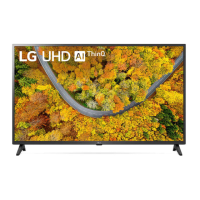
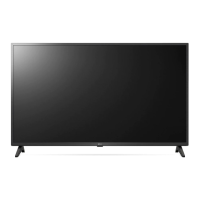
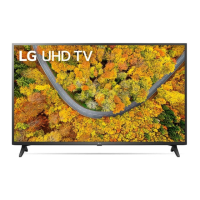
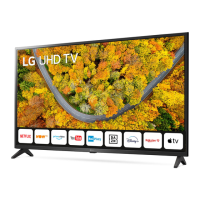
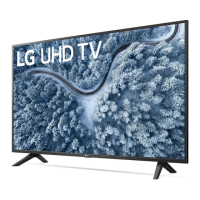
Need help?
Do you have a question about the LG 43UP75006LF and is the answer not in the manual?
Guidelines for safely lifting and transporting the television to prevent damage.
Instructions for safely placing and securing the TV on a table surface.
Procedures for attaching the TV to a wall mount bracket.
Instructions on how to power on the television using the button.
Steps to pair and register the Magic Remote Control with the TV.
Detailed explanation of the buttons and functions of the Magic Remote Control.
This document is an owner's manual for an LG LED TV, providing essential information for its safe operation, setup, and maintenance. The manual emphasizes safety instructions, preparation steps for installation, how to start using the TV, connection guidelines for external devices, troubleshooting tips, and product specifications.
The primary function of this device is to display visual content, enhanced by LED backlighting for improved picture quality. It is designed for home entertainment, offering various input options for connecting external media sources and supporting digital and analogue broadcasting.
The TV can be operated using a physical button located on the device itself, which allows for basic functions such as power on/off, volume adjustment, input source selection, and navigating saved programs. For more advanced control, the manual details the use of a Magic Remote Control. This remote offers a comprehensive set of buttons for channel navigation, volume control, accessing the Home menu, input selection, and quick settings. A unique feature of the Magic Remote is its Wheel (OK) button, which acts as a selector and can also activate the "Magic Explorer" feature when the pointer color changes to purple, allowing for interactive content exploration. Voice recognition is also available, requiring a network connection, enabling users to control the TV with voice commands. Streaming service buttons provide direct access to popular video streaming platforms. The remote also includes special function buttons for specific menus and a red button to initiate recording.
The manual outlines the process for registering and deregistering the Magic Remote Control, ensuring proper pairing with the TV. It advises users to insert batteries correctly, matching the polarity, and to replace them when a low battery message appears.
For connecting external devices, the TV supports HDMI and USB inputs. HDMI ports are compatible with various audio formats, and the manual highlights the "HDMI Deep Colour" setting, which can be adjusted for clearer pictures depending on the connected device's capabilities. It recommends using certified Ultra High Speed HDMI®/™ cables for optimal connection and to avoid display or connection errors. USB ports allow for connecting USB devices, and the manual suggests using an extension cable for larger USB sticks or cables that might not fit directly. The TV also features a CI module slot for viewing encrypted pay services in digital TV mode, with instructions on correct insertion to prevent damage.
The manual provides important safety and maintenance guidelines to ensure the longevity and safe operation of the TV. For cleaning, it advises unplugging the power cord and gently wiping the TV with a soft, dry cloth. It explicitly warns against spraying water or other liquids directly onto the TV and against using chemical cleaners such as glass cleaner, air fresheners, insecticides, lubricants, wax, abrasives, thinner, benzene, or alcohol, as these can cause electric shock or product damage. When cleaning, care should be taken to prevent liquids or foreign objects from entering the gaps around the panel.
Regarding the remote control, users are cautioned not to mix new and old batteries, short-circuit, disassemble, or overheat batteries, and to dispose of them properly according to local regulations.
The manual also addresses potential issues like "cracking" noises, which are normal due to plastic thermal contraction, and "electrical circuit humming/panel buzzing," which are low-level noises from high-speed switching circuits and do not affect performance. It warns against displaying still images for prolonged periods to prevent "image sticking."
For installation, the manual provides instructions for mounting the TV on a table or to a wall. When mounting on a table, it recommends leaving a minimum 10 cm space from the wall for proper ventilation and securing the TV to prevent overturning. For wall mounting, it advises using LG's wall mount bracket or a VESA standard bracket, ensuring it is adequately secured to a solid wall. It also suggests connecting all cables before installing fixed wall mounts and covering stand holes with tape to prevent dust and insect ingress.
Overall, the manual emphasizes careful handling, proper installation, and adherence to cleaning instructions to maintain the device's functionality and safety.
 General
| Screen shape | Flat |
|---|---|
| Response time | - ms |
| Display diagonal | 43 \ |
| Display brightness | - cd/m² |
| Display technology | LED |
| Native aspect ratio | - |
| Display diagonal (metric) | 109.22 cm |
| Automatic brightness control | Yes |
| PC in (D-Sub) | No |
| USB 2.0 ports quantity | 1 |
| Common interface Plus (CI+) version | 1.4 |
| USB 3.2 Gen 1 (3.1 Gen 1) Type-A ports quantity | 0 |
| Quantity per pack | 1 pc(s) |
| Annual energy consumption | 97 kWh |
| Color name | Dark Iron Gray |
| Product color | Gray |
| Panel mounting interface | 200 x 200 mm |
| Tuner type | Digital |
| Digital signal format system | DVB-S2, DVB-T2 |
| Video apps | Catch-up TV, Chili, Mediaset Play, RaiPlay |
| Operating system version | 6.0 |
| Operating system installed | Web OS |
| Sound modes | AI Sound |
| Audio decoders | DTS, Dolby Digital |
| RMS rated power | 20 W |
| Energy efficiency scale | A to G |
| Power consumption (standby) | 0.5 W |
| Power consumption (typical) | 70 W |
| Certification | Tivùon! / Tivùsat, Lativù 4K, HbbTV v 2.0.1, CAMREADY |
| Processor cores | 4 |
| Video formats supported | HEVC, VP9 |
| High Dynamic Range (HDR) technology | Filmmaker Mode, High Dynamic Range 10 (HDR10), Hybrid Log-Gamma (HLG) |
| Package depth | 152 mm |
| Package width | 1060 mm |
| Package height | 660 mm |
| Package weight | 9300 g |
 Weight and Dimensions
| Depth (with stand) | 216 mm |
|---|---|
| Width (with stand) | 973 mm |
| Height (with stand) | 623 mm |
| Weight (with stand) | 7200 g |
| Depth (without stand) | 85 mm |
| Height (without stand) | 572 mm |
| Weight (without stand) | 7100 g |


 To Next Page