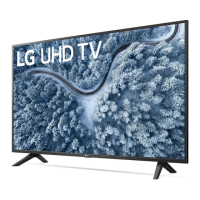
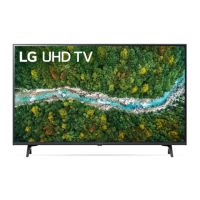
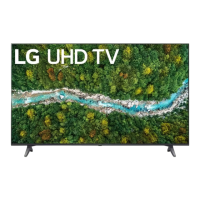
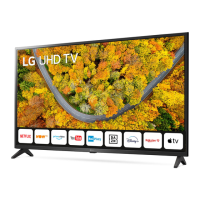
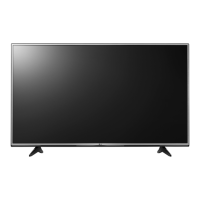
This document is an owner's manual for an LG LED TV, which uses an LCD screen with LED backlights. The manual provides comprehensive information on safety, setup, operation, and troubleshooting to ensure proper use and maintenance of the television.
The primary function of this device is to display visual content, such as television programs, movies, and other media, with the added benefit of LED backlighting for enhanced picture quality. It also offers connectivity to various external devices, expanding its utility for entertainment and information access.
Usage Features:
The TV can be operated using a combination of its built-in button and a remote control, specifically the Magic Remote Control for certain models.
Basic Operation:
- Power On/Off: The TV can be turned on or off by pressing the power button on the TV itself or the power button on the remote control. A long press on the TV's button will turn it off, closing all running apps and stopping any recordings in progress.
- Menu Control: The TV's built-in button allows access and adjustment of menus. Pressing it once brings up menu items, and a long press enables menu selection.
- Volume Adjustment: The volume can be adjusted using the TV's built-in button or the dedicated volume buttons on the remote control.
- Input Source Selection: Users can change the input source through the TV's button or the remote control to switch between connected devices.
- Programme Scrolling: The TV's button allows scrolling through saved programs, a feature also available on the remote control.
Magic Remote Control Features (depending on model):
The Magic Remote offers a more advanced and intuitive way to interact with the TV, with buttons for various functions:
- Number Buttons: Used for entering numbers, accessing quick help, and for the "Quick Access" feature (a long press on a number button can launch a specified app or Live TV).
- Microphone: Enables voice recognition for checking recommended content or performing web searches. A network connection is required for this function.
- More Actions: Displays additional remote control functions.
- AD/SAP (Audio Descriptions): Activates audio descriptions, a feature that may vary by country.
- Mute: Mutes all sounds and can also access the "Accessibility" menu.
- Navigation Buttons (Up/Down/Left/Right): Used to scroll through menus and options. When the pointer is active, pressing these buttons will make the pointer disappear, and the remote will function like a standard remote. Shaking the remote will bring the pointer back.
- Wheel (OK): The central button is used to select menu items, change programs, and access "Magic Explorer" for AI Smart Search. When the pointer color changes to purple, users can press and hold the pointer on a video for AI Smart Search.
- Home Button: Accesses the Home menu and launches recently used apps.
- Input Button: Changes the input source and accesses the "Home Dashboard."
- Q. Settings: Accesses the Quick Settings menu and can also display the "All Settings" menu.
- Back Button: Returns to the previous level and clears on-screen displays, returning to the last input viewing.
- Red Button: Initiates the record function (for Time Machine Ready supported models).
- Streaming Service Buttons: Connects to video streaming services.
- Sleep Timer: Sets the sleep timer.
- Teletext Buttons: Used for teletext functions.
- Programme List/Guide: Accesses the saved program list and the program guide.
Connectivity:
- HDMI: The TV supports HDMI connections for external devices like Blu-ray players, HD receivers, and gaming consoles. It supports various HDMI audio formats and, for certain models, Ultra HD Deep Colour for clearer pictures. Users are advised to use certified HDMI cables and ensure devices are turned off and unplugged during connection.
- USB: USB ports allow connection of USB storage devices. Some USB hubs may not work, so direct connection to the TV's USB port is recommended. Optimal connection requires USB devices with specific bezel dimensions.
- Antenna/Cable: The TV can connect to a wall antenna socket with an RF cable (75 Ω). A signal splitter can be used for multiple TVs, and a signal amplifier may improve poor image quality.
- Satellite Dish: For models supporting it, the TV can connect to a satellite dish with a satellite RF cable (75 Ω).
- CI Module: For encrypted (pay) digital TV services, a CI module can be inserted into the COMMON INTERFACE slot. Proper insertion is crucial to avoid damage.
- Wired LAN: When connecting via wired LAN, a CAT 7 cable is recommended for optimal performance.
Maintenance Features:
- Battery Replacement: The manual provides instructions for replacing batteries in the Magic Remote Control, specifying the correct battery type (1.5 V AA or AAA) and polarity. It warns against mixing old and new batteries, overheating, and improper disposal.
- Cleaning: The TV should be cleaned gently with a soft/dry cloth after unplugging the power cord. Users are advised not to spray water or other liquids directly onto the TV or use chemicals like glass cleaner, air fresheners, insecticides, lubricants, or abrasive cleaners, as these can damage the product or its panel. Care should be taken to prevent liquids or foreign objects from entering gaps around the panel.
- Troubleshooting: The manual includes a troubleshooting section to address common issues such as the remote control not working, no image/sound, sudden TV shutdown, no signal from PC (HDMI), and abnormal display. It offers solutions like checking connections, power settings, and remote control batteries. It also explains normal phenomena like slight flicker on startup or tiny dots on the screen, which are not malfunctions.
- Image Sticking Prevention: To prevent image sticking, users are advised to avoid displaying still images for prolonged periods.
Safety Features:
The manual emphasizes several safety instructions to prevent electric shock, fire, and injury:
- Power Cord Protection: The power cord should be protected from physical or mechanical abuse, and users should grasp the plug when unplugging, not the cord.
- Ventilation: Proper ventilation is crucial, and the TV should not be installed in confined spaces or covered with materials that block airflow.
- Grounding: For TVs with a three-prong grounded AC plug, it must be connected to a three-prong grounded AC outlet to prevent electric shock.
- Outdoor Antenna Grounding: If an outdoor antenna is installed, precautions should be taken to avoid proximity to power lines.
- Liquid and Object Avoidance: The TV should not be exposed to dripping or splashing, and objects filled with liquids should not be placed on or over the apparatus. Metallic or inflammable objects should not be inserted into the product.
- Environmental Precautions: Keep the TV away from direct sunlight, high humidity, heat sources, and flammable objects.
- Moving the TV: When moving the TV, it should be turned off, unplugged, and all cables removed. Larger TVs require multiple people, and care should be taken not to press or stress the front panel.
- Unauthorized Modification: Users are warned against modifying the product without written authorization from LG Electronics, as this can lead to fire, electric shock, or product damage and will void the warranty.
- Children Safety: Children should not be allowed to climb or cling onto the TV to prevent it from falling over.
- Emergency Procedures: In case of product damage, water/substance entry, smoke/odors, or lightning storms, unplug the product immediately and contact customer service.
This manual ensures that users can safely and effectively set up, operate, and maintain their LG LED TV, making the most of its features while adhering to important safety guidelines.

 Need help?
 General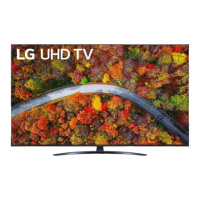

 To Next Page