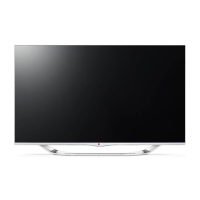
This document is an owner's manual for an LG LED TV, specifically models LA79**, LA86**, LA96**, and LA98**. The manual provides comprehensive instructions for safety, installation, operation, and maintenance of the television.
Function Description
The LG LED TV is a display device that utilizes an LCD screen with LED backlights. It is designed for home entertainment, offering various connectivity options for external devices, network functions, and 3D imaging capabilities (on specific models). The TV can display digital video and audio signals, access smart features, and support external control devices.
Important Technical Specifications
Wireless LAN module (TWFM-B006D) specification:
- Standard: IEEE802.11a/b/g/n
- Frequency Range: 2400 to 2483.5 MHz, 5150 to 5250 MHz, 5725 to 5850 MHz (for Non EU)
- Output Power (Max.):
- 802.11a: 11 dBm
- 802.11b: 14 dBm
- 802.11g: 10.5 dBm
- 802.11n 2.4GHz: 11 dBm
- 802.11n 5GHz: 12.5 dBm
Bluetooth module (BM-LDS401) specification:
- Standard: Bluetooth Version 3.0
- Frequency Range: 2400 ~ 2483.5 MHz
- Output Power (Max.): 10 dBm or lower
Environmental Conditions:
- Operating Temperature: 0 °C to 40 °C
- Operating Humidity: Less than 80%
- Storage Temperature: -20 °C to 60 °C
- Storage Humidity: Less than 85%
Power Requirement: AC 100-240 V~ 50/60 Hz (specific consumption details are on the product label).
Dimensions and Weight (With/Without Stand):
- 47LA79
- With stand: 1077.0 x 690.0 x 285.0 mm (W x H x D), 18.5 kg
- Without stand: 1077.0 x 625.0 x 34.1 mm (W x H x D), 16.8 kg
- 55LA79
- With stand: 1247.0 x 789.0 x 326.0 mm (W x H x D), 25.3 kg
- Without stand: 1247.0 x 722.0 x 34.1 mm (W x H x D), 23.0 kg
- 42LA86
- With stand: 948.0 x 631.0 x 269.0 mm (W x H x D), 15.6 kg
- Without stand: 948.0 x 562.0 x 35.1 mm (W x H x D), 13.5 kg
- 47LA86
- With stand: 1059.0 x 694.0 x 269.0 mm (W x H x D), 19.3 kg
- Without stand: 1059.0 x 625.0 x 35.1 mm (W x H x D), 17.2 kg
- 55LA86
- With stand: 1229.0 x 788.0 x 316.0 mm (W x H x D), 26.2 kg
- Without stand: 1229.0 x 721.0 x 35.1 mm (W x H x D), 23.4 kg
- 60LA86
- With stand: 1338.0 x 850.0 x 316.0 mm (W x H x D), 30.5 kg
- Without stand: 1338.0 x 782.0 x 35.1 mm (W x H x D), 27.7 kg
- 70LA86
- With stand: 1581.6 x 997.0 x 401.3 mm (W x H x D), 45.0 kg
- Without stand: 1581.6 x 922.4 x 37.8 mm (W x H x D), 41.1 kg
- 47LA96
- With stand: 1050.0 x 684.0 x 266.0 mm (W x H x D), 15.5 kg
- Without stand: 1050.0 x 616.0 x 31.2 mm (W x H x D), 13.6 kg
- 55LA96
- With stand: 1220.0 x 781.0 x 305.0 mm (W x H x D), 21.2 kg
- Without stand: 1220.0 x 712.0 x 31.5 mm (W x H x D), 18.4 kg
- 84LA98
- With stand: 1916.0 x 1214.0 x 399.0 mm (W x H x D), 81.7 kg
- Without stand: 1916.0 x 1120.0 x 39.9 mm (W x H x D), 70.4 kg
Supported DTV Audio: MPEG, Dolby Digital, Dolby Digital Plus, HE-AAC.
Headphone Specifications:
- Impedance: 16 Ω
- Max audio output: 0.624 mW to 1.04 mW
- Jack size: 0.35 cm
External Antenna Impedance: 75 Ω
Usage Features
-
Installation:
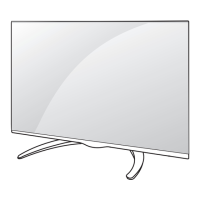
- Stand Attachment: Detailed instructions for attaching the stand, with specific screw sizes and quantities for different models (e.g., M4 x 14 for LA79**, M4 x 16 for LA86**, M4 x 20 for LA96**, M4 x 20 and M5 x 16 for LA98**).
- Table Mounting: Guidance on placing the TV on a table, ensuring proper ventilation (minimum 10 cm from the wall) and adjusting the swivel angle (8, 7, 15, or 10 degrees depending on model).
- Wall Mounting: Instructions for attaching a VESA standard wall mount bracket (optional parts), emphasizing the use of specified screws and professional installation for safety. Cable tidying with cable holders and management is also covered.
- Securing to Wall: For models without wall mounting, instructions to secure the TV to a wall using eye-bolts, wall brackets, and a sturdy rope to prevent overturning.
- Antenna Connection: Connects to a wall antenna socket with a 75 Ω RF cable. An antenna isolator is recommended for safety in areas with voltage differences between the TV and antenna ground.
-
Connectivity:
- HDMI Connection: Transmits digital video and audio signals from external devices (DVD/Blu-Ray, HD Cable Box, HD STB, PC). Supports High Speed HDMI™ cables with CEC function and various audio formats (Dolby Digital, DTS, PCM up to 192 KHz). HDMI/DVI IN 1 (ARC) port supports Audio Return Channel for external audio devices.
- DVI to HDMI Connection: Transmits digital video signals from external devices. Requires an audio cable for audio transmission.
- Component Connection: Transmits analog video and audio signals using a component gender cable.
- Composite Connection: Transmits analog video and audio signals using a composite gender cable.
- Audio Connection: Allows use of an optional external audio system.
- Digital Optical Audio Connection: Transmits digital audio signals to an external device via an optical audio cable.
- Headphone Connection: Transmits headphone signals.
- USB Connection: Connects USB storage devices (flash memory, external hard drive, card reader) to access multimedia files via the Smart Share menu. Supports USB 2.0.
- MHL Connection: Connects mobile phones to the HDMI/DVI IN 4 (MHL) port for digital audiovisual signal transmission, enabling phone screen viewing on the TV and remote control operation of some phone applications.
-
Built-in Camera (on 42/47/55/60LA86, LA96** models):**
- Preparation: Pull up the slide at the back of the TV to use the camera; pull down when not in use.
- Angle Adjustment: Adjust the camera angle (within 5 degrees vertically) using the lever on the back.
- Shooting Range Check: Access Camera Setting Help in the OPTION menu to check the optimal distance for motion recognition (1.5 to 4.5 m).
- Components: Includes microphone, indicator, and camera lens.
- Safety Note: Users are legally responsible for the use/misuse of the camera, adhering to privacy laws. Avoid using in prohibited areas or for immoral activities.
-
Remote Control:
- Standard Remote Control: Features buttons for power, user guide, ratio, input, TV/Radio, number buttons, list, Q.VIEW, volume, FAV, 3D, mute, program scroll, page navigation, info, SMART, MY APPS, navigation buttons (up/down/left/right), OK, back, guide, exit, color buttons, teletext buttons, subtitle, Q.MENU, LIVE TV, control buttons (play, pause, stop, fast forward, rewind), REC, settings, AV mode, and SIMPLINK.
- Magic Remote Control (optional, depending on model): Features power, voice recognition, back, SMART, pointer (RF transmitter), lighting on/off, wheel (OK) for selection and scrolling, navigation buttons, volume, 123/Q.MENU for quick menus and screen remote, 3D, mute, and program scroll.
- Pairing: Requires pairing with the TV by pressing the Wheel(OK) button. Re-registration involves holding BACK and SMART buttons for 5 seconds or holding BACK button towards the TV for 5 seconds.
- Pointer Usage: Move the remote slightly to make the pointer appear. Aim the remote at the TV to move the pointer. If the pointer disappears, shake the remote.
- Voice Recognition: Requires network connection. Speak when the voice display window appears. Optimal distance for voice recognition is within 10 cm from the face.
-
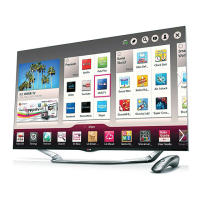
User Guide: Accessible via the SMART button, then selecting User Guide. Provides detailed TV information, including current program/input screen, category selection, item selection, function descriptions, and LG Smart TV functions (if connected to the internet).
-
3D Imaging (Only 3D models):
- Viewing Environment: Maintain a viewing distance of at least twice the screen diagonal length. Take 5-15 minute breaks every hour.
- Viewing Age: Prohibited for children under 5. Special monitoring for children under 10. Teenagers should refrain from long viewing when tired. Elderly may perceive less 3D effect.
- Cautions: Not recommended for individuals with photosensitive seizures, chronic illnesses (epilepsy, cardiac, blood pressure), stereo blindness, strabismus, amblyopia, or astigmatism. Consult a doctor if symptoms like headache, dizziness, nausea, or blurred vision occur.
- 3D Glasses: Use LG 3D glasses. Do not use as normal glasses. Avoid extreme temperatures. Clean lenses with a soft, clean cloth.
Maintenance Features
-
Cleaning the TV:
- General: Turn off power and disconnect all cables before cleaning.
- Screen, Frame, Cabinet, Stand: Wipe with a dry, clean, soft cloth for dust. For major dirt, use a soft cloth dampened with clean water or a diluted mild detergent, then wipe dry immediately.
- Cautions: Avoid touching the screen forcefully or with sharp objects to prevent scratches or image distortions. Do not use chemicals (glass cleaner, car/industrial shiner, abrasives, wax, benzene, alcohol) or spray liquid directly onto the surface.
- Power Cord: Regularly remove accumulated dust or dirt.
-
Troubleshooting: Provides solutions for common issues such as:
- Remote control not working: Check sensor, obstacles, and battery installation.
- No image/sound: Check power, wall outlet, and power control settings.
- TV turns off suddenly: Check power control settings, Auto sleep feature, and signal presence.
- 'No signal' or 'Invalid Format' in PC mode (HDMI DVI): Turn TV off/on, reconnect HDMI cable, restart PC.
-
General Safety Instructions: Emphasizes precautions against fire, electric shock, injury, and product damage. Includes warnings about placement, power cord handling, antenna installation, battery usage, and handling the TV. Advises against disassembling or modifying the product and to contact service for repairs.
-
Environmental Information (India only): Details the disposal of old appliances (e-waste) according to the e-waste (Management and Handling) Rules, 2011. Emphasizes separate disposal via designated collection facilities to prevent negative environmental and health consequences. The product does not contain hazardous substances specified in the rules.
-
Open Source Software Notice: Information on obtaining source code under GPL, LGPL, MPL, and other open source licenses from http://opensource.lge.com, or via CD-ROM upon email request.
-
External Control Device Setup: Information available on www.lg.com.

 Need help?

 To Next Page
 General