EasyManua.ls Logo

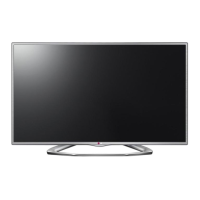
LG 47LN613 Series - User Manual

LG 47LN613 Series
128 pages
Print Icon
To Next Page IconTo Next Page
Loading...
Printed in KoreaP/NO : MFL67727135 (1305-REV00)
CHASSIS : LD33B
MODEL : 47LN613* 47LN613*-ZB
CAUTION
BEFORE SERVICING THE CHASSIS,
READ THE SAFETY PRECAUTIONS IN THIS MANUAL.
LED TV
SERVICE MANUAL
North/Latin America http://aic.lgservice.com
Europe/Africa http://eic.lgservice.com
Asia/Oceania http://biz.lgservice.com
Internal Use Only

Questions and Answers

  • J
    Jesse GentryAug 10, 2025
    How to fix LG 47LN613 LED TV remote control not working?
    • D
      dpriceAug 11, 2025
      If you're unable to control your LG LED TV with the remote, first, ensure there are no obstructions between the remote and the TV's sensor. Then, check the remote control sensor on the product and try again. Finally, verify that the batteries are correctly installed and still have power.
  • M
    Michael LopezAug 16, 2025
    What to do if my LG 47LN613 has no picture and sound?
    • S
      Stacey MoodyAug 16, 2025
      If your LG LED TV shows no image and produces no sound, first ensure that the TV is turned on. Next, check that the power cord is properly connected to a working wall outlet. To verify the outlet, connect another device to it and see if it works.
  • D
    davenporttimothyAug 22, 2025
    Why does my LG 47LN613 turn off by itself?
    • M
      martineznicoleAug 22, 2025
      If your LG LED TV turns off suddenly, check the power control settings, as the power supply may be interrupted. Also, verify if the Auto sleep feature is activated in the Time settings. Note that the TV will automatically turn off after 15 minutes of inactivity if there is no signal while the TV is on.
  • B
    Brian LutzAug 28, 2025
    What to do if LG LED TV says ‘No signal’ when connected to PC?
    • M
      Maria WebbAug 28, 2025
      If your LG LED TV displays ‘No signal’ or ‘Invalid Format’ when connected to a PC via HDMI or DVI, try turning the TV off and then on again using the remote control. If that doesn't work, reconnect the HDMI cable. As a final step, restart your PC while the TV is powered on.
  • K
    Katherine NelsonSep 4, 2025
    What to do if my LG 47LN613 says 'No signal' when connected to PC?
    • J
      Jerry SilvaSep 4, 2025
      If your LG LED TV displays 'No signal' or 'Invalid Format' when connected to a PC via HDMI or DVI, try the following: * Turn the TV off and then on again using the remote control. * Reconnect the HDMI cable. * Restart your PC while the TV is powered on.

LG 47LN613 Series Specifications

General IconGeneral
Screen Size47 inches
Display TypeLED
Resolution1920 x 1080
Refresh Rate60 Hz
3DNo
Smart TVYes
Wi-FiYes
HDMI Ports3
USB Ports3
Component Video Input1
Composite Video Input1
Digital Audio Output1 (Optical)
Ethernet Port1
Speakers2 x 10W
Operating SystemLG Smart TV
Energy Efficiency ClassA+

Related product manuals