EasyManua.ls Logo

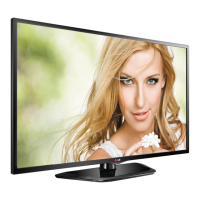
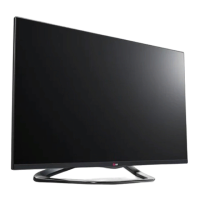
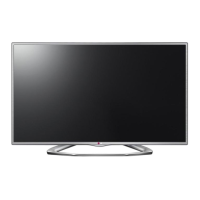
LG 47LN5200 - User Manual

LG 47LN5200
62 pages
Print Icon
To Next Page IconTo Next Page
Loading...
www.lg.comP/NO : SAC35595002 (1308-REV04)
Please read this manual carefully before operating
your TV and retain it for future reference.
OWNER’S MANUAL
LED TV*
* LG LED TV applies LCD screen with LED backlights.
50LN5100
55LN5100
47LN5200
50LN5200
55LN5200
32LN530B
32LN5300
39LN5300
42LN5300
32LN5310
47LN5310
50LN5310
55LN5310
32LN536B 42LN5400
47LN5400
50LN5400
55LN5400

Questions and Answers

  • A
    Anna FreemanSep 23, 2025
    Why is there unusual sound from inside my LG LED TV?
    • M
      martinezrebeccaSep 23, 2025
      An unusual sound from inside your LG LED TV might occur due to changes in ambient humidity or temperature when the product is turned on or off. This does not indicate a problem with your TV.
  • S
    Steven JacksonAug 25, 2025
    Why does my LG 47LN5200 turn off suddenly?
    • M
      Mr. Matthew Lopez DDSAug 25, 2025
      If your LG LED TV turns off unexpectedly, examine the power control settings to ensure the power supply isn't being interrupted. Check the Time settings to see if the Auto sleep feature is enabled. Also, note that the TV will automatically turn off after 15 minutes of inactivity if there is no signal.
  • P
    Patrick WilsonAug 25, 2025
    How to fix LG 47LN5200 with no sound but image?
    • B
      Brent DurhamAug 26, 2025
      If your LG LED TV displays images but produces no sound, first, press the VOL + button to increase the volume. Also, check if the sound is muted by pressing the MUTE button. Try switching to other channels to rule out a broadcast issue. Finally, verify that the TV Speaker feature is enabled in the menu options.
  • M
    Melissa NguyenAug 27, 2025
    What to do if LG LED TV remote control is not working?
    • R
      Ruth PenaAug 27, 2025
      If you're unable to control your LG LED TV with the remote, first, ensure there are no obstructions between the remote and the TV's sensor. Then, check the remote's batteries to confirm they are working and properly installed. Finally, check the remote control sensor on the product and try again.
  • R
    Ryan BlevinsSep 23, 2025
    What to do if there is no output from one of the speakers on my LG LED TV?
    • J
      Judith PageSep 23, 2025
      If you're experiencing no output from one of the speakers on your LG LED TV, adjust the Balance in the menu option.
  • M
    Mary AllenSep 13, 2025
    Why do thin lines appear in the background of my LG 47LN5200 screen?
    • S
      stuartryanSep 13, 2025
      If thin lines appear in the background of your LG LED TV screen, check the video cable connections.
  • B
    Bonnie HuffmanSep 12, 2025
    Why do afterimages appear on my LG LED TV?
    • N
      Nicole YoungSep 12, 2025
      Afterimages (ghosts) that appear when your LG LED TV is turned off may be due to pixels damaged from a fixed image displayed for an extended period. To prevent this, use a screen saver.
  • K
    katherineedwardsSep 12, 2025
    Why does my LG 47LN5200 make unusual sounds?
    • H
      Haley GarciaSep 12, 2025
      A change in ambient humidity or temperature may cause your LG LED TV to produce unusual noises when it turns on or off. This is normal and does not indicate a problem with the TV.
  • A
    Amanda GreenSep 4, 2025
    Why is the color quality poor on my LG LED TV?
    • J
      James SmithSep 4, 2025
      If the image on your LG LED TV is in black and white or the color quality is poor, try adjusting the color settings in the menu. Ensure that the TV is far enough away from other electronic devices that might cause interference. You might also want to try changing channels in case the issue is with the broadcast signal.
  • N
    Nathaniel WarnerSep 2, 2025
    What to do if my LG 47LN5200 has no image and sound?
    • A
      Ashley AdamsSep 2, 2025
      If your LG LED TV shows no image and produces no sound, first, ensure that the TV is turned on. Next, check that the power cord is properly connected to a working wall outlet. To verify the outlet's functionality, try connecting another device to it.

LG 47LN5200 Specifications

General IconGeneral
Screen Size47 inches
Display TypeLED
Resolution1920 x 1080
Refresh Rate60 Hz
HDMI Ports3
USB Ports1
Smart TVNo
Audio Output20W
Built-in Wi-FiNo
Energy Efficiency ClassA+
Backlight TypeLED

Related product manuals