EasyManua.ls Logo

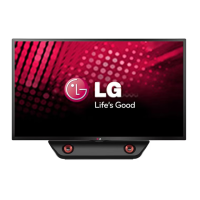
LG 47LN5400 - User Manual

LG 47LN5400
109 pages
Print Icon
To Next Page IconTo Next Page
Loading...
www.lg.comP/NO : MFL67651192 (1301-REV00)
32LN520B
42LN5200
32LN530B
32LN5300
39LN5300
42LN5300
42LN5400
47LN5400
50LN5400
55LN5400
Please read this manual carefully before operating
your set and retain it for future reference.
OWNER’S MANUAL
LED TV
* LG LED TV applies LCD screen with LED backlights.

Table of Contents

Other manuals for LG 47LN5400

Questions and Answers

  • J
    James JohnsonSep 23, 2025
    Why is there unusual sound from inside my LG 47LN5400?
    • K
      Kristy AllenSep 23, 2025
      An unusual sound from inside your LG LED TV might occur due to changes in ambient humidity or temperature when the product is turned on or off. This does not indicate a problem with your TV.
  • K
    Katie WolfeAug 25, 2025
    Why does my LG LED TV turn off suddenly?
    • K
      Kristen SimsAug 25, 2025
      If your LG LED TV turns off unexpectedly, examine the power control settings to ensure the power supply isn't being interrupted. Check the Time settings to see if the Auto sleep feature is enabled. Also, note that the TV will automatically turn off after 15 minutes of inactivity if there is no signal.
  • L
    Lisa TuckerAug 25, 2025
    How to fix LG LED TV with no sound but image?
    • A
      Ann PughAug 26, 2025
      If your LG LED TV displays images but produces no sound, first, press the VOL + button to increase the volume. Also, check if the sound is muted by pressing the MUTE button. Try switching to other channels to rule out a broadcast issue. Finally, verify that the TV Speaker feature is enabled in the menu options.
  • M
    Maria HernandezAug 27, 2025
    What to do if LG LED TV remote control is not working?
    • C
      Carl CollinsAug 27, 2025
      If you're unable to control your LG LED TV with the remote, first, ensure there are no obstructions between the remote and the TV's sensor. Then, check the remote's batteries to confirm they are working and properly installed. Finally, check the remote control sensor on the product and try again.
  • J
    Jordan EdwardsSep 23, 2025
    What to do if there is no output from one of the speakers on my LG LED TV?
    • C
      carolynduncanSep 23, 2025
      If you're experiencing no output from one of the speakers on your LG LED TV, adjust the Balance in the menu option.
  • M
    Matthew RichardsonSep 13, 2025
    Why do thin lines appear in the background of my LG LED TV screen?
    • K
      Karen TuckerSep 13, 2025
      If thin lines appear in the background of your LG LED TV screen, check the video cable connections.
  • K
    kristin84Sep 12, 2025
    Why do afterimages appear on my LG 47LN5400?
    • B
      Brent CooperSep 12, 2025
      Afterimages (ghosts) that appear when your LG LED TV is turned off may be due to pixels damaged from a fixed image displayed for an extended period. To prevent this, use a screen saver.
  • L
    Lisa RichardsonSep 12, 2025
    Why does my LG 47LN5400 LED TV make unusual sounds?
    • R
      Robert AtkinsSep 12, 2025
      A change in ambient humidity or temperature may cause your LG LED TV to produce unusual noises when it turns on or off. This is normal and does not indicate a problem with the TV.
  • C
    coxcassandraSep 4, 2025
    Why is the color quality poor on my LG 47LN5400?
    • J
      Jennifer KrauseSep 4, 2025
      If the image on your LG LED TV is in black and white or the color quality is poor, try adjusting the color settings in the menu. Ensure that the TV is far enough away from other electronic devices that might cause interference. You might also want to try changing channels in case the issue is with the broadcast signal.
  • D
    Daniel HollandSep 2, 2025
    What to do if my LG 47LN5400 has no image and sound?
    • A
      Adam MckinneySep 2, 2025
      If your LG LED TV shows no image and produces no sound, first, ensure that the TV is turned on. Next, check that the power cord is properly connected to a working wall outlet. To verify the outlet's functionality, try connecting another device to it.

Summary

Important Safety Instructions

Installation Procedure

Assembling and Preparing

Guides on unpacking, parts identification, and initial setup of the TV.

Unpacking and Components

Instructions for checking product box contents and identifying included parts.

Parts and Buttons

Identifies all the buttons and parts of the TV and remote control.

Lifting and Moving the TV

Provides precautions for safely moving the television set.

Setting Up the TV

Instructions for placing the TV on a table or mounting it.

Attaching the Stand

Step-by-step guide for attaching the TV stand securely.

Mounting on a Table

Guidance on placing the TV on a table and securing it for stability.

Tidying Cables

Methods for organizing and securing cables for a neat setup.

Mounting on a Wall

Guidance on how to mount the TV securely on a wall using VESA standards.

Making Connections

Antenna and Cable Connection

Steps for connecting the TV to an antenna or cable for broadcast reception.

Connecting Video Sources

Guides for connecting external video sources like receivers, players, and PCs.

HDMI Connection

Details on using HDMI for digital video and audio connections.

Connecting Audio and USB Devices

How to connect external audio systems and USB storage devices.

Remote Control

Watching TV

First Time Power On

Initial setup steps for language and basic settings when powering on the TV.

Specifications

Troubleshooting

General Issues

Common problems and their solutions related to TV operation and controls.

Audio Issues

Solutions for issues concerning sound output or speaker problems.

Video Issues

Troubleshooting steps for image quality and display problems.

LG 47LN5400 Specifications

General IconGeneral
Display diagonal46.9 \
Native aspect ratio16:9
Native refresh rate60 Hz
LED backlighting typeDirect-LED
Supported video modes1080i, 1080p, 720p
Screen format adjustments4:3, 16:9, Auto, Zoom
Motion interpolation technologyTruMotion 120 Hz
3D-
Annual energy consumption94 kWh
RMS rated power20 W
Number of speakers2
PC in (D-Sub)No
DVI-D ports quantity0
USB 2.0 ports quantityUSB 2.0 ports have a data transmission speed of 480 Mbps, and are backwards compatible with USB 1.1 ports. You can connect all kinds of peripheral devices to them.
Consumer Electronics Control (CEC)SimpLink
USB 3.2 Gen 1 (3.1 Gen 1) Type-A ports quantity1
Smart modesCinema, Game, Sports, Standard, Vivid
Product colorBlack
Panel mounting interface400 x 400 mm
Power consumption (standby)- W
Sustainability certificatesENERGY STAR
Package depth175 mm
Package width1330 mm
Package height750 mm
Package weight18279 g
Weight and Dimensions IconWeight and Dimensions
Depth (with stand)262.8 mm
Height (with stand)693 mm
Weight (with stand)14514 g
Depth (without stand)80.5 mm
Width (without stand)1079 mm
Height (without stand)628 mm
Weight (without stand)13120 g

Related product manuals