EasyManua.ls Logo

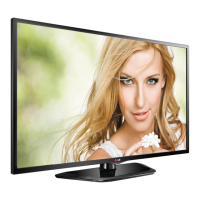
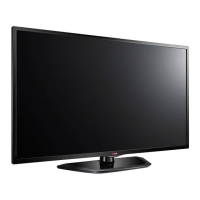
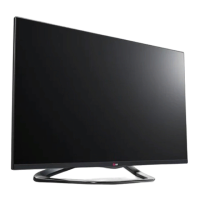
LG 47LN572Z-T - User Manual

LG 47LN572Z-T
46 pages
Print Icon
To Next Page IconTo Next Page
Loading...
Please read this manual carefully before operating
your set and retain it for future reference.
LA62**
LA66**
LA74**
LN56**
LN61**
OWNER’S MANUAL
LED TV
* LG LED TV applies LCD screen with LED backlights.
LA64**
LA69**
LA71**
LN57**

Questions and Answers

  • C
    Colton LewisAug 11, 2025
    Why does my LG LED TV turn off by itself?
    • M
      Mrs. Shannon Torres MDAug 11, 2025
      If your LG LED TV turns off suddenly, it could be due to a few reasons: * Check the power control settings to ensure the power supply isn't being interrupted. * Verify if the Auto sleep feature is enabled in the Time settings, as this might be causing the TV to turn off automatically. * If the TV is on but not receiving a signal, it will automatically turn off after 15 minutes of inactivity.
  • B
    bryanbakerAug 21, 2025
    How to fix LG 47LN572Z-T remote control not working?
    • R
      Ronald WaltonAug 21, 2025
      If you cannot control your LG LED TV with the remote control, please check these items: * Make sure there are no obstructions between the remote control and the TV's sensor. * Check that the batteries in the remote control are working and properly installed. * Check the remote control sensor on the TV and try again.
  • B
    Barbara DouglasAug 31, 2025
    What to do if my LG 47LN572Z-T says 'No signal' when connected to PC?
    • J
      John HancockAug 31, 2025
      If your LG LED TV displays 'No signal' or 'Invalid Format' when connected to a PC via HDMI or DVI, try the following: * Turn the TV off and then on again using the remote control. * Reconnect the HDMI cable. * Restart your PC while the TV is powered on.

LG 47LN572Z-T Specifications

General IconGeneral
Screen Size47 inches
Display TypeLED
Refresh Rate50Hz
Smart TVYes
HDMI Ports3
Wi-FiYes
Resolution1920 x 1080

Related product manuals