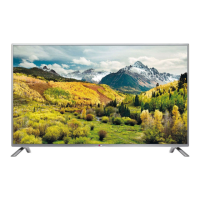
Why do afterimages (ghosts) appear when my LG 47LV5500 LED TV turns off?
S
Sarah OrozcoSep 8, 2025
Afterimages (ghosts) may appear when your LG LED TV turns off because pixels may have been damaged from a fixed image displayed for a long time. Use a screen saver to prevent pixel damage.
D
Diane BuchananAug 23, 2025
How to fix no sound on LG 47LV5500 but picture is fine?
B
benjamin00Aug 23, 2025
If your LG LED TV displays images but produces no sound, try pressing the VOL + or - button. Check if the sound is muted by pressing MUTE. Try switching to other channels as there might be a problem with the broadcast. Ensure that the audio cables are connected properly. Also, check if the TV Speaker feature is activated in the menu option.
H
Holly TorresAug 25, 2025
How to fix no output from one of the speakers of LG LED TV?
T
Teresa ColeAug 25, 2025
If there is no output from one of the speakers on your LG LED TV, adjust the Balance in the menu option.
S
Sydney WebbAug 26, 2025
Why my LG 47LV5500 has no image and sound?
C
Clayton JohnsonAug 26, 2025
If your LG LED TV shows no image and produces no sound, first, ensure that the TV is turned on. Next, check that the power cord is properly connected to a wall outlet. Finally, test the wall outlet by connecting other products to see if there's a problem with the outlet itself.
J
John PalmerAug 27, 2025
Why does my LG 47LV5500 turn off suddenly?
H
Henry HodgesAug 27, 2025
Your LG LED TV might be turning off suddenly because the power supply is interrupted, so check the power control settings. Also, the Auto sleep feature in the Time settings may be activated. Finally, if there is no signal while the TV is on, it will turn off automatically after 15 minutes of inactivity.
L
Leon MejiaSep 22, 2025
Why is the subtitle not working on my LG 47LV5500 LED TV?
P
Patricia MorganSep 22, 2025
If the subtitle is not working on your LG LED TV, check whether the file is playing normally on a PC. Also, check if the file is damaged, if the video file and subtitle file name are the same, if the video file and subtitle file are located in the same folder, if the subtitle file is supported, and if the language is supported.
B
Brandon StevensonSep 16, 2025
Why does my LG 47LV5500 say “This file is invalid”?
H
howellmartinSep 16, 2025
If your LG LED TV displays the message “This file is invalid” or the audio works but the video doesn't, check whether the file plays normally on a PC. Also, check if the file is damaged, if the resolution is supported, if the video/audio codec is supported, and if the frame rate is supported.
Q
qrileySep 18, 2025
Why does my LG 47LV5500 say “Unsupported Audio”?
G
Gail SchmidtSep 18, 2025
If your LG LED TV displays the message “Unsupported Audio” or the video works but the audio doesn't, check whether the file plays normally on a PC. Also, check if the file is damaged, if the audio codec is supported, if the bit rate is supported, and if the sample rate is supported.
M
Mercedes NguyenSep 7, 2025
How do I correct the display offset on my LG 47LV5500?
D
Dennis DunlapSep 7, 2025
To correct the display offset on your LG LED TV, adjust the position setting in the menu option. Check if the video card resolution and frequency are supported by the TV. If the frequency is out of range, set to the recommended resolution using the display settings on the external device.
T
tonymorenoSep 4, 2025
How to brighten my dark LG LED TV screen?
F
farmeralexanderSep 4, 2025
If the power is on but the screen appears extremely dark on your LG LED TV, adjust the brightness and contrast in the menu option.
License terms for XySSL, RSA Data Security, JSON, and MS92 software.
LG 47LV5500 Specifications
General
Response time
2.6 ms
Display diagonal
47 \
Native refresh rate
60 Hz
LED backlighting type
-
Contrast ratio (dynamic)
4000000:1
Display diagonal (metric)
119 cm
Supported graphics resolutions
1920 x 1080 (HD 1080)
Motion interpolation technology
MCI (Motion Clarity Index) 500
3D
No
Annual energy consumption
119 kWh
Product color
Black
LED indicators
Stand-by, Y
Panel mounting interface
400 x 400 mm
Tuner type
Analog & digital
Analog signal format system
PAL, SECAM
Digital signal format system
DVB-C, DVB-T
Audio system
Infinite Surround
RMS rated power
20 W
Number of speakers
2
HDMI ports quantity
4
DVI-D ports quantity
0
USB 2.0 ports quantity
USB 2.0 ports have a data transmission speed of 480 Mbps, and are backwards compatible with USB 1.1 ports. You can connect all kinds of peripheral devices to them.


 To Next Page

 General
 Weight and Dimensions