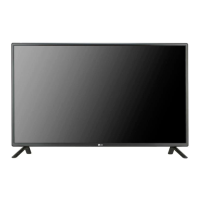
This document is an owner's manual for an LG Monitor Signage, specifically model 47TS50MF. It provides comprehensive instructions for installation, operation, troubleshooting, and maintenance of the monitor signage. The manual emphasizes the importance of reading it carefully before operating the device and retaining it for future reference.
Function Description
The LG Monitor Signage (model 47TS50MF) is a display device designed for commercial and public information purposes. Its primary function is to display visual content clearly and effectively in various environments. The device is intended for installation in an enclosure and requires backlighting to ensure optimal visibility of the display. It supports both landscape and portrait display orientations, offering flexibility in how content is presented. The monitor signage is designed to be integrated into a larger system, with specific instructions for connecting an LVDS cable to facilitate signal transmission.
Usage Features
The monitor signage offers several features that enhance its usability and adaptability:
- Flexible Installation: The device can be installed in various locations, particularly within an enclosure, making it suitable for diverse commercial settings. The manual provides detailed instructions for mounting the monitor using M3 screws, with 20 designated positions on the rear side for secure attachment. It is crucial to ensure the product is installed with the front side facing forward, as the image is displayed reversely on the back side.
- Portrait Layout Support: For specific display needs, the monitor can be rotated clockwise 90 degrees to be installed in portrait mode. This feature is dependent on the scaler board supporting portrait mode, which is an optional component not included with the product.
- LVDS Cable Connectivity: The manual details the process of installing an LVDS cable, which is essential for signal input. The LVDS cable port is strategically located, and users must ensure sufficient space for its installation. The LVDS Pin Map Guide provides a comprehensive breakdown of the connector pins, including signal descriptions and ground connections, to aid in correct cable assembly. It specifies that all GND pins should be connected to the LCD module's metal frame and all VLCD pins (power input) should be connected together. The input levels of LVDS signals are based on the EIA 644 Standard.
- Backlighting Requirement: The monitor signage is designed to be used with backlighting. The manual stresses that lighting must be installed behind the product to ensure the display is seen clearly, recommending 600 lux or more when the full screen is white. If any objects obstruct the backlighting, additional lighting may be necessary to maintain optimal visibility.
- Image Display and Prevention of Image Sticking: The device is capable of displaying high-contrast images. However, the manual includes a crucial precaution regarding image sticking (also known as image burn or burn-in). If a fixed image is displayed on the screen for an extended period, it can lead to permanent disfigurement of the screen, which is not covered by the warranty. To prevent this, users are advised to avoid playing a still image for more than two hours and to utilize the screen-saver function. The recommended operation time for optimum performance and reliability is 12 hours or less per day.
- Troubleshooting Guidance: The manual includes a troubleshooting section to address common issues such as after-image appearance and abnormal screen color. For after-image issues, it suggests using a screen-saver function and notes that image sticking after displaying high-contrast images is normal for LCD screens. For abnormal screen color, it advises checking the LVDS cable connection status and ensuring it is correctly connected according to the LVDS Pin Map Guide. It also clarifies that several pixels (red, green, white, or black) appearing on the screen are unique characteristics of the LCD panel and not a malfunction.
Maintenance Features
The manual provides important guidelines for handling and maintaining the monitor signage to ensure its longevity and proper functioning:
- Careful Handling During Installation: When installing the product, users are instructed to wear working gloves and avoid using bare hands to prevent personal injury. The panel of the product is noted as being very thin and easily broken if exposed to the outside, necessitating the use of a clear protective cover to shield it from elements.
- Proper Storage Method: To protect the panel from scratches and damage, specific storage methods are outlined. When laying the product on a flat floor, it should be placed face down on a cushion or blanket. If a cushion or soft cloth is unavailable, the floor must be clean, and the product should be laid down carefully with the panel facing either upward or downward, ensuring no objects fall on it. The manual explicitly warns against tilting the product onto its bezel or edge, as this can damage the panel.
- Cleaning Instructions: For cleaning the screen, users are advised to use a soft cloth moistened with n-hexane to remove dust or stains.
- Screw Fastening Precautions: When mounting the monitor, it is crucial not to fasten the screws too tightly, as this can damage the product and void the warranty. The manual specifies using M3 x 4 mm screws for mounting and warns that damages or injuries caused by misuse or improper accessories are not covered by the warranty.
- Environmental Considerations: The warranty will not cover any damages caused by using the product in an excessively dusty environment, highlighting the importance of maintaining a clean installation area.
- Power Disconnection During Installation/Moving: A critical safety precaution is to ensure the power is disconnected before moving or installing the product to prevent electric shock.
- Avoiding Improper Lifting: Users are warned not to hold the screen area when handling the product or lift it by holding only a corner, as this can cause damage.
- Use of Approved Parts: To ensure safety and product life span, the manual strongly advises against using any unapproved or counterfeit parts or accessories. Any damages or injuries resulting from the use of unapproved items are not covered by the warranty.

 Need help?
 General

 To Next Page