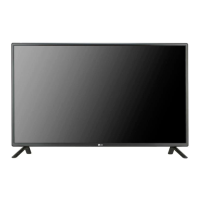
This document is an owner's manual for an LG Monitor Signage, specifically model 47TS50MF. It provides essential information for the installation, operation, and maintenance of the display.
Function Description:
The LG Monitor Signage is a display unit designed for various applications, likely in commercial or public settings, given the "Signage" designation. It functions as a monitor to display visual content. The manual emphasizes installation with backlighting, suggesting it's intended for environments where clear visibility is crucial, possibly in enclosures or kiosks. The ability to install it in portrait mode further indicates its versatility for digital signage applications where vertical content display is common. The product requires an LVDS cable for signal input, and the manual provides a detailed pin map for its connection.
Important Technical Specifications:
- Model: 47TS50MF
- Screen Size: 47" class (46.9" / 119.2 cm diagonal)
- Dimensions (W x H x D): 1084.5 mm x 653 mm x 11.2 mm
- Pixel Pitch: 0.5415 mm x 0.5415 mm
- Pixel Format: 1920 horizontal by 1080 vertical pixels, RGB stripe arrangement
- Color Depth: 8Bit (D), 16.7 Million colors
- Transmittance (With POL): 6.4% (Typical)
- Viewing Angle (CR>10): Viewing angle free (R/L 178 (Min.), U/D 178 (Min.))
- Power Consumption: Total 6.1 W (Typical)(TBD)
- Weight (head): 2.9 kg
- Display Operating Mode: Transmissive mode, Normally black
- Surface Treatment (Top): Hard coating (3H), Anti-glare treatment (Reflectance < 2%)
- Possible Display Type: Landscape and Portrait Enabled
- Mounting: 20 M3 screw positions on the rear side for mounting.
- LVDS Connector (CN1): FI-RE51S-HF or Equivalent. Mating Connector: FI-RE51HL. Cable length: 1 m of coaxial cable or less.
- LVDS Signal Standard: All input levels of LVDS signals are based on the EIA 644 Standard.
- Power Input (VLCD pins): Power Supply +12.0V.
Usage Features:
- Portrait Layout: The monitor can be rotated clockwise 90 degrees for portrait mode installation, which is available on the scaler board (optional and not part of the product).
- Backlighting Requirement: The product must be installed with backlighting, with a recommended illumination of 600 lux or more when the full screen is white, to ensure clear display visibility. Additional lighting may be required if obstructions are present.
- Enclosure Installation: The manual details the process of installing the product within an enclosure, emphasizing the need for working gloves and a clear protective cover to shield the thin panel from external elements.
- LVDS Cable Installation: Instructions are provided for installing the LVDS cable, noting the port location and required space. The LVDS cable is optional and not provided with the product.
- Image Sticking Prevention: To prevent permanent image disfigurement (image burn or burn-in), users are advised not to display a fixed image for more than two hours. The use of a screen-saver function is recommended.
- Recommended Operation Time: For optimum performance and reliability, the recommended operation time is 12 hours or less per day.
Maintenance Features:
- Panel Protection during Storage: When laying the product on a flat surface, it should be placed face down on a cushion or blanket to prevent scratching and damage. Tilting the product onto the bezel or the edge of the panel can cause damage.
- Cleaning: Dust and stains on the screen can be removed using a soft cloth moistened with n-hexane.
- Troubleshooting: The manual includes a troubleshooting section for common issues:
- After-image: If a fixed image is used for a long time, pixels may be damaged. Using a screen-saver function is recommended. Image sticking after displaying high-contrast images is normal for LCD screens.
- Abnormal Screen Color: Users should check the connection status of the LVDS cable and ensure it's correctly connected according to the LVDS Pin Map Guide.
- Black Spots: Several pixels (red, green, white, or black) may appear on the screen due to the unique characteristics of the LCD panel and are not considered a malfunction.
- Safety Precautions:
- Always disconnect power before moving or installing the product to prevent electric shock.
- Wear working gloves during installation to avoid personal injury.
- Avoid installing the product on a ceiling or slanted wall, as it may fall and cause severe injury.
- Do not fasten screws too tightly to prevent damage and void the warranty.
- Use M3 x 4 mm screws for mounting.
- Do not hold the screen area or lift the product by a corner.
- The warranty does not cover damages caused by using the product in an excessively dusty environment or by using unapproved/counterfeit parts.
- The product contains chemicals known to the State of California to cause cancer and birth defects or other reproductive harm, requiring users to wash hands after handling.

 Need help?
 General

 To Next Page