EasyManua.ls Logo

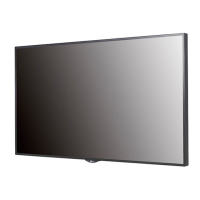
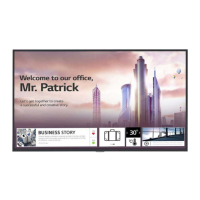
LG 49LS73C - User Manual

LG 49LS73C
132 pages
Print Icon
To Next Page IconTo Next Page
Loading...
OWNER’S MANUAL
LG Digital
Signage
(MONITOR SIGNAGE)
Please read this manual carefully before operating your set and retain it
for future reference.
42LS75C
49LS75C
55LS75C
42LS73C
49LS73C
55LS73C
www.lg.com
Copyright © 2017 LG Electronics Inc. All Rights Reserved.

Table of Contents

Other manuals for LG 49LS73C

Questions and Answers

  • C
    Calvin ShepardSep 9, 2025
    What to do if the operation does not work normally on LG 49LS73C?
    • G
      Gary WiseSep 9, 2025
      If the operation does not work normally on your LG Digital Signage, check if the Timer is set. Also, review the power control settings and check for any power interruptions.
  • M
    Ms. Christine MelendezSep 8, 2025
    How to fix audio function if it does not work on LG 49LS73C?
    • N
      Nathan Thomas Jr.Sep 8, 2025
      If the audio function does not work on your LG Digital Signage, check if the audio cable is connected properly. Adjust the volume and ensure the sound is set correctly. Also, select the appropriate equalizer sound.
  • A
    Alicia TurnerSep 7, 2025
    What to do if the screen image looks abnormal on LG 49LS73C?
    • D
      Denise VanceSep 7, 2025
      If the screen image looks abnormal on your LG Digital Signage, check if the graphics card resolution and frequency are supported by the product. If the frequency is out of range, set to the recommended resolution in the [Control Panel] ? [Display] ? [Setting] menu. Also, ensure you connect the signal cable that matches the source input signal.
  • L
    lconleyAug 22, 2025
    What to do if no image is displayed on my LG 49LS73C Digital Signage?
    • A
      Andrea AlvarezAug 22, 2025
      If your LG Digital Signage is not displaying an image, ensure the power cord is correctly plugged into the power outlet. Also, check the signal cable and press the INPUT menu on the remote control to verify the input signal. If the signal from the PC is out of the vertical or horizontal frequency range, adjust the frequency range by referring to the Specifications in this manual.
  • N
    nathan92Sep 5, 2025
    Why is there no image on my LG Digital Signage?
    • A
      Austin GambleSep 5, 2025
      If no image is displayed on your LG Digital Signage, ensure the power cord is correctly plugged into the power outlet. Also, check the signal cable and verify the input signal by pressing the INPUT menu on the remote control. If the signal from the PC (Graphics card) is out of the vertical or horizontal frequency range of the product, adjust the frequency range by referring to the Specifications in this manual.
  • R
    ramirezjacobSep 3, 2025
    Why does after-image appear on my LG 49LS73C Digital Signage?
    • S
      Stacey CalhounSep 4, 2025
      If an after-image appears on your LG Digital Signage and you use a fixed image for a long time, the pixels may be damaged. Use the screen-saver function. Note that this is normal for LCD screen products.
  • M
    markstinaSep 2, 2025
    What to do if the audio function is not working on my LG 49LS73C?
    • J
      John FloresSep 2, 2025
      If the audio function does not work on your LG Digital Signage, make sure the audio cable is connected properly. Then, adjust the volume and ensure the sound is set correctly. You may also want to select the appropriate equalizer sound and adjust the volume again.
  • B
    Brenda ManningSep 1, 2025
    Why does the screen image look abnormal on my LG Digital Signage?
    • J
      Jessica JohnsonSep 1, 2025
      If the screen image on your LG Digital Signage looks abnormal, verify that the graphics card resolution and frequency are supported by the product. If the frequency is out of range, set to the recommended resolution in the [Control Panel] ? [Display] ? [Setting] menu. Also, ensure you connect the signal cable that matches the source input signal.
  • R
    Richard ThompsonAug 31, 2025
    How to fix no image on LG 49LS73C?
    • J
      Joshua ChavezAug 31, 2025
      If no image is displayed on your LG Digital Signage, first ensure the power cord is correctly plugged into the power outlet. Also, check the signal cable and press the INPUT menu on the remote control to verify the input signal. If the signal from the PC is out of the vertical or horizontal frequency range, adjust the frequency range by referring to the Specifications in this manual.
  • S
    Stephen KaiserAug 30, 2025
    What to do if the Unknown Product message appears when my LG 49LS73C is connected?
    • R
      Robert ThompsonAug 30, 2025
      If the 'Unknown Product' message appears when your LG Digital Signage is connected, check if the Plug and Play function is supported by referring to the graphics card user manual.

LG 49LS73C Specifications

General IconGeneral
BrandLG
Model49LS73C
CategoryDigital Signage
LanguageEnglish

Related product manuals