EasyManua.ls Logo

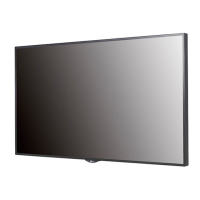
LG 49LS75C - User Manual

LG 49LS75C
132 pages
Print Icon
To Next Page IconTo Next Page
Loading...
OWNER’S MANUAL
LG Digital
Signage
(MONITOR SIGNAGE)
Please read this manual carefully before operating your set and retain it
for future reference.
42LS75C
49LS75C
55LS75C
42LS73C
49LS73C
55LS73C
www.lg.com
Copyright © 2017 LG Electronics Inc. All Rights Reserved.

Table of Contents

Other manuals for LG 49LS75C

Questions and Answers

  • M
    Melinda MooreSep 9, 2025
    What to do if the operation does not work normally on LG 49LS75C Digital Signage?
    • N
      nathaniel20Sep 10, 2025
      If the operation does not work normally on your LG Digital Signage, check if the Timer is set. Also, review the power control settings and check for any power interruptions.
  • B
    Beth MendozaSep 8, 2025
    How to fix audio function if it does not work on LG 49LS75C?
    • H
      Howard RichardsonSep 8, 2025
      If the audio function does not work on your LG Digital Signage, check if the audio cable is connected properly. Adjust the volume and ensure the sound is set correctly. Also, select the appropriate equalizer sound.
  • S
    Sarah JonesSep 7, 2025
    What to do if the screen image looks abnormal on LG 49LS75C Digital Signage?
    • M
      Mary McdonaldSep 7, 2025
      If the screen image looks abnormal on your LG Digital Signage, check if the graphics card resolution and frequency are supported by the product. If the frequency is out of range, set to the recommended resolution in the [Control Panel] ? [Display] ? [Setting] menu. Also, ensure you connect the signal cable that matches the source input signal.
  • R
    Rachel RamseyAug 22, 2025
    What to do if no image is displayed on my LG Digital Signage?
    • B
      Brian BassAug 23, 2025
      If your LG Digital Signage is not displaying an image, ensure the power cord is correctly plugged into the power outlet. Also, check the signal cable and press the INPUT menu on the remote control to verify the input signal. If the signal from the PC is out of the vertical or horizontal frequency range, adjust the frequency range by referring to the Specifications in this manual.
  • P
    Paul GoodmanSep 5, 2025
    Why is there no image on my LG 49LS75C Digital Signage?
    • A
      Andrea SchneiderSep 5, 2025
      If no image is displayed on your LG Digital Signage, ensure the power cord is correctly plugged into the power outlet. Also, check the signal cable and verify the input signal by pressing the INPUT menu on the remote control. If the signal from the PC (Graphics card) is out of the vertical or horizontal frequency range of the product, adjust the frequency range by referring to the Specifications in this manual.
  • S
    Sean ThomasSep 3, 2025
    Why does after-image appear on my LG 49LS75C?
    • J
      Jill ZavalaSep 3, 2025
      If an after-image appears on your LG Digital Signage and you use a fixed image for a long time, the pixels may be damaged. Use the screen-saver function. Note that this is normal for LCD screen products.
  • J
    Joshua SnyderSep 2, 2025
    What to do if the audio function is not working on my LG Digital Signage?
    • D
      David HamiltonSep 2, 2025
      If the audio function does not work on your LG Digital Signage, make sure the audio cable is connected properly. Then, adjust the volume and ensure the sound is set correctly. You may also want to select the appropriate equalizer sound and adjust the volume again.
  • S
    Shelley HoweSep 1, 2025
    Why does the screen image look abnormal on my LG Digital Signage?
    • D
      David WilcoxSep 1, 2025
      If the screen image on your LG Digital Signage looks abnormal, verify that the graphics card resolution and frequency are supported by the product. If the frequency is out of range, set to the recommended resolution in the [Control Panel] ? [Display] ? [Setting] menu. Also, ensure you connect the signal cable that matches the source input signal.
  • Z
    Zachary JenkinsAug 31, 2025
    How to fix no image on LG 49LS75C Digital Signage?
    • C
      Christopher AdamsAug 31, 2025
      If no image is displayed on your LG Digital Signage, first ensure the power cord is correctly plugged into the power outlet. Also, check the signal cable and press the INPUT menu on the remote control to verify the input signal. If the signal from the PC is out of the vertical or horizontal frequency range, adjust the frequency range by referring to the Specifications in this manual.
  • L
    lhuberAug 29, 2025
    What to do if the Unknown Product message appears when my LG Digital Signage is connected?
    • M
      Melody BarronAug 29, 2025
      If the 'Unknown Product' message appears when your LG Digital Signage is connected, check if the Plug and Play function is supported by referring to the graphics card user manual.

Summary

Safety Precautions and Warnings

Electrical Power Related Precautions

Safety precautions related to electrical power usage for the product.

Product Installation Precautions

Guidelines for safely installing the digital signage product.

Product Moving Precautions

Safety instructions for moving the digital signage product.

Product Assembly and Setup Guide

Wall Mounting Installation

Instructions and precautions for securely mounting the display on a wall.

Remote Control Operation

Remote Control Button Functions

Explains the function of each button on the remote control.

Connecting External Devices

Daisy Chain Monitor Setup

Instructions for connecting multiple monitors in a daisy chain configuration.

Troubleshooting Common Issues

Troubleshooting No Image Display

Solutions for when the screen displays no image.

Troubleshooting Abnormal Screen Image

Solutions for common screen image abnormalities.

Advanced Control and Communication

LG 49LS75C Specifications

General IconGeneral
BrandLG
Model49LS75C
CategoryDigital Signage
LanguageEnglish

Related product manuals