Checking method
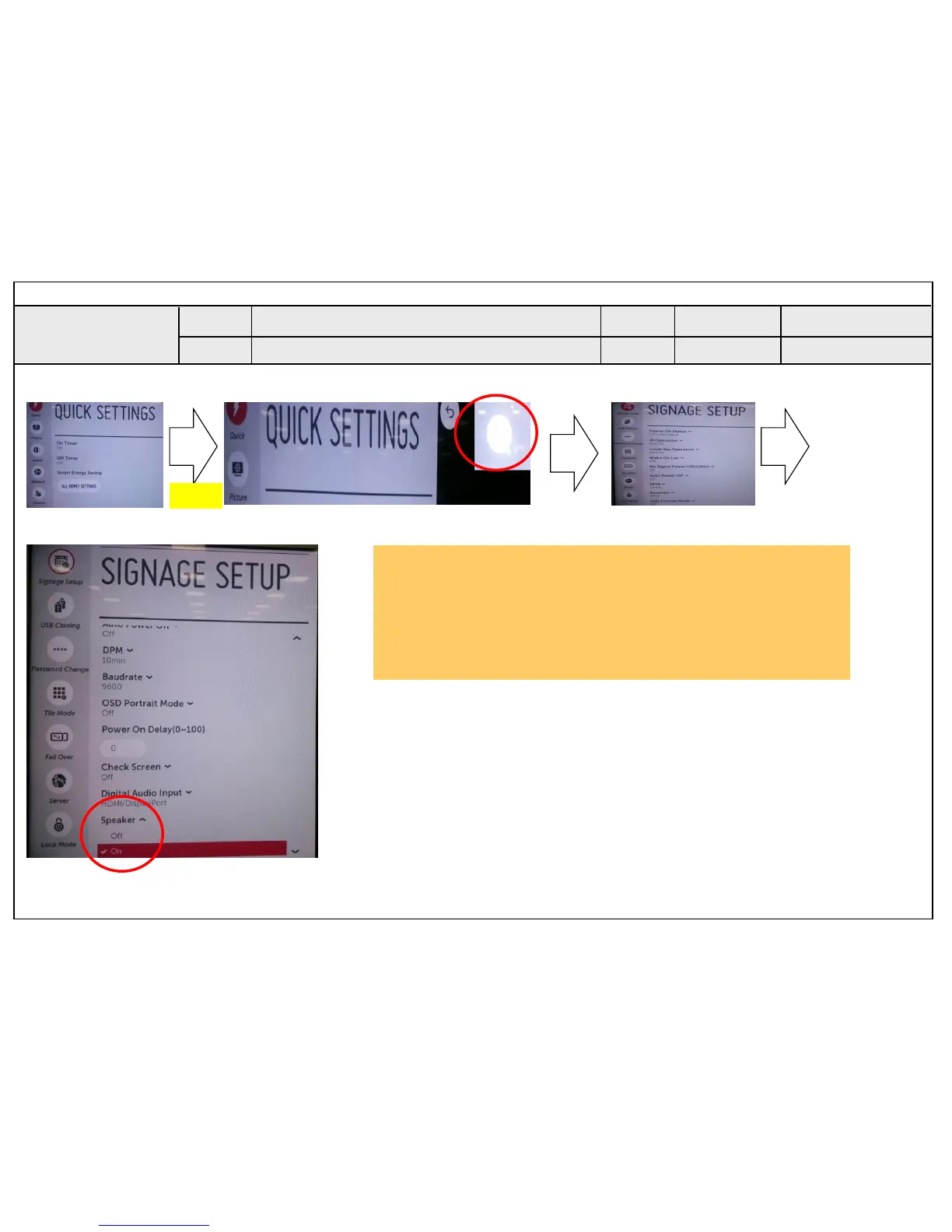
1. Press the MENU button on the remote controller for five seconds.
2. A balloon is marked to a screen.
3. Select the Speaker of Signage Setup
4. Select “ON”
Standard Repair Process Detail Technical Manual
Checking method in menu when there is no audio
C. Audio error_No audio/Normal video
<ALL MODELS>
A24
Established
date
Revised
date
Error
symptom
Content
A24
Signage Monitor
5 Sec


 To Next Page
 Loading...