EasyManua.ls Logo

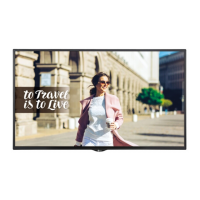
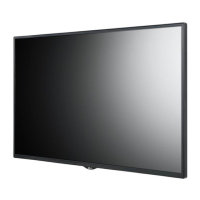
LG 49SE3KD - User Manual

LG 49SE3KD
135 pages
Print Icon
To Next Page IconTo Next Page
Loading...
AAA
P/No: MFL70040101 (1711-REV03)
*MFL70040101*
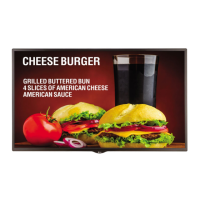
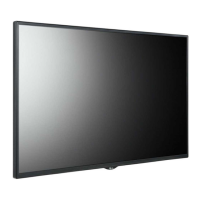
LG Digital Signage
(MONITOR SIGNAGE)
32SE3D 43SE3D 49SE3D 55SE3D 65SE3D
32SE3KD 43SE3KD 49SE3KD 55SE3KD 65SE3KD
43SH7DD 49SH7DD 55SH7DD
Depending upon country / Závisí na zemi / Afhængigt af landet / En función del país /
Maan mukaan / Selon pays / Abhängig vom Land / Ανάλογα με τη χώρα / Országfüggő /
Tergantung pada negaranya / A seconda del Paese / Елге байланысты / 지역에 따라 다름 /
Afhankelijk van het land / Avhengig av land / Zależnie od kraju / Dependendo do país /
В зависимости от страны / Závisí od krajiny / Beroende på land / 視國家, 地區而定 /
Ülkeye bağlı / Залежно від країни / Mamlakatga bog’liq ravishda / 国によって異なります /
Depende do país / הנידמב יולת /

Table of Contents

Other manuals for LG 49SE3KD

Questions and Answers

  • J
    Jennifer MasonSep 13, 2025
    What to do if the operation does not work normally on LG Digital Signage?
    • J
      Jared BallSep 13, 2025
      If the operation of your LG Digital Signage does not work normally, consider the following: 1. Check if the Timer is set. 2. Check the power control settings. 3. Be aware of power interruptions.
  • A
    Alex AndrewsSep 12, 2025
    Why does the 'Unknown Product' message appear when my LG Digital Signage is connected?
    • R
      rhallSep 12, 2025
      If the 'Unknown Product' message appears when your LG Digital Signage is connected, check if the Plug and Play function is supported by referring to the graphics card user manual.
  • O
    omilesSep 12, 2025
    Why does after-image appear on my LG Digital Signage?
    • R
      Robert GuerraSep 12, 2025
      An after-image appearing on your LG Digital Signage can occur if a fixed image is displayed for an extended period, potentially damaging the pixels. To mitigate this, use the screen-saver function. Also, this is normal for LCD screen products.
  • H
    Hunter SmithSep 10, 2025
    What to do if no image is displayed on my LG 49SE3KD?
    • D
      Dr. Andrew Bennett DVMSep 10, 2025
      If your LG Digital Signage is not displaying an image, first ensure the power cord is properly connected to the power outlet. Then, check the signal cable and access the input menu to verify the input signal. Also, the signal from the PC (graphics card) might be out of the product's vertical or horizontal frequency range. In this case, adjust the frequency range by referring to the Specifications in this manual.
  • B
    Brandon SmithSep 9, 2025
    What to do if the 'Unknown Product' message appears when connecting my LG 49SE3KD Digital Signage?
    • A
      April MendozaSep 9, 2025
      If the 'Unknown Product' message appears when connecting your LG Digital Signage, check if the Plug and Play function is supported by referring to the graphics card user manual.
  • B
    Billy HowardSep 8, 2025
    What to do if operation does not work normally on LG Digital Signage?
    • E
      Erin RodriguezSep 8, 2025
      If the operation of your LG Digital Signage does not work normally, check if the Timer is set, verify the power control settings, and ensure there were no power interruptions.
  • B
    barnesjosephAug 23, 2025
    What to do if no image is displayed on my LG Monitor?
    • J
      Joseph OlsenAug 23, 2025
      If your LG Monitor isn't displaying an image, there are a few things you can check: * Ensure the power cord is correctly plugged into the power outlet. * Verify the signal cable is properly connected. Access the input menu to check the input signal. * If the signal from your PC's graphics card is outside the monitor's vertical or horizontal frequency range, adjust the frequency range according to the specifications in the manual.
  • C
    chanrickySep 6, 2025
    What to do if the screen image looks abnormal on my LG 49SE3KD?
    • J
      jessicarobertsonSep 6, 2025
      If the screen image looks abnormal on your LG Digital Signage, check if the graphics card resolution and frequency are supported by the product and ensure you connect the signal cable that matches with the source input signal.
  • J
    Janice MurphySep 5, 2025
    What to do if the audio function does not work on my LG 49SE3KD Digital Signage?
    • R
      Rebecca JacksonSep 5, 2025
      If the audio function is not working on your LG Digital Signage, try the following: * Check if the audio cable is connected properly. * Adjust the volume. * Ensure the sound is set properly. * Select the appropriate equalizer sound.
  • A
    alicia26Sep 4, 2025
    Why is no image displayed on my LG 49SE3KD Digital Signage?
    • J
      Joel ChambersSep 4, 2025
      If no image is displayed on your LG Digital Signage, please check the following: * Ensure the power cord is correctly plugged into the power outlet. * Verify the signal cable is properly connected. * Press the INPUT menu on the remote control to check the input signal. * If the signal from the PC (Graphics card) is out of the vertical or horizontal frequency range of the product, adjust the frequency range by referring to the Specifications in this manual.

Summary

Safety Precautions

Installation, Usage, and Wall Mounting Safety

Guidelines for safe installation, operation, handling, and wall mounting.

Assembly and Preparation

Wall Mounting Installation

Procedures and safety considerations for installing the monitor on a wall.

Remote Control Operation

Remote Control Functions

Explanation of each button on the remote control and its function.

Troubleshooting Common Issues

Display and Signal Problems

Solutions for problems like no image, invalid format, or no signal.

Audio and Screen Anomalies

Troubleshooting steps for audio problems and abnormal screen colors or patterns.

Installation Menu Overview

Configuration and Feature Settings

ISM Method for Image Sticking

Methods and modes to prevent screen burn-in and image sticking.

Customizing Monitor Settings

Controlling Multiple Products

RS-232 C Cable Connection

Diagram and instructions for connecting multiple monitors via RS-232C.

RS-232 C Command Reference

List of commands, data, and hexadecimal codes for RS-232C control.

LG 49SE3KD Specifications

General IconGeneral
Screen Size49 inches
Panel TypeIPS
Aspect Ratio16:9
Operating Temperature0°C to 40°C
Contrast Ratio1200:1
Viewing Angle (H x V)178° x 178°
Response Time8 ms
Operating Hours24/7
Operating SystemWebOS
Resolution1920 x 1080
ConnectivityHDMI, USB, RS-232C, LAN
External ControlRS232C, LAN
OrientationLandscape, Portrait

Related product manuals