EasyManua.ls Logo

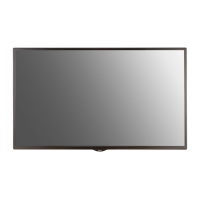
LG 49SE3KB - User Manual

LG 49SE3KB
85 pages
To Next Page IconTo Next Page
Loading...
LG Digital
Signage
(MONITOR SIGNAGE)
OWNER’S MANUAL
Please read this manual carefully before operating the your set and retain it
for future reference.
www.lg.com
32SE3B
43SE3B
49SE3B
55SE3B
65SE3B
32SE3KB
43SE3KB
49SE3KB
55SE3KB
65SE3KB
43SL5B
49SL5B
55SL5B

Other manuals for LG 49SE3KB

Questions and Answers

LG 49SE3KB Specifications

General IconGeneral
Response time12 ms
Display diagonal49 \
Display brightness350 cd/m²
Display technologyLED
Native aspect ratio16:9
Supported video modes720p, 1080i, 1080p
Contrast ratio (dynamic)500000:1
Contrast ratio (typical)1100:1
Display diagonal (metric)124.46 cm
OrientationHorizontal/Vertical
Product colorBlack
Product designDigital signage flat panel
Bezel width (side)11.9 mm
Bezel width (bottom)18 mm
Panel mounting interface300 x 300 mm
Smart modesEnergy saving
Multi-display supported-
USB ports quantity2
Operating temperature (T-T)0 - 40 °C
Operating relative humidity (H-H)10 - 80 %
RMS rated power20 W
Sound modesMusic, Sports, News, Standard, Movie, Game
Audio systemClear Voice II, Virtual Surround Plus
Bundled softwareSuperSign-w lite SuperSign-c
Package depth134 mm
Package width1197 mm
Package height760 mm
Package weight17100 g
AC input voltage100 - 240 V
AC input frequency50 - 60 Hz
Power consumption (off)0.5 W
Power consumption (typical)70 W
Sustainability certificatesENERGY STAR
CertificationUL / cUL / CB / TUV / KC FCC Class \
Cables includedVGA, AC
Weight and Dimensions IconWeight and Dimensions
Depth38.6 mm
Width1102.2 mm
Height638.5 mm
Weight14100 g

Summary

Safety Precautions

Precautions in Installing the Product

Guidelines for safely installing the monitor to prevent damage or injury.

AC Adapter and Electrical Power Safety

Safety measures for handling the power cord, adapter, and electrical connections.

Safe Handling and Usage

Precautions for moving, using, and cleaning the product to avoid damage or electric shock.

Wall Mounting Safety

Instructions and warnings related to securely mounting the monitor on a wall.

Assembly and Preparation

Included Accessories

List of items provided with the product for initial setup and operation.

Optional Accessories

Details on additional components available for purchase to enhance functionality.

Parts and Buttons Overview

Product Buttons and Indicators

Identification and function of the physical buttons on the monitor.

Connection Panel Ports

Description of the various input and output ports available on the monitor.

Connecting the Stand

Connecting the Speakers

Using the IR Receiver

Portrait Layout Installation

Kensington Security Lock Usage

LG Logo Bracket Installation

Wall Mounting Instructions

General Wall Mounting Guidelines

General safety and procedural information for wall mounting the monitor.

Securing the Monitor to the Wall (Optional)

Detailed steps and safety warnings for securely attaching the monitor to a wall mount.

Remote Control Operations

Remote Control Button Functions

Explanations of each button's function on the remote control for monitor operation.

Menu Navigation and Special Buttons

Guide to using navigation buttons, menu access, and special function buttons.

Displaying Connected Device Names

White Balance Adjustment Menu

Using Picture ID for Multi-Vision

Making Connections

Connecting to a PC

Instructions for connecting a personal computer to the monitor for display output.

External Device Connections

Guidance on connecting various external devices like media players, gaming consoles, etc.

Using the Monitor

Input List Selection

How to select and cycle through different input sources connected to the monitor.

Adjusting Aspect Ratio

Guide to resizing the displayed image to fit the screen optimally.

Entertainment Features

Network Connectivity Setup

Instructions for connecting the monitor to a wired or wireless network for online access.

Using My Media

Connecting USB Storage Devices

How to connect USB flash drives or external drives to access media files.

Browsing Files via USB

Supported File Formats

Information on the types of video, audio, and image files compatible with the monitor.

Viewing Movies from USB

Video Playback Options

Viewing Photos from USB

Photo Playback Options

Listening to Music from USB

Music Playback Options

Viewing Contents List

Customizing Settings

Accessing Main Menus

Guide to navigating the monitor's main settings menus for adjustments.

Picture Settings

Energy Saving and Brightness Adjustments

Controls for power consumption and backlight brightness settings.

Picture Modes and Aspect Ratio

Options for selecting display modes and image aspect ratios for optimal viewing.

Screen and Basic Image Controls

Settings for PC display modes and fundamental image adjustments like contrast and sharpness.

Advanced and Expert Picture Controls

Detailed picture adjustments for advanced users, including color management and noise reduction.

Audio Settings

Sound Modes and Effects

Options for optimizing audio output with various sound modes and effects.

AV Sync and Balance Adjustments

Settings for synchronizing audio with video and adjusting audio balance between speakers.

Time Settings

Clock and Timer Functions

Configuration for the monitor's clock, on/off timers, and automatic standby features.

Option Settings

Language and Country Selection

Setting the display language and country for regional preferences.

DivX VOD and Initial Setup

Information on DivX registration and resetting initial product settings.

Tile Mode Configuration

Setting up multiple monitors in a tiled display arrangement for large screens.

Contents Scheduling

Creating and managing schedules for playing media content from storage devices.

Network Settings

Network Configuration and Connection

Steps for setting up and connecting the monitor to available wired or wireless networks.

Network Status and Options

Checking network connectivity and exploring different connection methods.

Troubleshooting

Image Display and Connectivity Issues

Solutions for problems like no image, connection errors, and unexpected messages.

Screen Image Quality Problems

Troubleshooting steps for issues such as abnormal images, lines, or noise on the screen.

Performance, Audio, and Color Issues

Solutions for common problems related to after-images, audio, screen color, and general operation.

Product Specifications

General Specifications

Overview of panel, video signal, input connectors, and environmental operating conditions.

32-inch Model Specifications

Detailed technical specifications for the 32-inch LG Digital Signage models.

43-inch Model Specifications

Detailed technical specifications for the 43-inch LG Digital Signage models.

49-inch Model Specifications

Detailed technical specifications for the 49-inch LG Digital Signage models.

55-inch Model Specifications

Detailed technical specifications for the 55-inch LG Digital Signage models.

65-inch Model Specifications

Detailed technical specifications for the 65-inch LG Digital Signage models.

Product Dimensions

32-inch Model Dimensions

Physical dimensions and weight specifications for the 32-inch LG Digital Signage models.

43-inch Model Dimensions

Physical dimensions and weight specifications for the 43-inch LG Digital Signage models.

49-inch Model Dimensions

Physical dimensions and weight specifications for the 49-inch LG Digital Signage models.

55-inch Model Dimensions

Physical dimensions and weight specifications for the 55-inch LG Digital Signage models.

65-inch Model Dimensions

Physical dimensions and weight specifications for the 65-inch LG Digital Signage models.

Supported Video Modes and Frequencies

RGB (PC) Supported Modes

Supported resolutions and frequencies for PC input via RGB connection.

HDMI;DVI-D (DTV) Supported Modes

Supported resolutions and frequencies for DTV input via HDMI/DVI-D.

HDMI;DVI-D (PC) Supported Modes

Supported resolutions and frequencies for PC input via HDMI/DVI-D.

IR Code Reference

Basic Remote Control Commands

Hex codes for fundamental remote control functions like power, input, and volume.

Picture and System Control Codes

Hex codes for adjusting picture settings, sound modes, and system functions.

Special Function and Color Key Codes

Hex codes for Picture ID, TILE mode, and color-specific buttons on the remote.

Controlling Multiple Products

RS-232 C Cable Connection

Guide for physically connecting monitors using RS-232C cables for centralized control.

RS-232 C Configuration and Parameters

Settings for serial communication, including baud rate, data length, and cable types.

Comprehensive Command Reference

Detailed list of commands, data formats, and functions for controlling monitors via RS-232C.

Related product manuals