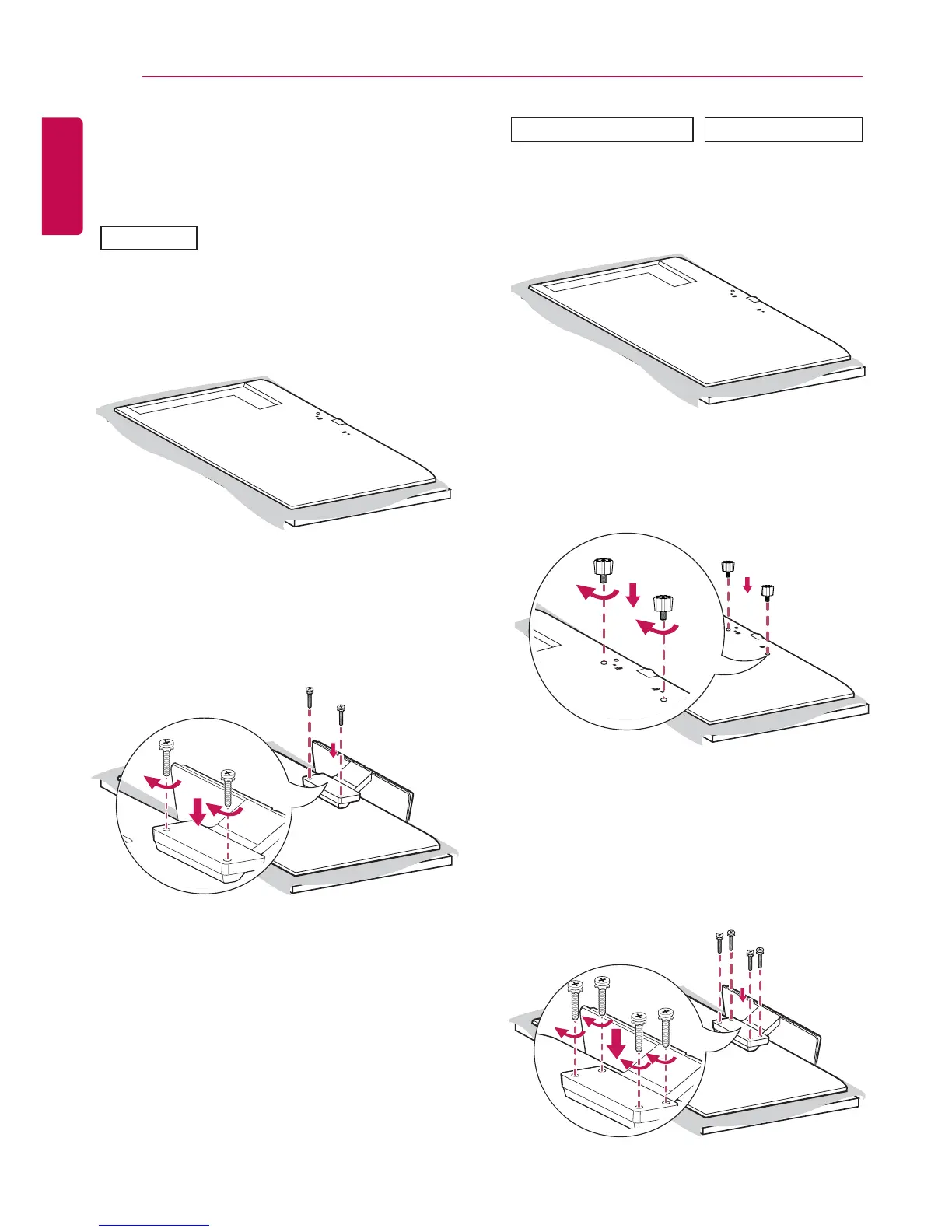
2 Use the screws to secure the stand to the back
of the product as shown below.
Connecting the Stand
- For certain models only.
- The image may be different according to the
model
3 Use the screws to secure the stand to the back
of the product as shown below.
1 Place a soft cloth on the table and place the
product with the screen facing downward.
1 Place a soft cloth on the table and place the
product with the screen facing downward.
2 Tighten stand spacers on the back of the
product as shown below.
32SE3*
43/49/55/65SE3* 43/49/55SL5B


 To Next Page
 Loading...