EasyManua.ls Logo

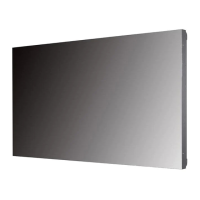
LG 49VM5C-A - User Manual

LG 49VM5C-A
112 pages
Print Icon
To Next Page IconTo Next Page
Loading...
www.lg.com
Copyright © 2018 LG Electronics Inc. All Rights Reserved.
OWNER’S MANUAL
LG Digital
Signage
(MONITOR SIGNAGE)
Please read this manual carefully before operating your set and retain it
for future reference.
49VM5C
49VH7C

Table of Contents

Questions and Answers

Summary

IMPORTANT PRECAUTIONS

Electrical Power Related Precautions

Ensures safe operation by detailing electrical power precautions.

Precautions for installing the Product

Provides guidelines for safe and proper product installation.

Precautions for Moving the Product

Outlines necessary precautions for safely moving the product.

Precautions for Using;Cleaning the Product

Details safety measures for product usage and cleaning.

ASSEMBLY AND PREPARATION

Installing on a Wall

Detailed instructions for securely mounting the monitor on a wall.

REMOTE CONTROL

MAKING CONNECTIONS

TROUBLESHOOTING

No image is displayed.

Troubleshooting steps for when the screen displays no image.

The screen image looks abnormal.

Solutions for common issues causing abnormal screen images.

PRODUCT SPECIFICATIONS

USER SETTINGS

Sound Settings

Network Settings

Screen Share

SuperSign EZ

Multi-Screen

TO CONTROL MULTIPLE PRODUCTS

Summary

IMPORTANT PRECAUTIONS

Electrical Power Related Precautions

Ensures safe operation by detailing electrical power precautions.

Precautions for installing the Product

Provides guidelines for safe and proper product installation.

Precautions for Moving the Product

Outlines necessary precautions for safely moving the product.

Precautions for Using;Cleaning the Product

Details safety measures for product usage and cleaning.

ASSEMBLY AND PREPARATION

Installing on a Wall

Detailed instructions for securely mounting the monitor on a wall.

REMOTE CONTROL

MAKING CONNECTIONS

TROUBLESHOOTING

No image is displayed.

Troubleshooting steps for when the screen displays no image.

The screen image looks abnormal.

Solutions for common issues causing abnormal screen images.

PRODUCT SPECIFICATIONS

USER SETTINGS

Sound Settings

Network Settings

Screen Share

SuperSign EZ

Multi-Screen

TO CONTROL MULTIPLE PRODUCTS

LG 49VM5C-A Specifications

General IconGeneral
Screen Size49 inches
Panel TechnologyIPS
Brightness500 cd/m²
Contrast Ratio1200:1
Viewing Angle (H x V)178° x 178°
Response Time8 ms
External ControlRS-232C, LAN
OrientationLandscape/Portrait
Operating Hours24/7
Display TypeLED
Native Resolution1920 x 1080 (Full HD)
InputHDMI, DisplayPort, USB
OutputUSB

Related product manuals