ENGLISH
16
How to Join Sets
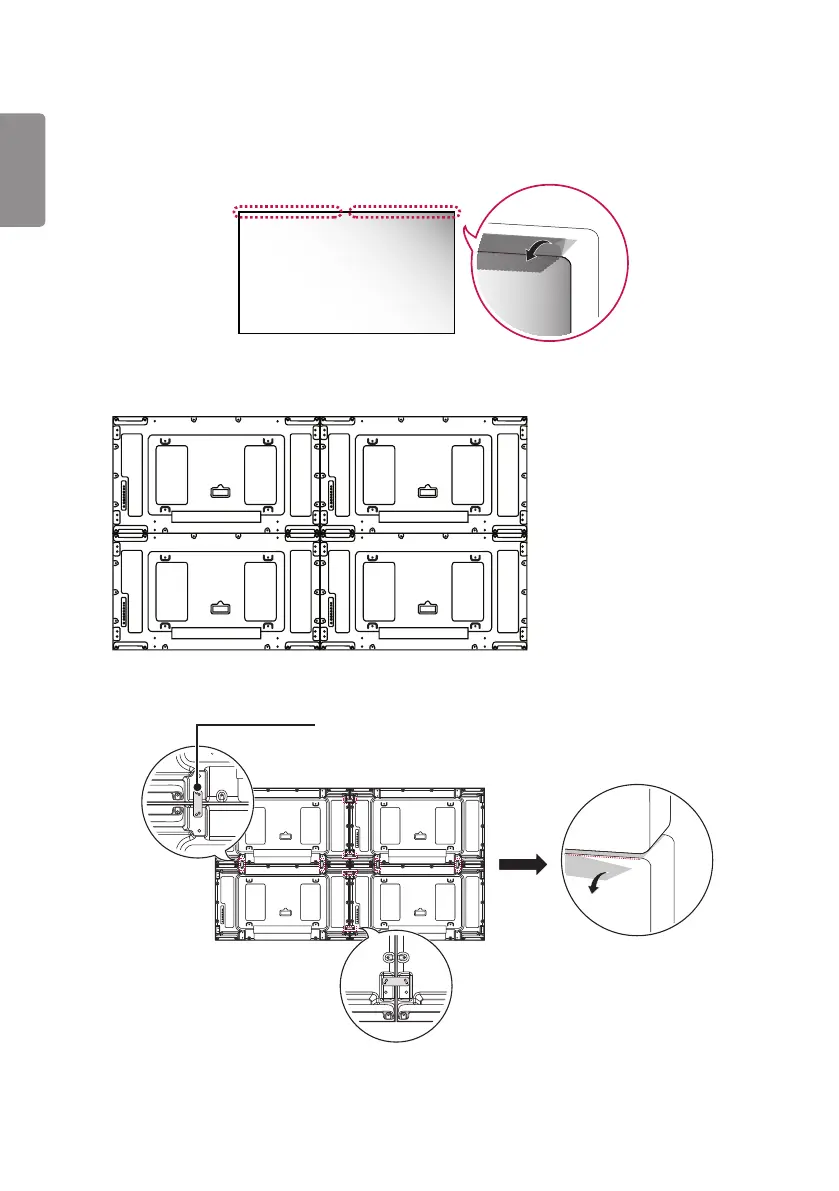
• Lay the protective sheet on top before installing additional sets.
1 Join other sets using screws for fixing the VESA wall mount in the same way as above.
Set 4 joined to the rest of the sets
(2 x 2 tiling)
2 Adjust the spacing between the sets using the tiling guide, and remove the protective sheet.
(M4 x L6)
3 Now the 2 x 2 tiling is complete.
You can tile in various combinations, such as 3 x 3.


 To Next Page