EasyManua.ls Logo

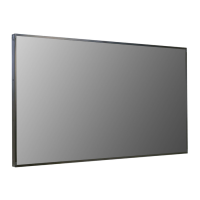
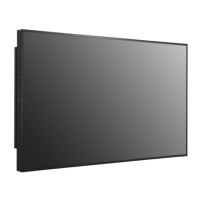
LG 49XF2B - User Manual

LG 49XF2B
117 pages
Print Icon
To Next Page IconTo Next Page
Loading...
www.lg.com
Copyright © 2017 LG Electronics Inc. All Rights Reserved.
OWNER’S MANUAL
Please read this manual carefully before operating your set and retain it for future
reference.
LG Digital
Signage
(MONITOR SIGNAGE)
49XF2B 49XS2B
55XF2B 55XS2B

Table of Contents

Other manuals for LG 49XF2B

Questions and Answers

  • W
    watersdawnSep 10, 2025
    How to fix abnormal screen color on LG 49XF2B?
    • A
      andrew25Sep 10, 2025
      If the screen color on your LG Digital Signage appears abnormal, try these steps: * Set the number of colors to more than 24 bits (true color) via Control Panel - Display - Settings - Color Table in Windows. * Check the connection status of the signal cable. * Try re-inserting the PC video card. Note: Several pixels (red, green, white, or black color) may appear on the screen. This is not a malfunction of the LCD.
  • M
    Michael WilsonAug 22, 2025
    What to do if the screen image looks abnormal on my LG 49XF2B?
    • T
      Tammy FitzpatrickAug 22, 2025
      If the screen image on your LG Digital Signage looks abnormal, ensure that the graphic card resolution and frequency are supported by the product. If the frequency is out of range, set to the recommended resolution in the Control Panel Display Setting menu. Also, verify that the correct input signal is connected to the appropriate signal port; connect the signal cable that matches the source input signal.
  • B
    Brenda RichmondAug 25, 2025
    How to fix the audio if it does not work on LG 49XF2B?
    • V
      Virginia MitchellAug 25, 2025
      If the audio function on your LG Digital Signage isn't working, check if the audio cable is properly connected. Also, ensure that the volume is appropriately adjusted and that the correct sound settings are selected. You may also want to select the appropriate equalizer sound and re-adjust the volume.
  • A
    Andrea TerryAug 26, 2025
    Why is the screen color abnormal on my LG Digital Signage?
    • M
      Melinda StewartAug 26, 2025
      If the screen color on your LG Digital Signage appears abnormal, set the number of colors to more than 24 bits (true color) via Control Panel - Display - Settings - Color Table menu in Windows. Also, check the connection status of the signal cable and try re-inserting the PC video card. Note that some color variations are unique characteristics of the LCD panel and not a malfunction.
  • C
    Charles GutierrezAug 27, 2025
    What to do if the 'Unknown Product' message appears when my LG Digital Signage is connected?
    • A
      Amanda ValdezAug 27, 2025
      If you see an 'Unknown Product' message when connecting your LG Digital Signage, check if the Plug & Play function is supported by referring to the video card user manual.
  • B
    Beverly RandolphAug 29, 2025
    Why does after-image appear on the LG 49XF2B Digital Signage?
    • D
      Dan WardAug 29, 2025
      If an after-image appears on your LG Digital Signage, use the screen-saver function. This can happen if pixels are damaged. Note that this is normal for LCD screen products.
  • K
    kendrafritzSep 18, 2025
    What to do if LG 49XF2B operation does not work normally?
    • G
      Gregory HardySep 18, 2025
      If the operation of your LG Digital Signage does not work normally, check if the Timer is set. Also, review the power control settings. Note that a power interruption could also cause this issue.
  • T
    Tammy RamosSep 12, 2025
    What causes abnormal screen image on LG Digital Signage?
    • S
      Susan LesterSep 12, 2025
      An abnormal screen image on your LG Digital Signage can be caused by a few things. First, ensure that the graphic card resolution and frequency are supported by the product. If the frequency is out of range, set the resolution to the recommended setting in the Control Panel Display Setting menu. Also, make sure the correct input signal is connected to the signal port using the appropriate signal cable.
  • R
    Ricky WeaverSep 8, 2025
    Why is the audio not working on my LG Digital Signage?
    • J
      Julie CraigSep 8, 2025
      If the audio on your LG Digital Signage isn't working, try the following: 1. Check if the audio cable is properly connected. 2. Adjust the volume settings. 3. Ensure the sound settings are configured correctly. 4. Select an appropriate equalizer sound.
  • K
    Kathryn HernandezSep 5, 2025
    What to do if the audio function does not work on my LG 49XF2B Digital Signage?
    • A
      Adam BrownSep 5, 2025
      If the audio function isn't working on your LG Digital Signage, first check that the audio cable is properly connected. Then, adjust the volume settings. Also, make sure the sound settings are correctly configured and the appropriate equalizer sound is selected.

Summary

Important Precautions

Electrical Power Related Precautions

Safety guidelines for electrical connections and usage to prevent shock or fire.

Precautions in installing the Product

Safe installation procedures for the product, avoiding heat and ensuring stability.

ASSEMBLY AND PREPARATION

Installing on a Wall

Instructions and considerations for securely mounting the monitor on a wall.

REMOTE CONTROL

MAKING CONNECTIONS

USER SETTINGS

Main Menu Settings

Overview of the main menu structure for customizing monitor settings.

Quick Settings

Access frequently used settings quickly for common adjustments like power and energy saving.

Picture Settings

Options for adjusting picture modes, contrast, brightness, and color for optimal display.

TROUBLESHOOTING

PRODUCT SPECIFICATIONS

TO CONTROL MULTIPLE PRODUCTS

Command Reference List

A comprehensive list of commands, their codes, and data for controlling the monitor remotely.

LG 49XF2B Specifications

General IconGeneral
BrandLG
Model49XF2B
CategoryDigital Signage
LanguageEnglish

Related product manuals