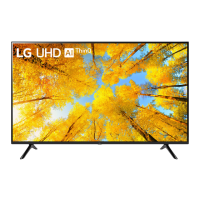
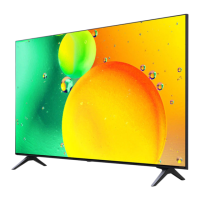
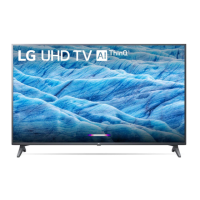
This document serves as an owner's manual for an LG LED TV, specifically models in the UQ75 series, including 50UQ75, 55UQ75, and 65UQ75. The manual provides instructions for installation, initial setup, connections, and troubleshooting, along with important safety and regulatory information.
Function Description
The LG LED TV is a display device designed for home entertainment, capable of receiving various broadcast signals (Digital TV and Analogue TV) and connecting to external media sources. It features an LCD screen with LED backlights. The TV can be mounted on a table using its provided stand or secured to a wall with an optional wall mount bracket. It supports multiple input types including HDMI, USB, Optical Digital Audio Out, LAN, Antenna/Cable In, Satellite In, and AV In, allowing for a wide range of external device connections such as Blu-ray players, HD receivers, DVD players, VCRs, audio systems, USB storage devices, PCs, and gaming consoles. The TV can be controlled via a remote control, and some models support a Magic Remote. An IR Blaster is also available for controlling set-top boxes and other compatible devices.
Important Technical Specifications
- Model Series: UQ75 (50UQ75, 55UQ75, 65UQ75)
- Display Technology: LCD screen with LED backlights.
- Power Requirement: AC 100-240 V~, 50/60 Hz.
- Dimensions (with stand):
- 50UQ75: 1130 mm (A) x 719 mm (B) x 235 mm (C)
- 55UQ75: 1244 mm (A) x 783 mm (B) x 235 mm (C)
- 65UQ75: 1463 mm (A) x 910 mm (B) x 255 mm (C)
- Weight (with stand):
- 50UQ75: 11.3 kg
- 55UQ75: 14.3 kg
- 65UQ75: 21.3 kg
- Broadcasting Specifications:
- Digital TV: DVB-T/T2, DVB-C, DVB-S/S2 (depending on model and country).
- Programme coverage: 950 ~ 2,150 MHz (DVB-S/S2), 46 ~ 890 MHz (DVB-C), VHF III: 174 ~ 230 MHz, UHF IV: 470 ~ 606 MHz, UHF V: 606 ~ 862 MHz, S Band II: 230 ~ 300 MHz, S Band III: 300 ~ 470 MHz (DVB-T/T2).
- Maximum storable programmes: 6,000 (DVB-S/S2, DVB-C), 3,000 (DVB-T/T2).
- External antenna impedance: 75 Ω.
- Analogue TV: PAL B/B, PAL B/G, PAL D/K, PAL-I, SECAM B/G, SECAM D/K, NTSC-M.
- Programme coverage: 46 ~ 862 MHz.
- HDMI Audio Format Support: True HD (48 kHz), Dolby Digital / Dolby Digital Plus (32 kHz / 44.1 kHz / 48 kHz), PCM (32 kHz / 44.1 kHz / 48 kHz / 96 kHz / 192 kHz).
- USB: Supports USB 2.0. Recommended USB cables and memory sticks should have bezels less than 10 mm thick and 18 mm width.
- Wireless Module Specifications (LGSBWAX12 - QNED95, QNED96, QNED99*):**
- Wireless LAN (IEEE 802.11a/b/g/n/ac/ax):
- 2,400 to 2,483.5 MHz: 17 dBm
- 5,150 to 5,725 MHz: 15 dBm
- 5,725 to 5,850 MHz: 13 dBm
- 5,945 to 6,425 MHz (Only UAE): 11 dBm
- Bluetooth: 2,400 to 2,483.5 MHz: 9 dBm
- Wireless Module Specifications (LGSBWAC03 - Except QNED95, QNED96, QNED99*, QNED80*, QNED81*, QNED85*, QNED86*, QNED91*, 86NANO75*, 86NANO76*, 86NANO79*, 86UQ90*, 86UQ91*):**
- Wireless LAN (IEEE 802.11a/b/g/n/ac):
- 2,400 to 2,483.5 MHz: 18.5 dBm
- 5,150 to 5,725 MHz: 19.5 dBm
- 5,725 to 5,850 MHz: 11.5 dBm
- Bluetooth: 2,400 to 2,483.5 MHz: 9 dBm
- Wireless Module Specifications (LGSBWAC95 - QNED80, QNED81, QNED85*, QNED86*, QNED91*, 86NANO75*, 86NANO76*, 86NANO79*, 86UQ90*, 86UQ91*):**
- Wireless LAN (IEEE 802.11a/b/g/n/ac):
- 2,400 to 2,483.5 MHz: 19 dBm
- 5,150 to 5,725 MHz: 18 dBm
- 5,725 to 5,850 MHz: 13.5 dBm
- Bluetooth: 2,400 to 2,483.5 MHz: 9 dBm
- Environmental Conditions:
- Operating Temperature: 0 °C to 40 °C
- Operating Humidity: Less than 80%
- Storage Temperature: -20 °C to 60 °C
- Storage Humidity: Less than 85%
- Shelf Life Time (Egypt Only): 3 Years. LG is committed to providing all spare parts during this period.
- VESA Standard Mounting Interface (Wall Mount):
- 50UQ75*: 200 x 200 mm (M6 screws)
- 55UQ75*: 300 x 300 mm (M6 screws)
- 65UQ75*: 300 x 300 mm (M6 screws)
Usage Features
- Installation Flexibility: Can be installed on a table using the included stand or wall-mounted with an optional VESA-compatible bracket. Specific instructions are provided for both methods, emphasizing safety and proper ventilation.
- Easy Setup: Step-by-step visual guides for stand assembly and initial TV placement.
- Connectivity: Comprehensive input/output options for various external devices, including multiple HDMI ports, USB ports, and antenna/satellite connections.
- IR Blaster: Enables universal control of compatible external devices (set-top boxes, Blu-ray players, soundbars, etc.) using the TV's remote control.
- User Guide Access: An embedded USER GUIDE provides detailed information on TV functions, accessible through the TV's menu system.
- Basic TV Operation: The TV can be turned on/off and its menu controlled using a single button on the device itself, in addition to the remote control.
- HDMI Deep Colour: Supports enhanced picture quality for devices that also support HDMI Deep Colour, with an option to adjust the setting on the TV.
- PC Mode: When connected to a PC via HDMI, the TV can be used as a monitor. Adjustments for resolution, refresh rate, brightness, and contrast are available to optimize the display.
- Analog Gender Adapter: An optional adapter that can be purchased separately for connecting analog devices.
- Open Source Software: Information on obtaining source code for components used in the product under various open source licenses.
- Licenses: Details on HDMI, QuickSet (for Magic Remote supported models), and HEVC Advance licenses.
Maintenance Features
- Cleaning: Instructions for safe cleaning of the TV screen and body using a soft, dry cloth. Warnings are provided against using harsh chemicals, spraying liquids directly onto the screen, or allowing liquids to enter gaps.
- Troubleshooting Guide: A dedicated section addresses common issues such as remote control malfunction, no image/sound, sudden TV shutdown, no signal in PC mode, and abnormal display characteristics (e.g., "flicker," dead pixels, brightness variations).
- Sound Anomalies: Explanations for "cracking" noises (due to thermal contraction) and "electrical circuit humming/panel buzzing" (from high-speed switching circuits), clarifying that these are normal operational characteristics and not malfunctions.
- Image Sticking Prevention: Advice to avoid displaying still images for prolonged periods to prevent image sticking.
- Power Cord Care: Instructions on protecting the power cord from physical damage, ensuring secure connections, and unplugging the device during lightning storms or prolonged disuse.
- Ventilation: Emphasizes the importance of proper ventilation and warns against blocking air vents to prevent overheating.
- Battery Safety: Guidelines for storing and handling batteries (for the remote control) to prevent overheating, short-circuiting, or fire.
- Product Safety: General safety warnings against unauthorized modifications, using unapproved accessories, and exposing the TV to rain, moisture, or flammable objects.
- Customer Service: Recommends contacting local customer service for repairs or if foreign objects enter the product.

 Need help?

 To Next Page
 General