Need help?
Do you have a question about the LG 50UQ7570PUA and is the answer not in the manual?
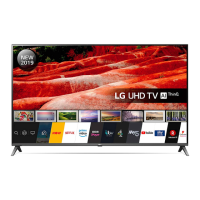
This document serves as an owner's manual for an LG LED TV, providing essential information for safe and effective operation, as well as maintenance and troubleshooting. The TV utilizes an LCD screen with LED backlights.
The LG LED TV is designed for home entertainment, offering a range of viewing and connectivity options. Its primary function is to display video content from various sources, including broadcast television, external media devices, and potentially internet-based services. The TV can be controlled through a single button for basic functions like power on/off, menu access, and menu selection. For more advanced control, an optional Magic Remote Control is available, which supports Bluetooth connectivity. The TV also supports external control via RS-232C (Serial) or USB to Serial (RS-232C) converter cables, allowing integration with computer or A/V control systems for functions such as power on/off, aspect ratio adjustment, screen mute, volume control, contrast, brightness, color/colour, tint, sharpness, OSD select, remote control lock mode, treble, bass, balance, color/colour temperature, ISM method (for Plasma TVs), equalizer, energy saving, tune command for channel selection, channel add/delete/skip, key code transmission, control backlight, control panel light (for Plasma TVs), input selection, 3D mode (for 3D models), extended 3D options, and auto configure.
The TV offers a user-friendly experience with several features to enhance viewing. Upon first use, the TV undergoes an initialization process. The On Screen Display (OSD) provides visual feedback for settings and operations. Users can connect various external devices, including Blu-ray players, HD receivers, DVD players, VCRs, audio systems, USB storage devices, PCs, and gaming devices, through HDMI and USB ports. The TV supports HDMI Deep Color for clearer pictures, and it is recommended to use certified HDMI cables. For USB devices, certain specifications for bezels and wire diameter are advised for optimal connection, with support for USB 2.0 extension cables. An IR Blaster is available in some models and countries to control set-top boxes, Blu-ray/DVD players, soundbars, and game consoles. The TV can receive broadcast television signals through an antenna or cable connection, supporting ATSC, ATSC3.0 (USA only), NTSC-M, 64 & 256 QAM standards. Channel tuning can be done for both analog and digital signals, with specific commands for physical, major, and minor channel numbers. The TV also includes energy-saving features, which can be adjusted through the PICTURE menu. For 3D models, various 3D modes and options are available, including 3D On/Off, 3D to 2D, 2D to 3D, and adjustments for 3D effect and viewpoint. Auto Configure is a feature that adjusts picture position and minimizes image shaking, particularly useful in RGB (PC) mode.
Proper maintenance is crucial for the longevity and safe operation of the LG LED TV. The manual emphasizes several safety precautions, including keeping the TV away from water, heat sources, and direct sunlight, ensuring proper ventilation, and protecting the power cord from damage. Cleaning the TV should be done with a soft, dry cloth, avoiding water or other liquids sprayed directly onto the screen, and refraining from using harsh chemicals. When moving the TV, it is recommended to use the original packaging, disconnect all cables, and have at least two people for larger TVs, ensuring the screen faces away to prevent damage. The manual also provides guidance for mounting the TV on a table or wall, advising the use of VESA standard mounts and proper anchoring systems. For wall mounting, it is suggested to cover stand holes with tape to prevent dust and insects. Troubleshooting tips are included for common issues such such as remote control malfunction, no image/sound, sudden TV shutdown, and abnormal display or generated sounds like cracking noise or electrical circuit humming/panel buzzing. The manual also outlines regulatory information, including FCC and Industry Canada statements regarding radio frequency interference and radiation exposure, emphasizing compliance with minimum distance requirements for wireless functions. LG Electronics also offers a take-back and recycling policy for e-waste, promoting environmental protection.
 General
| Screen Size | 50 inches |
|---|---|
| Display Type | LED |
| Smart TV | Yes |
| Operating System | webOS |
| Audio Output | 20W |
| HDMI Ports | 3 |
| USB Ports | 2 |
| Refresh Rate | 60Hz |
| Bluetooth | Yes |
| Wi-Fi | Yes |
| Resolution | 4K UHD (3840 x 2160) |
| HDR | Yes (HDR10, HLG) |


 To Next Page