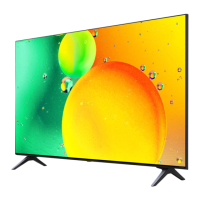
This document serves as a Quick Start Guide and general manual for the LG UQ80 series televisions, providing essential information for setup, usage, and basic maintenance.
Function Description
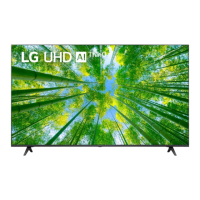
The LG UQ80 series televisions are designed to provide a high-quality visual and audio experience for home entertainment. They function as a central display unit for various media sources, including broadcast television, streaming services, and external devices such as gaming consoles, Blu-ray players, and computers. The televisions are equipped with multiple input and output ports to accommodate a wide range of connectivity options.
Key functions include:
- Displaying Visual Content: The primary function is to display video content from various sources with clarity and detail.
- Audio Output: The TV processes and outputs audio through its integrated speakers or connected external audio systems.
- Connectivity Hub: It acts as a central hub for connecting and managing multiple entertainment devices.
- Smart TV Capabilities: While not explicitly detailed in this quick start guide, LG televisions typically include smart TV functionalities, allowing access to internet-based streaming services and apps.
- Remote Control Operation: The television is operated via an included remote control, enabling users to navigate menus, change channels, adjust volume, and access various features.
Usage Features
The LG UQ80 series televisions are designed for user-friendly operation, from initial setup to daily use.
Initial Setup:
- Unpacking and Inspection: The guide emphasizes careful unpacking and checking for all included accessories. Users are advised to contact their dealer if any items are missing.
- Stand Assembly: Detailed visual instructions are provided for attaching the stand to the TV. A crucial safety note advises placing the screen face down on a cushioned surface to prevent scratches during stand assembly. Two different stand assembly methods are shown, one for 50/55UQ80 models and another for 60/65UQ80 models, indicating variations in design based on screen size.
- Wall Mounting (Optional): The manual includes information for wall mounting, specifying VESA dimensions and screw sizes (M6) for different models, suggesting flexibility in installation options.
- Power Connection: The TV connects to a standard AC power outlet (100-240 V~50/60 Hz).
Connectivity Options:
The television offers a comprehensive array of input and output ports to support diverse media sources:
- HDMI Inputs: Multiple HDMI ports are available for connecting high-definition devices such as Blu-ray players, gaming consoles, and set-top boxes. One HDMI port is designated as ARC/eARC (Audio Return Channel/enhanced Audio Return Channel), allowing for simplified audio connections with compatible sound systems, eliminating the need for a separate audio cable for SPDIF audio output and supporting SIMPLINK functionality.
- USB Inputs: USB ports allow users to connect USB storage devices (e.g., flash drives, external hard drives) to play media files directly on the TV. A note clarifies that some USB hubs may not work, and direct connection to the TV's USB port is recommended if a device is not detected. External power sources for USB devices are also mentioned as a potential requirement.
- Optical Digital Audio Out: This port provides a high-quality digital audio output for connecting to external soundbars or home theater systems. A caution warns against looking directly into the optical output due to the laser beam.
- AV IN (Composite Video/Audio): For connecting older devices that use composite video and stereo audio cables.
- LAN Port: An Ethernet port for wired internet connection, ensuring stable access to online content.
- Antenna/Cable In: For connecting an antenna for over-the-air broadcasts or a cable TV connection.
- Satellite In: A dedicated input for satellite TV connections.
Remote Control Operation:
- The manual illustrates the remote control and highlights key buttons, including power, volume, channel, and input selection.
- A "5s" indication next to the power button suggests a long press might be required for certain functions, possibly for pairing or specific power modes.
- The remote control allows for easy navigation through the TV's interface and access to various settings and features.
Cable Management:
- An illustration shows a basic cable management solution, indicating how to route cables neatly to maintain an organized appearance behind the TV.
Safety and Reference:
- The guide includes a general instruction to "Read Safety and Reference," implying a more comprehensive safety manual is available, likely in digital format or a separate booklet.
- The mention of an "Analog Gender adapter" being purchasable separately at Customer Service suggests that certain legacy connections might require an additional adapter not included with the TV.
Maintenance Features
While the Quick Start Guide primarily focuses on initial setup and basic usage, it implicitly suggests certain maintenance practices:
- Screen Protection: The explicit instruction to place the screen face down on a cushioned surface during stand assembly is a critical maintenance tip to prevent scratches and damage to the display panel. This highlights the delicate nature of the screen and the need for careful handling.
- Cable Organization: The inclusion of a cable management illustration promotes keeping cables tidy, which not only improves aesthetics but also helps prevent tangles, damage to cables, and accidental disconnections, contributing to the longevity and reliable operation of the TV and connected devices.
- Cleanliness: Although not explicitly stated as a maintenance feature, the general care of electronic devices implies keeping the TV free from dust and debris. Users would typically be advised to clean the screen and exterior with a soft, dry cloth, avoiding harsh chemicals.
- Software Updates: While not detailed in this guide, modern smart TVs like the LG UQ80 series typically receive software updates that improve performance, add features, and address security vulnerabilities. Regular updates are a form of maintenance that ensures the TV operates optimally.
- Troubleshooting: The guide's emphasis on checking for missing accessories and contacting the dealer for issues implies a basic level of troubleshooting support. More detailed troubleshooting would likely be found in the full user manual.
- Proper Handling: The overall tone of the setup instructions encourages careful handling of the television, which is fundamental to its long-term maintenance and preventing physical damage.
In summary, the LG UQ80 series televisions are designed to be versatile and user-friendly home entertainment displays. The provided Quick Start Guide offers clear, visual instructions for initial setup and highlights the extensive connectivity options, ensuring users can quickly integrate the TV into their existing home theater systems. While specific maintenance routines are not extensively detailed, the guide subtly promotes practices that contribute to the TV's longevity and optimal performance.

 Need help?
 General

 To Next Page