EasyManua.ls Logo

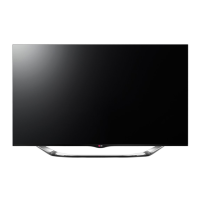
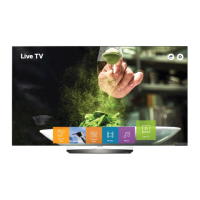
LG 55EW960H - User Manual

LG 55EW960H
53 pages
Print Icon
To Next Page IconTo Next Page
Loading...
www.lg.com
Please read this manual carefully before operating
your TV and retain it for future reference.
55EW960H
65EW960H
Safety and Reference
OLED TV
OWNER’S MANUAL
P/NO : MFL69412008 (1705-REV01)
*MFL69412008*

Other manuals for LG 55EW960H

Questions and Answers

  • L
    Lori MeadowsAug 11, 2025
    Why is my LG 55EW960H remote not working?
    • J
      joeltapiaAug 11, 2025
      If the remote for your LG TV isn't working, first ensure that it is set to TV mode using the MODE key. Point the remote directly at the IR receiver on the TV, and make sure you are close enough, without obstructions in the path. Replace the batteries, making sure they are inserted with the correct polarity (+ and -). Dim the room light, as too much light can interfere with the signal. If none of these steps work, you may need a compatible LG Installer Remote; contact your LG representative.
  • E
    Elizabeth SpencerAug 18, 2025
    What to do if there is no picture on my LG 55EW960H?
    • R
      richardboydAug 18, 2025
      If your LG TV screen is blank, ensure that the TV is turned on and check for any power failures. Verify that the antenna or cable is correctly connected to the TV. Also, inspect all connections to ensure they are properly set up. If applicable, make sure the MPI cable is connected to the MPI device. If the channel is encrypted, try tuning to a different channel. Finally, adjust the installer menu settings to ensure the correct tuning band is selected.
  • F
    Felicia FloresAug 25, 2025
    What to do if my LG 55EW960H has normal picture but no sound?
    • J
      Jason McintyreAug 26, 2025
      If your LG TV has a picture but no sound, first ensure the audio isn't muted by pressing the MUTE button or using the Volume Up key. If that doesn't work, the problem might be with the broadcast itself, so try changing to a different channel.
  • A
    Allison Diaz DDSSep 2, 2025
    Why can't I enter channel numbers directly on my LG 55EW960H TV?
    • M
      Mr. Joseph Mcmillan DDSSep 2, 2025
      If you cannot directly enter a channel number on your LG TV, it might be because the TV is in Pass-through Mode and the 'CH. OVERIDE' setting in the Installer Menu is disabled. To enable direct keypad entry, set 'CH. OVERIDE' to 1. Alternatively, if the TV is not in Pass-through Mode, the channel you are trying to enter may not be included in the current Channel Map. In this case, modify the Channel Map using the appropriate application or content editor.

LG 55EW960H Specifications

General IconGeneral
Screen Size55 inches
Display TypeOLED
HDRYes
Smart TVYes
Operating SystemwebOS
HDMI Ports4
USB Ports3
BluetoothYes
Wi-FiYes
Weight18.5 kg
Refresh Rate120 Hz
Audio Output40W
Resolution3840 x 2160

Related product manuals