Need help?
Do you have a question about the LG 55LX1Q6LA and is the answer not in the manual?
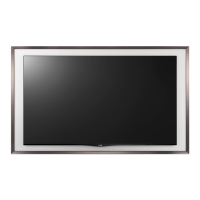
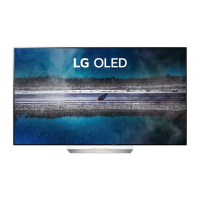
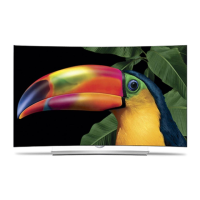
This document describes the LG OLED TV, an advanced television designed for high-quality visual and audio experiences, with a focus on user safety, ease of operation, and screen longevity.
The LG OLED TV is a sophisticated display device that utilizes OLED technology, where each pixel emits its own light, enabling perfect black levels and clear images without blurring. It supports various broadcasting specifications, including Digital TV (DVB-T/T2, DVB-C, DVB-S/S2) and Analogue TV (PAL B/B, PAL B/G, PAL D/K, PAL-I, SECAM B/G, SECAM D/K, NTSC-M), allowing users to access a wide range of television channels. The TV can store a significant number of programmes, up to 6,000 for digital and 3,000 for analogue, facilitating extensive content access.
Connectivity is a key feature, with multiple HDMI ports for external devices such as Blu-ray players, HD receivers, DVD players, soundbars, game consoles, and PCs. It supports various HDMI audio formats, including True HD, Dolby Digital/Dolby Digital Plus, and PCM, ensuring high-quality sound output. USB ports are also available for connecting storage devices, enabling playback of multimedia content. For enhanced control, the TV supports an IR Blaster, which allows users to manage set-top boxes, Blu-ray/DVD players, and other external devices using the TV's remote control.
The TV is equipped with a unique "Always Ready" feature, allowing it to be operated and connected to Bluetooth devices even when the power is off, utilizing direct voice recognition for convenience. This feature enhances accessibility and integrates the TV into a smart home ecosystem.
The LG OLED TV offers intuitive control through its physical buttons and the Magic Remote Control. The physical button on the TV allows for basic operations such as power on/off, volume control, and programme changes. The Magic Remote Control provides a more comprehensive interface with number buttons, quick access to saved programmes and apps, volume and programme control, and a central Wheel (OK) button for menu selection. Advanced features of the Magic Remote include voice recognition for content search and control, and the "Magic Explorer" function, which provides contextual information about on-screen content.
The Magic Remote also supports NFC Tagging, enabling seamless connection with NFC-enabled smart devices. By bringing a smart device near the remote, users can install the LG ThinQ app and access various TV features, simplifying smart home integration.
Installation is designed to be flexible, allowing for both table-top placement and wall mounting. When placing on a table, a minimum 10 cm space from the wall is recommended for proper ventilation. For wall mounting, it is advised to use LG's wall mount bracket and to connect all cables before installation. The TV also includes a securing mechanism to the wall using eye-bolts and a sturdy rope, preventing accidental overturning.
The TV's interface includes an embedded USER GUIDE, accessible through the support menu, providing detailed information on installation, usage, and troubleshooting. This ensures users have readily available assistance for any operational queries.
The LG OLED TV incorporates several features and recommendations to ensure its longevity and optimal performance, particularly concerning the OLED screen. A crucial maintenance feature is "Pixel Cleaning," which automatically checks the screen status and prevents image retention by leaving an image on the screen. This process calculates the optimal execution time based on accumulated viewing time and runs automatically when the TV is turned off, provided it's connected to power. Users can also manually initiate Pixel Cleaning through the TV's settings menu.
To minimize image retention, the manual recommends specific usage practices. When watching TV for extended periods, users are advised to set the picture mode to "Eco" and lower the "OLED Pixel Brightness." Additionally, the "Adjust Logo Brightness" value can be set to "High" to mitigate the effect of static logos. For content with black bars, the TV offers "Vertical Zoom" or "4-Way Zoom" functions to remove these bars, further reducing the risk of image retention. Turning off menus for setting up external devices when not in use also helps prevent static images from being displayed for long durations.
The TV is designed with safety in mind, including precautions against electric shock and fire. Users are instructed to protect the power cord from damage, avoid using damaged cords, and ensure secure connections. In case of product damage, water/substance ingress, smoke, or lightning storms, immediate unplugging and contact with customer service are recommended.
For cleaning, the TV should be unplugged, and a soft/dry cloth should be used. It is explicitly stated not to spray water or other liquids directly onto the screen and to avoid harsh chemicals like glass cleaner, air fresheners, insecticides, lubricants, wax, abrasives, thinner, benzene, or alcohol, as these can damage the product or panel.
The TV's design also accounts for normal operational sounds, such as "cracking" noises due to thermal contraction of plastic components and "electrical circuit humming/panel buzzing" from high-speed switching circuits. These are identified as normal characteristics and do not affect performance or reliability. The manual also addresses "abnormal display" phenomena like tiny black or colored dots (1 ppm) on the panel, clarifying that these are inherent to advanced panel technology and not malfunctions.
 General
| Screen Size | 55 inches |
|---|---|
| Display Type | OLED |
| Smart TV | Yes |
| Operating System | webOS |
| HDMI Ports | 4 |
| USB Ports | 3 |
| Bluetooth | Yes |
| Wi-Fi | Yes |
| Ethernet | Yes |
| Dolby Atmos | Yes |
| Refresh Rate | 120Hz |
| Resolution | 3840 x 2160 |
| HDR | Dolby Vision, HDR10 Pro, HLG |
| Audio Output | 40W |


 To Next Page