Need help?
Do you have a question about the LG 55UP75 Series and is the answer not in the manual?
Covers placement, fire prevention, and general warnings for safe operation.
Details on proper airflow and installation to prevent overheating.
Covers safe disconnection procedures and proper grounding for electrical safety.
Guidance on safely handling and transporting the television to prevent damage.
Instructions for placing the TV on a stand or table securely.
Instructions for attaching the TV to a wall mount, including bracket details.
How to power on the TV and operate basic functions using the physical button.
Details on using the Magic Remote, its buttons, and features for intuitive control.
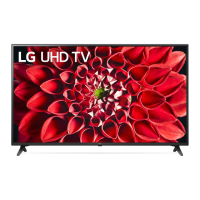
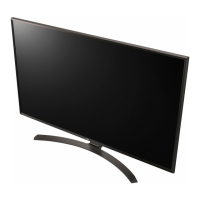
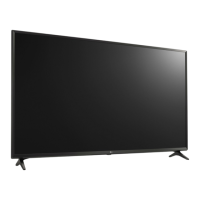
This document serves as an owner's manual for an LG LED TV, providing comprehensive instructions for its setup, operation, and maintenance. The manual emphasizes safety precautions, ensuring users can operate the device securely and efficiently.
The LG LED TV is designed to provide a high-quality visual and audio experience. It functions as a display unit for various media sources, including broadcast television, external devices like Blu-ray players, gaming consoles, and USB storage devices. The TV supports digital and analogue television systems, offering a wide range of channels and broadcasting options depending on the region.
The television can be controlled using either the physical button on the TV itself or a remote control, including a Magic Remote Control for enhanced interaction. The Magic Remote allows for intuitive navigation through menus, voice recognition for hands-free control, and quick access to various functions and streaming services. The TV's interface includes an On Screen Display (OSD) for adjusting settings, managing inputs, and accessing different features.
Connectivity options are extensive, featuring multiple HDMI ports for high-definition external devices, USB ports for media playback from storage devices, an optical digital audio out for connecting to sound systems, and traditional antenna/cable inputs for broadcast reception. It also includes a LAN port for wired network connectivity and supports wireless LAN (Wi-Fi) and Bluetooth for wireless communication and device pairing. The TV is capable of displaying encrypted (pay) services through a CI module, ensuring access to a broader range of content.
Setting up the TV involves several steps, starting with unpacking and safely lifting the unit. The manual provides detailed instructions for mounting the TV on a table stand or a wall mount. For table mounting, it specifies leaving adequate space for ventilation and ensuring the stand is securely fastened to prevent overturning. For wall mounting, it recommends using VESA standard brackets and emphasizes the importance of professional installation for optimal safety and stability.
Once set up, the TV can be turned on using the power button on the unit or the remote control. The Magic Remote Control requires pairing with the TV before its advanced features can be utilized. This involves inserting batteries correctly and pointing the remote at the TV while pressing the "OK" button. The manual also explains how to deregister and re-register the Magic Remote if needed.
The remote control offers a variety of buttons for different functions:
The TV supports HDMI Deep Colour, which can be enabled or disabled in the settings to optimize picture quality with compatible devices. USB devices can be connected for media playback, with recommendations for cable and device dimensions to ensure proper fit and functionality. The manual also advises on connecting external antennas or satellite dishes for broadcast reception, including tips for improving signal quality.
The manual provides crucial information regarding the safe handling and maintenance of the TV. It highlights several safety instructions to prevent electric shock, fire, and injury. Users are advised to keep the TV away from direct sunlight, high humidity, heat sources, and flammable objects. Proper ventilation is emphasized, with warnings against blocking the TV's vents.
Care for the power cord is detailed, urging users to protect it from physical abuse, ensure it is securely connected, and grasp the plug when unplugging to avoid damage. The manual also warns against connecting too many devices to a single AC power outlet, which could lead to fire or electric shock.
Battery maintenance for the remote control is covered, including instructions for replacing batteries and warnings against mixing old and new batteries, short-circuiting, disassembling, or exposing them to excessive heat.
For cleaning the TV, users are instructed to unplug the power cord and gently wipe the screen with a soft, dry cloth. It explicitly warns against spraying water or liquids directly onto the TV and using harsh chemicals like glass cleaner, air fresheners, insecticides, or abrasives, as these can damage the product or its panel.
Troubleshooting tips are included for common issues such as the remote control not working, no image or sound, sudden TV shutdown, and signal detection problems when connecting to a PC via HDMI. It also addresses abnormal display characteristics, such as tiny black or colored dots on the panel, explaining that these are normal for advanced display technology and not indicative of a malfunction. Generated sounds, like cracking noises due to thermal contraction or humming from electrical circuits, are also explained as normal operational characteristics.
The manual also includes regulatory information and details about open-source software used in the TV, ensuring transparency and compliance with legal requirements. It also mentions specific after-sales service information for certain regions, such as Egypt, regarding shelf life and spare parts availability.
 General
| Screen Size | 55 inches |
|---|---|
| Resolution | 3840 x 2160 (4K UHD) |
| Display Type | LED |
| Smart TV | Yes |
| Operating System | webOS |
| HDMI Ports | 3 |
| USB Ports | 2 |
| Wi-Fi | Yes |
| Bluetooth | Yes |
| Refresh Rate | 60Hz |
| Processor | Quad Core Processor |
| Ethernet | Yes |
| Speaker System | 2.0 ch |
| Audio Output | 20W |
| HDR | HDR10, HLG |
| Weight | 14.2 kg (without stand), 14.4 kg (with stand) |


 To Next Page