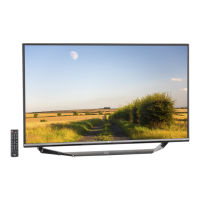
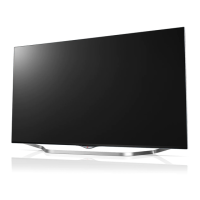
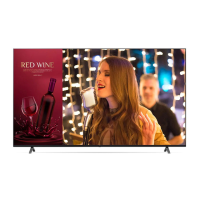
This document is an owner's manual for an LG LED TV, which uses an LCD screen with LED backlights. It provides comprehensive information on safety, preparation, operation, connections, troubleshooting, specifications, and regulatory compliance. The manual emphasizes the importance of reading it thoroughly before operating the TV and retaining it for future reference.
Function Description
The LG LED TV serves as a display device for various media content, including broadcast television, external device inputs, and smart TV applications. It features an LCD screen with LED backlighting for image display. The TV can be controlled using either a physical button on the unit or a remote control, including a Magic Remote Control for enhanced interaction.
Usage Features
Starting the TV:
The TV can be turned on by pressing the power button on the unit or the power button on the remote control. If the TV is turned on for the first time after shipping, initialization may take a few minutes. The physical button on the TV allows for basic operations such as power on/off, volume adjustment, input source selection, and program scrolling.
Using the Remote Control:
The manual details two types of remote controls: a standard remote and a Magic Remote Control.
- Standard Remote Control: This remote features number buttons for direct channel access, a dash button for sub-channels, volume and program buttons, mute, input source selection, navigation buttons (up/down/left/right), an OK button for selection, and a back button. It also includes buttons for teletext, quick access, and various media controls.
- Magic Remote Control: This advanced remote offers additional features. It includes a microphone for voice recognition, allowing users to search for content or control the TV with voice commands. The Magic Remote also has a "Wheel (OK)" button that functions as a scroll wheel and a selection button. When the pointer is active on the screen, shaking the remote can reactivate it. It also features dedicated buttons for streaming services, Home Dashboard, User Guide, and favorite programs. The Magic Remote needs to be paired with the TV before use by inserting batteries and pressing the Wheel (OK) button while pointing it at the TV. If pairing fails, turning the TV off and on again is recommended. To deregister, the Back and Home buttons can be pressed simultaneously for five seconds. For optimal performance, it's advised to keep the Access Point (AP) more than 0.2 m away from the TV to avoid frequency interference.
Connections:
The TV supports various external device connections:
- HDMI: For connecting devices like Blu-ray players, HD receivers, DVD players, and gaming consoles. The manual advises turning off and unplugging both the TV and external devices before connecting HDMI cables. It also highlights the importance of using certified Ultra High Speed HDMI®/™ cables (3 m or less) for optimal picture quality, especially for HDMI Deep Colour content (4K @ 50/60 Hz and 4K @ 100/120 Hz). If the connected device doesn't support HDMI Deep Colour, the TV's setting can be adjusted.
- USB: For connecting USB storage devices. Some USB hubs may not work, so direct connection to the TV's USB port is recommended. For optimal connection, USB cables and devices should have specific dimensions (bezels less than 10 mm thick, 18 mm width, and 8 mm wire diameter).
- Antenna/Cable: Connects to a wall antenna socket using an RF cable (75 Ω). A signal amplifier may be needed for poor image quality.
- Satellite Dish: Connects to a satellite socket using a satellite RF cable (75 Ω).
- CI Module: For viewing encrypted (pay) digital TV services. It's crucial to insert the CI module in the correct direction to avoid damage.
- External Devices: The TV is compatible with a range of external devices, including Blu-ray players, HD receivers, DVD players, VCRs, audio systems, PCs, and gaming devices. The manual advises referring to the external equipment's manual for operating instructions and using the supplied cable for gaming devices. In PC mode, adjusting resolution, refresh rate, or picture settings may be necessary to resolve noise or display issues. For wired LAN connections, a CAT 7 cable is recommended.
Mounting and Placement:
The TV can be mounted on a table or a wall.
- Table Mounting: The TV should be placed on a stable table with at least 10 cm of space from the wall for ventilation. Screws should be fastened securely without overtightening.
- Wall Mounting: An optional wall mount bracket (VESA standard) can be used. It's recommended to have a qualified professional installer for wall mounting. Before wall mounting, the stand should be removed. Eye-bolts or TV brackets should be inserted and tightened on the back of the TV, then connected to wall brackets with a sturdy rope. Cables should be connected before installing fixed wall mounts. The manual provides VESA dimensions and screw specifications for different models.
Maintenance Features
Battery Replacement:
When the Magic Remote displays a "battery low" message, batteries (1.5 V AA or AAA, depending on the model) should be replaced, ensuring correct polarity. Mixing old and new batteries or exposing them to excessive heat is cautioned against. Proper disposal of batteries according to local regulations is also advised.
Cleaning:
The TV should be cleaned gently with a soft/dry cloth after unplugging the power cord. Water or other liquids should not be sprayed directly onto the TV. Harsh chemicals, glass cleaners, air fresheners, insecticides, lubricants, wax, abrasives, thinners, benzene, or alcohol should be avoided, as they can damage the product or panel. When cleaning, care should be taken to prevent liquids or foreign objects from entering the gaps around the panel.
Troubleshooting:
The manual provides solutions for common issues:
- Remote Control Not Working: Check the remote sensor, ensure no obstacles, and verify battery installation and charge.
- No Image/Sound: Confirm the TV is on, the power cord is connected, and the wall outlet is functional.
- TV Turns Off Suddenly: Check power control settings, auto-off function, and signal presence (TV may turn off after 15 minutes of inactivity without signal).
- No Signal (PC HDMI): Turn the TV off/on, reconnect the HDMI cable, and restart the PC.
- Abnormal Display: Minor flickers when turning on are normal. Tiny black or colored dots (1 ppm) on the panel are not malfunctions. Brightness and color may vary by viewing position. Image sticking can occur from prolonged display of still images, so avoid it.
- Generated Sound: "Cracking" noises due to thermal contraction are normal. Low-level humming/buzzing from the electrical circuit is also normal and does not affect performance.
Safety Instructions:
The manual emphasizes several safety precautions:
- Electric Shock: Do not remove the cover or back of the TV. Refer servicing to qualified personnel. Avoid touching the apparatus or antenna during lightning storms. Ensure the power cord is securely connected and not damaged. Do not insert metallic or inflammable objects into the product.
- Fire Hazard: Keep candles or open flames away from the product. Do not expose the product to rain or moisture. Ensure proper ventilation and avoid installing in confined spaces or on carpets/cushions. Do not block ventilation openings.
- Placement: Keep the product away from direct sunlight, high humidity, heat sources, kitchens (steam/oil), rain, wind, flammable objects, and dusty places. Do not place objects filled with liquids on or over the TV.
- Power Cord: Protect the power cord from physical abuse. Do not move the TV while plugged in. Do not use a damaged or loose power cord. Grasp the plug, not the cord, when unplugging. Avoid connecting too many devices to one AC outlet.
- Children Safety: Do not let children climb or cling to the TV. Secure the TV to prevent overturning, especially when placed on tall furniture. Educate children about the dangers of climbing.
- Product Damage: Avoid impact shocks, dropping objects onto the screen, or pressing strongly on the panel. Do not modify the product without authorization. Use only LG-approved attachments/accessories. Handle the AC adapter carefully. Do not touch the TV with wet hands or use a dusty/wet power plug.

 Need help?
 General

 To Next Page