EasyManua.ls Logo

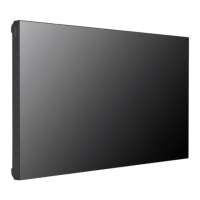
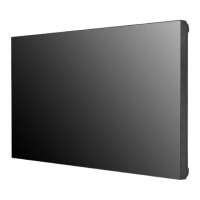
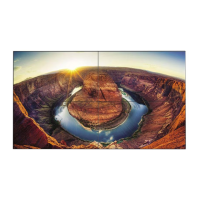
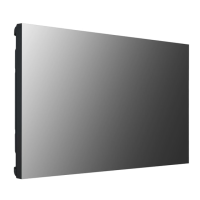
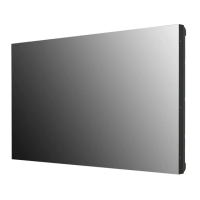
LG 55VM5E - User Manual

LG 55VM5E
129 pages
Print Icon
To Next Page IconTo Next Page
Loading...
www.lg.com
Copyright © 2019 LG Electronics Inc. All Rights Reserved.
Please read this manual carefully before operating your set and retain it
for future reference.
49VH7E
55VH7E
49VM5E
55VM5E
OWNER’S MANUAL
LG Digital
Signage
(MONITOR SIGNAGE)

Table of Contents

Other manuals for LG 55VM5E

Questions and Answers

  • H
    harmonandrewAug 27, 2025
    What to do if the screen color is abnormal on LG 55VM5E?
    • R
      Richard HigginsAug 27, 2025
      If you are experiencing abnormal screen color on your LG Digital Signage, set the number of colors to more than 24 bits (true color) by selecting (Control Panel ? Display ? Settings ? Color Table) in Windows. Also, check the connection status of the signal cable and re-insert the PC graphics card. Note that several pixels (red, green, blue, white, or black color) may appear on the screen. This is not a malfunction of the LCD, but attributable to the unique characteristics of the LCD panel.
  • M
    Mark WoodAug 25, 2025
    What to do if the screen image looks abnormal on LG 55VM5E Digital Signage?
    • G
      Glenn WilliamsAug 26, 2025
      If the screen image looks abnormal on your LG Digital Signage, verify that the graphics card resolution and frequency are supported by the product. If the frequency is out of range, set to the recommended resolution in the (Control Panel ? Display ? Setting) menu. Also, ensure the proper input signal is connected to the signal port by connecting the signal cable that matches with the source input signal.
  • S
    Samuel SandersAug 23, 2025
    Why does the screen image look abnormal on my LG Digital Signage?
    • A
      Austin GarciaAug 23, 2025
      If the screen image on your LG Digital Signage looks abnormal, ensure that the graphics card resolution and frequency are supported by the product. If the frequency is out of range, set to the recommended resolution in the (Control Panel ? Display ? Setting) menu. Also, verify that the correct input signal is connected to the appropriate signal port; connect the signal cable that matches the source input signal.

LG 55VM5E Specifications

General IconGeneral
Display TypeLCD
Screen Size55 inches
Panel TechnologyIPS
Brightness500 cd/m²
Contrast Ratio1200:1
Viewing Angle (H x V)178° x 178°
Response Time8 ms
External ControlRS-232C, LAN
OrientationLandscape / Portrait
Operating Hours24/7
Operating Temperature0°C to 40°C
Storage Temperature-20°C to 60°C
Standby Power Consumption0.5W
Weight18.5 kg
VESA Mount400 x 400 mm
Resolution1920 x 1080 (Full HD)
InputHDMI
OutputDP, Audio Out

Related product manuals