ENGLISH
16
How to Join Sets
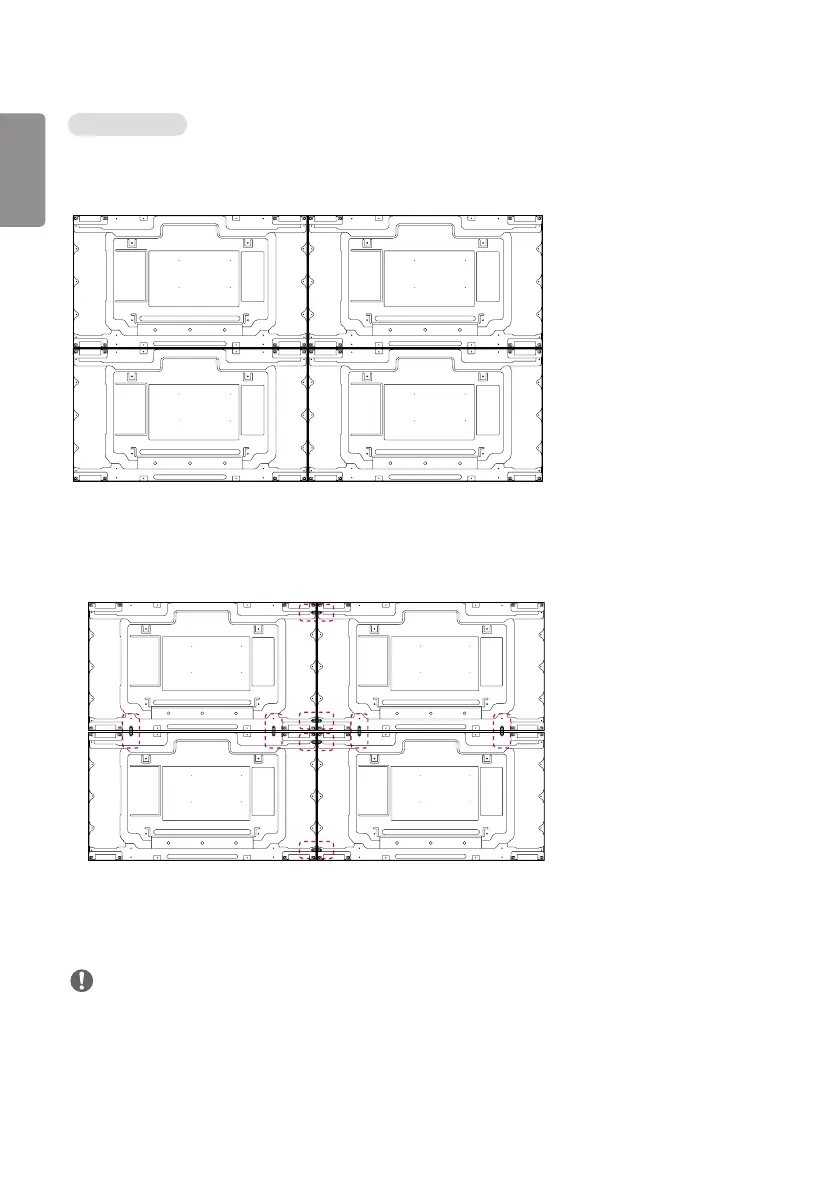
1 Join other sets using screws for fixing the VESA wall mount in the same way as above.
Set 4 joined to the rest of the sets
(2 x 2 tiling)
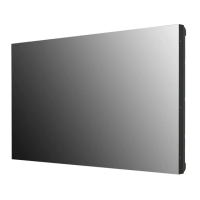
2 After joining the sets, use the tiling guide to adjust the gap between the sets.
3 Now the 2 x 2 tiling is complete. You can tile in various combinations, such as 3 x 3.
NOTE
• The load applied to each set should be supported by the wall mount plate or the wall using a VESA wall mount (600
x 400).
• The load applied to each set should be supported by the wall mount plate using a VESA wall mount. (Each set must
be firmly mounted to the wall mount plate or the wall.)
• You may mount the set without using the tiling guide; this does not affect the performance of the device.
• The screws are enclosed with the other components in the box, including the tiling guides.



 To Next Page