ENGLISH
21
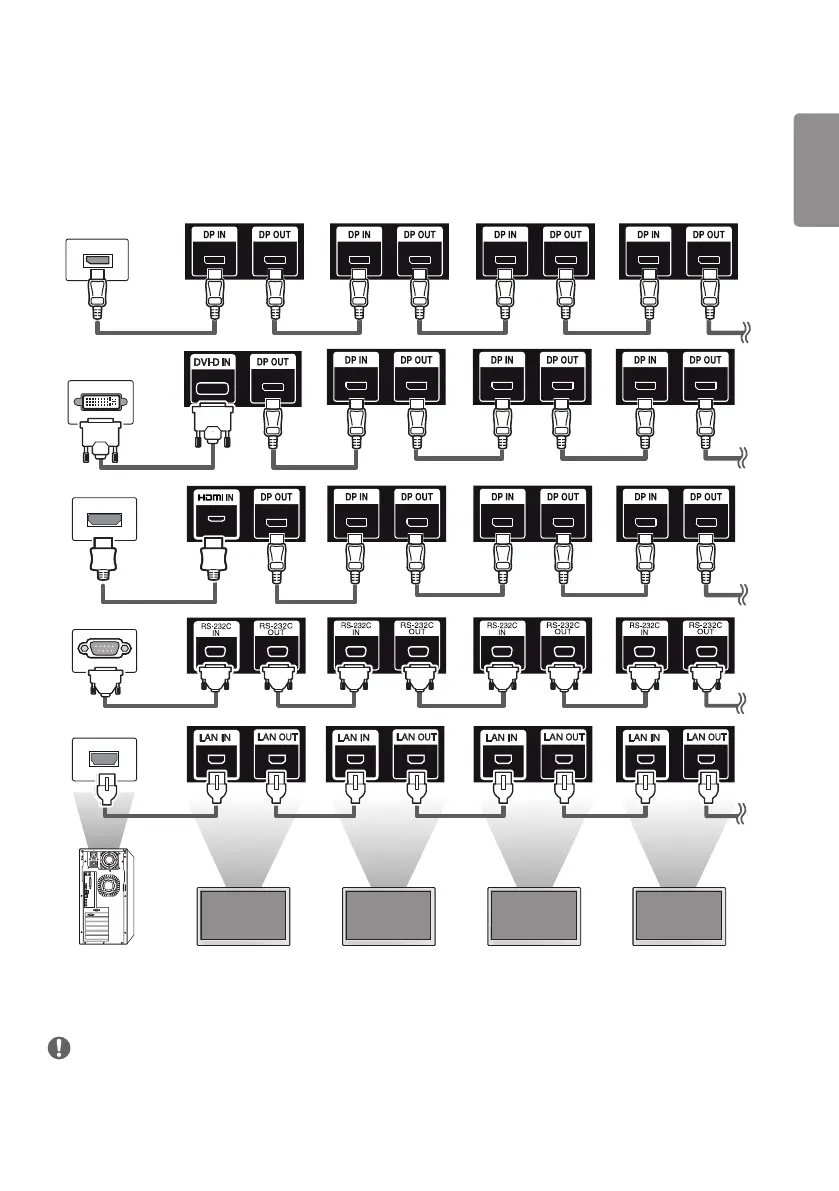
Daisy Chain Monitors
To use different products connected to each other, connect one end of the signal input cable (DP Cable) to the DP Out
connector of Monitor 1 and connect the other end to the DP In connector of the other product.
Monitor 1
Monitor 2
Monitor 4Monitor 3
NOTE
• If the signal cable between the product and your PC is too long, make sure to use the Booster or optical cable.
• Daisy chaining the video output may be limited depending on the performance of the input device that supports
HDCP.
DVI_Cable
DP_Cable
HDMI Cable
RS-232C_Cable
Lan Cable



 To Next Page